
Advanced Scrollbar
Advanced Scrollbar is a lightweight WordPress plugin that helps you add beautiful, customizable scrollbars to your website—no coding required. Tweak colors, width, background, speed, alignment, and effects to match your design, with smooth performance across modern browsers and WordPress themes.

Trusted by more than 1,000+
active users across the world
Customers


Dynamic Scrollbar
Floating Scrollbar
Gradient Color
Custom Cursor
Why Choose Advanced Scrollbar?
Most websites stick with the default browser scrollbar—which often looks out of place, feels inconsistent across browsers, and offers little control over behavior or visibility. With Advanced Scrollbar, you can instantly upgrade the scrolling experience with design and performance controls that default scrollbars simply don’t offer.
The Problem with Default / Basic Scrollbars
- Hard to match brand style with limited native scrollbar styling
- Scrollbar design looks different across browsers and devices often
- No control over speed, smoothness, or scroll wheel step size
- Always visible scrollbars can clutter clean, modern page layouts
- No cursor or click effects, so interaction feels less engaging
A Better Way to Upgrade Scrolling in WordPress
Advanced Scrollbar helps you:
- Style thumb, rail, width, border, and radius without any coding
- Tune speed and smoothness for a more comfortable scroll experience
- Auto hide the scrollbar when inactive for a cleaner interface view
- Align scrollbars left or right to better match your layout patterns
- Add cursor and click effects to create a modern interactive feel
Dynamic Full-Height Scrollbars
Perfect for long pages, blogs, and documentation—this mode keeps your scrollbar experience consistent and visually complete from top to bottom. It delivers a polished, “full-page” feel that’s especially useful on content-heavy sites.
Gradient & Floating Scrollbar Designs
Give your site a modern UI upgrade with gradient scrollbars or sleek floating scrollbars that look premium and feel minimal. Ideal for portfolios, agencies, SaaS sites, and any design-forward layout.
Premium Cursor & Click Animations
Take full control over how your videos behave. Turn on autoplay, loop playback, mute audio, or change preload settings. You decide what the viewer experiences. Everything is right there in your settings and easy to switch on or off.
Scrollbar Styling + Behavior Controls
Customize the core scrollbar experience with settings that matter:
- Optional visibility (show/hide when not in use)
- Thumb color, rail background, width, border, rounded corners
- Smooth scrolling, speed control, mouse scroll step
- Left/right alignment
- Touch-friendly scrolling
Smarter Scrollbar That Looks Great and Just Works
Thumb Color Customization
Set thumb colors that match your branding so the scrollbar looks native to your design.
Rail / Track Background Styling
Customize the rail background to improve contrast, readability, and visual consistency.
Scrollbar Width Control
Adjust scrollbar thickness for a sleek minimal look or a bold style for better visibility.
Border & Rounded Corners
Add borders and radius settings to create modern rounded scrollbars with clean edges.
Auto Hide / Visibility Control
Show the scrollbar only while scrolling or interacting to keep your UI neat and minimal.
Smooth Scrolling Settings
Tune smoothness to reduce jumpy scroll behavior and deliver a more premium browsing feel.
Scroll Speed Adjustment
Control page scroll speed to improve comfort for long pages and different reading behaviors.
Mouse Scroll Step Control
Fine-tune wheel step distance so scrolling feels precise instead of too fast or too slow.
Left / Right Alignment Option
Place scrollbars on the left or right side to match layout patterns or accessibility needs.
Touch-Friendly Scrolling
Enable better scrolling behavior on touch devices for smoother swipes and reduced friction.
Lightweight & Theme Compatible
Built to run fast and work across themes and major browsers without heavy overhead.
Free Cursor Shapes
Use free cursor styles like Follow, Dot, Blob, and Elastic to add subtle modern interaction.
Free Click Effects
Add click animations like Spark, Spark Simple, and Starburst for a more interactive interface.
Floating Scrollbar Mode
Enable floating scrollbars that hover cleanly over content for a premium UI aesthetic.
Custom Floating Colors
Customize floating scrollbar background and text colors to perfectly fit your site palette.
Testimonials
What Our Customers Say to Us


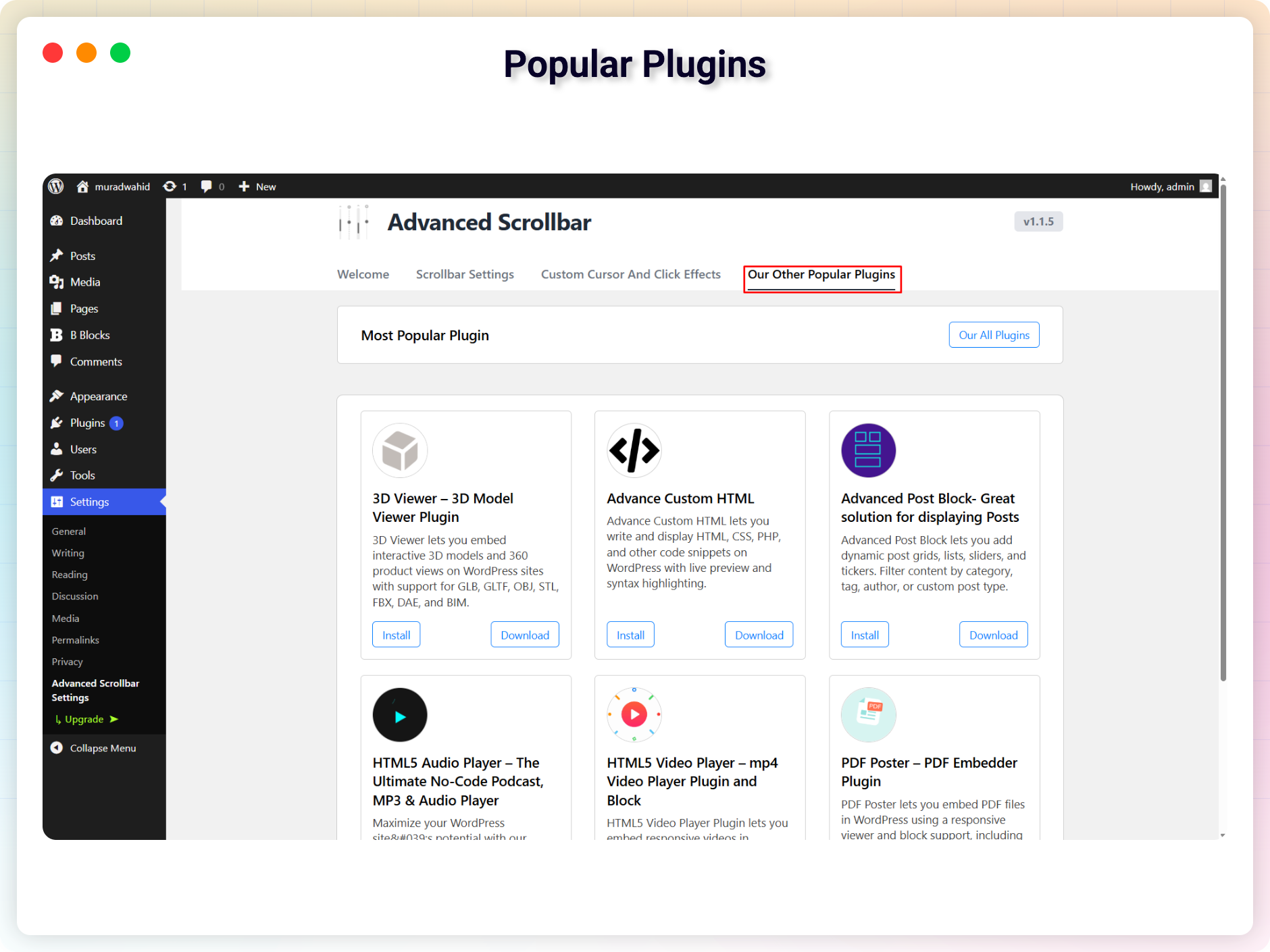
Explore the Interface,
Settings & Preview Screens


Learning Materials
Looking for some learning materials. You will better understand how to use the Advanced Scrollbar.
FAQs

 Save 90%