
 Panorama
 Image
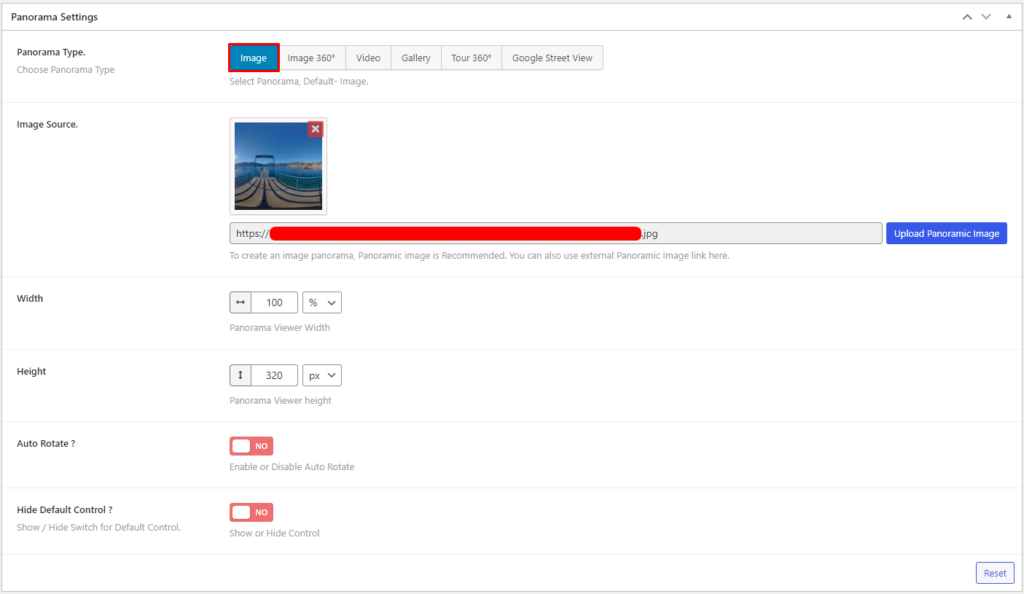
After adding Panorama. There are 6 Panorama Types: Image, Image 360°, Video, Gallery, Tour 360°, and Google Street View. Select Image player type.
Add Image Source. Set Width and Height. Enable/Disable Auto Rotate. Also, Show/Hide Default Control.
Configure- Image 360°
After adding Panorama. There are 6 Panorama Types: Image, Image 360°, Video, Gallery, Tour 360°, and Google Street View. Select Image 360° player type.
Add 360º Image Source.

Layout
Set the Width and Height of the Panorama Viewer.

Options
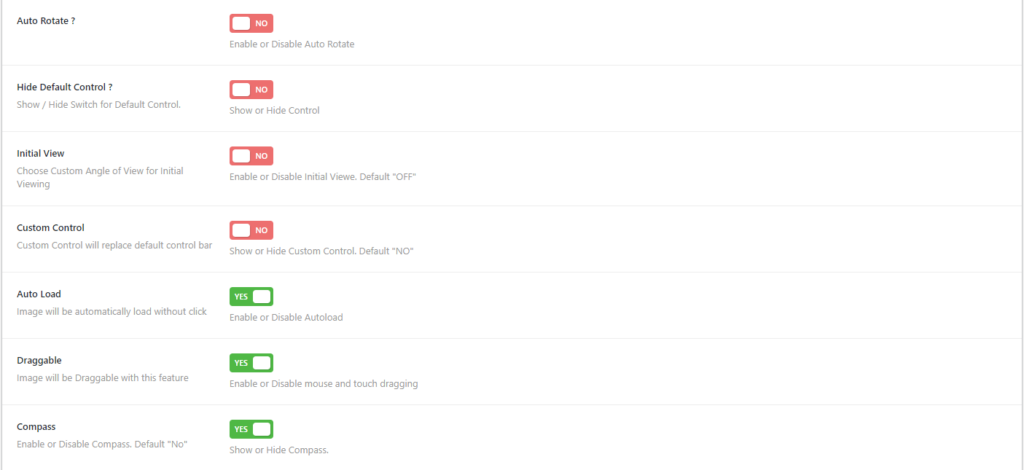
For the options, enable/disable Auto Rotate, Custom Control, Auto Load, Draggable, show/hide Default Control, Compass, and set Initial View.
Title & Author
Enable Title & Author to display the Title and Author on 360º Image.

Configure- Video
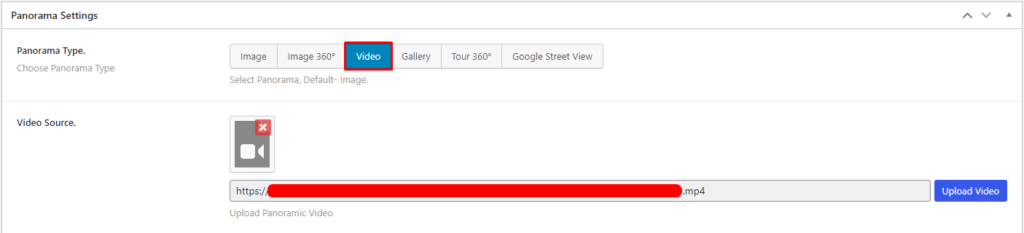
After adding Panorama. There are 6 Panorama Types: Image, Image 360°, Video, Gallery, Tour 360°, and Google Street View. Select the Video player type.
Add Video Source.
Layout
Set the Width and Height of the Panorama Viewer.
Options
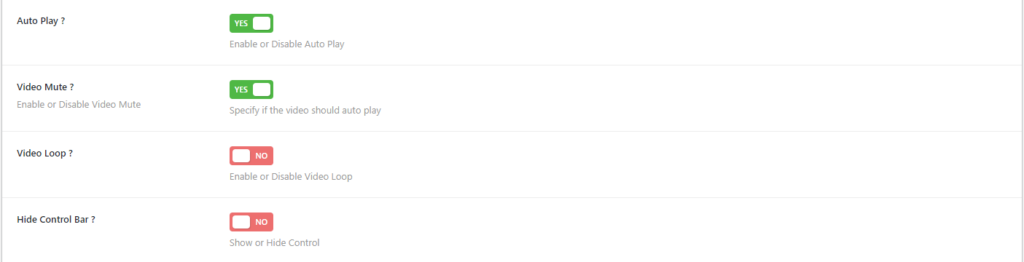
Enable/Disable Autoplay, Mute, Loop, and show/hide Control Bar.
Configure- Gallery
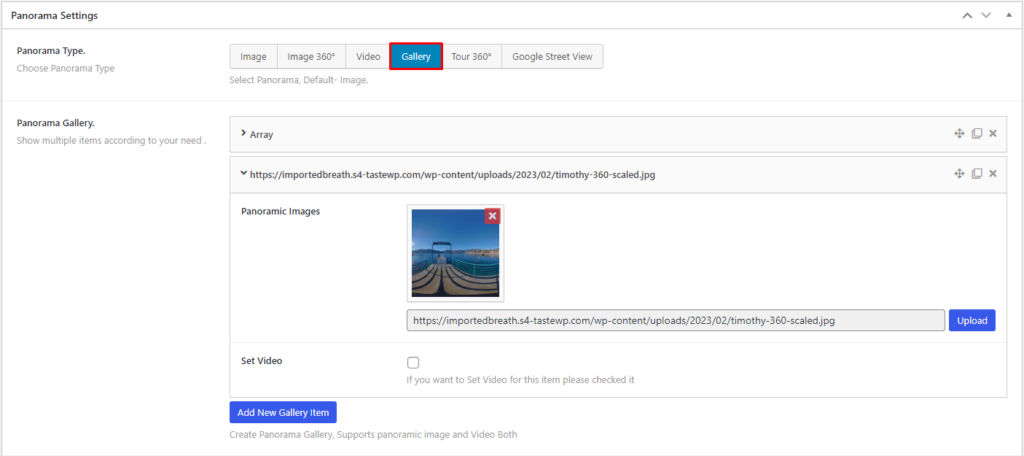
After adding Panorama. There are 6 Panorama Types: Image, Image 360°, Video, Gallery, Tour 360°, and Google Street View. Select the Gallery player type.
Add the Gallery item and for each item add the source file.
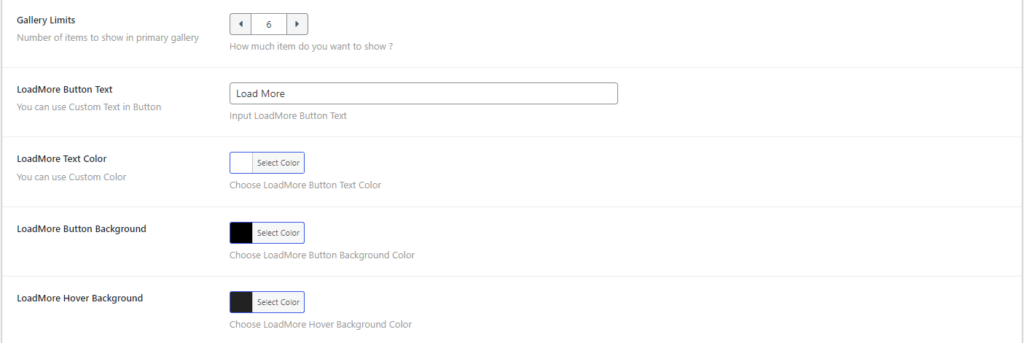
Options
Set Gallery Limits, and Load More Button Text, Color, Background, Hover Background.
Configure- Tour 360°
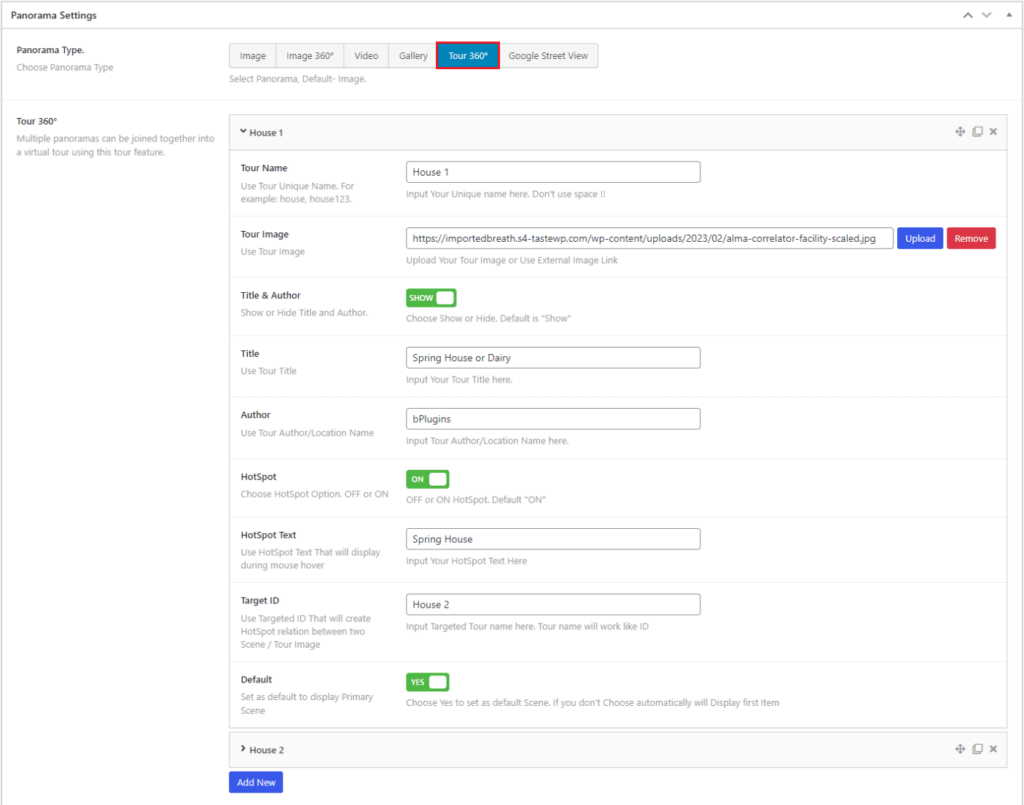
After adding Panorama. There are 6 Panorama Types: Image, Image 360°, Video, Gallery, Tour 360°, and Google Street View. Select the Tour 360° player type.
Add Tour 360º item and for each item add Name, Image. For the option:
- Enable Title & Author to display the Title and Author.
- Enable HotSpot to target another Tour 360° item. Also, set Text and Target ID.
- Enable Default to display as a first item.
Layout
Set the Width and Height of the Panorama Viewer.
Configure- Google Street View
After adding Panorama. There are 6 Panorama Types: Image, Image 360°, Video, Gallery, Tour 360°, and Google Street View. Select the Google Street View player type.
Enter the Panorama ID of Google Street View.

Layout
Set the Width and Height of the Panorama Viewer.
 Save 90%