 Html5 Video Player
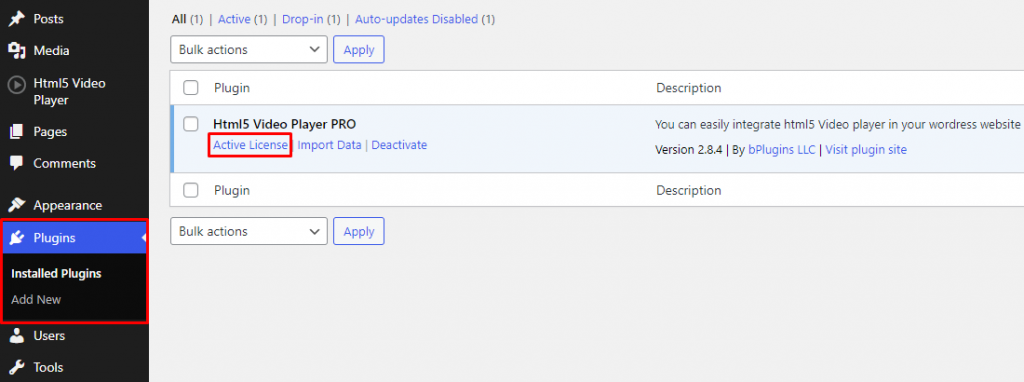
 Navigate to Plugins > HTML5 Video Player PRO > Active License.
After clicking Activate License you will see a popup, insert your license key on the field and click on Activate License button.

Navigate to Plugins > HTML5 Video Player PRO > Active License.
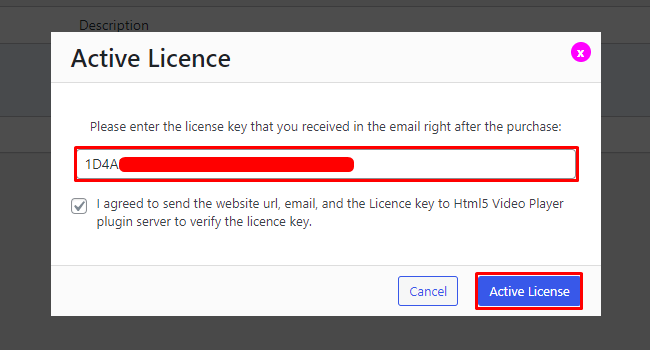
After clicking Activate License you will see a popup, insert your license key on the field and click on Activate License button.
 Save 90%