

Your portfolio is often the first impression potential clients, employers, or collaborators get of your work. For designers, photographers, agencies, and creative professionals, a strong portfolio can make the difference between landing that dream project and getting lost in the noise.
But here’s the challenge: building a stunning, functional portfolio in WordPress isn’t always straightforward. You need flexible layouts, smooth filtering, fast loading times, and a design that showcases your work instead of getting in the way.
That’s where WordPress portfolio plugins come in.
We tested and reviewed five of the best options that help you create professional showcases without touching a line of code. We looked at ease of use, design flexibility, performance, Gutenberg support, and real-world usability to bring you this guide.
Let’s start.
What to Look for in a WordPress Portfolio Plugin
Before we dive into specific plugins, let’s talk about what actually matters when choosing a portfolio solution.
Layout Options
Your work deserves a beautiful presentation. Look for plugins that offer grid, masonry, justified layouts, sliders, and other arrangements. The best solutions give you control without overwhelming you with options.
Filtering and Sorting
Can visitors filter your work by category, tag, or custom taxonomy? Good filtering helps people find exactly what they’re looking for, whether that’s logo design, wedding photography, or web development projects.
Media Support
Not all portfolios are just images. You might need to showcase videos, audio samples, or mixed media. Make sure your plugin handles the content types you actually use.
Gutenberg Integration
If you’re using the WordPress block editor (and most of us are), you want a plugin that fits naturally into your workflow. Native block support means less hassle and better compatibility.
Lightbox and Popup Behavior
When someone clicks your work, what happens? A smooth lightbox experience lets visitors browse your portfolio without leaving the page. It’s a small detail that makes a big difference.
Performance
Heavy galleries can slow down your site. The best plugins load scripts only when needed, use lazy loading, and keep your site fast.
Mobile Responsiveness
More than half of your visitors are probably on mobile. Your portfolio needs to look just as good on phones as it does on desktop.
SEO and Accessibility
Your beautiful work won’t matter if people can’t find it or access it. Look for plugins that support proper alt text, semantic markup, and SEO-friendly structures.
Pricing
Some plugins offer robust free versions, while others gate key features behind premium tiers. Know what you’re getting before you commit.
Check also the Best Social Feed Plugins for WordPress in 2025.
Top 5 Portfolio Plugins for WordPress
Let’s get into the good stuff. Here are five plugins WordPress users actually rely on for professional showcases.
1. Visual Portfolio

Visual Portfolio stands out as one of the most flexible solutions available. Built specifically for the WordPress block editor, it handles everything from simple photo grids to complex multimedia showcases with ease.
What makes this plugin particularly appealing is its versatility. Whether you’re a photographer showcasing your latest wedding shoots, a video creator displaying your commercial work, or a multimedia artist mixing different content types, Visual Portfolio adapts to your needs.
Key Features
- Multiple Layout Options: Choose from masonry, standard grids, justified galleries, carousels, and sliders to present your work exactly how you envision it
- Comprehensive Media Support: Display images, videos, and audio files seamlessly, perfect for mixed media showcases
- AJAX-Powered Filtering: Visitors can browse and filter your work by category or tag without page reloads, creating a smooth experience
- Integrated Lightbox: Built-in popup gallery displays your content beautifully with smooth transitions and easy navigation
- Block-Native Design: Built from the ground up for Gutenberg, giving you a visual layout editor that requires zero coding knowledge
- Smart Performance: Only loads scripts on pages where you actually use portfolios, keeping your site fast
- Responsive by Default: Your galleries automatically adapt to any screen size
Pricing
The free version is powerful, but some advanced features, like certain layouts and effects, require the Pro version.
Best For
Visual Portfolio shines for photographers, video creators, and anyone working with mixed media. If you need a versatile solution that handles multiple content types gracefully, this is your pick.
2. Portfolio Gallery
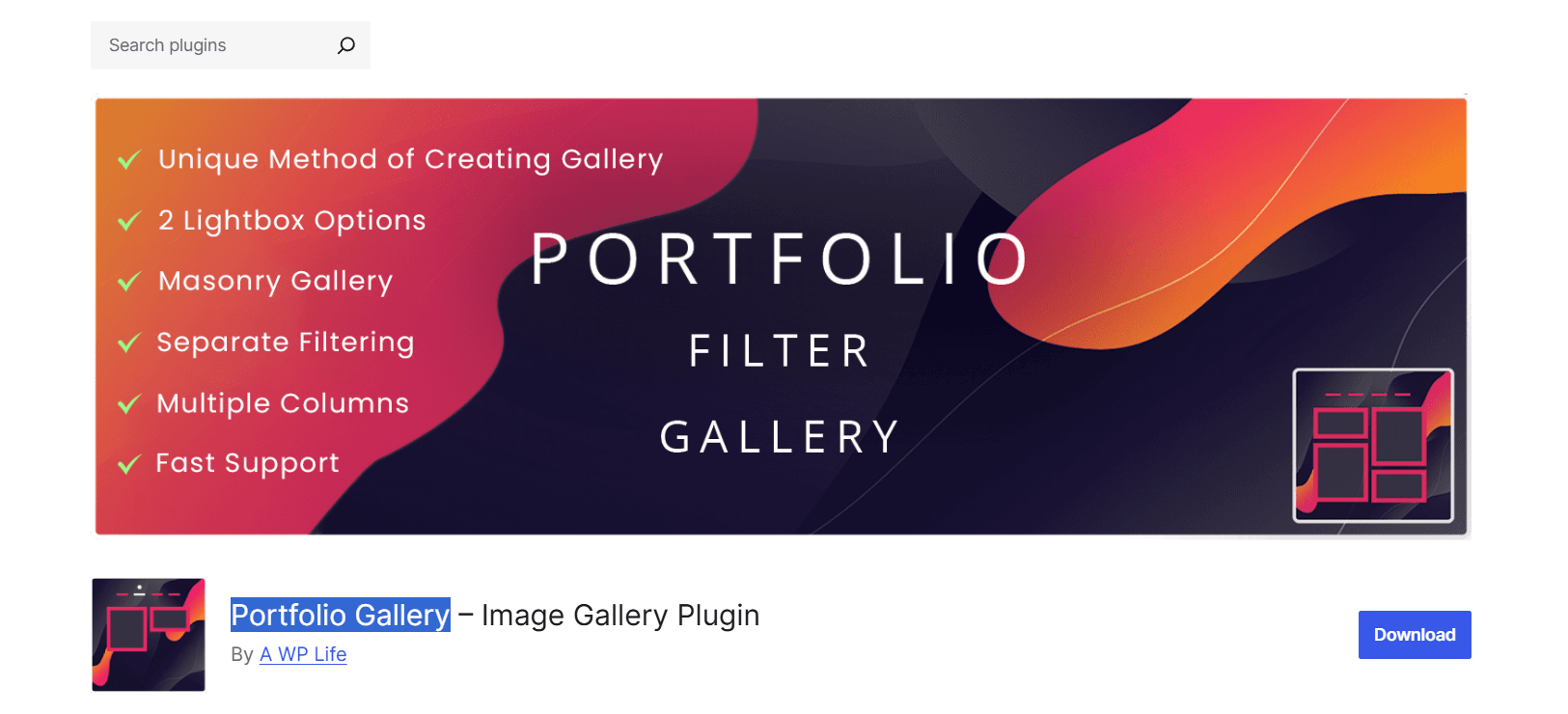
Portfolio Gallery takes a straightforward approach to portfolio showcases, focusing on getting your visual work online quickly without unnecessary complexity.
This plugin has become a favorite among creatives who value simplicity and visual impact over extensive customization options. The interface is intuitive enough for WordPress beginners, yet powerful enough to satisfy professionals. Many photographers and graphic designers choose Portfolio Gallery specifically because they can have a professional-looking gallery running within minutes of installation.
Key Features
- Flexible Column Layouts: Create responsive grids with customizable column counts that automatically adjust based on screen size
- Masonry Grid Support: Display images in an attractive Pinterest-style layout that makes efficient use of space
- Built-In Slider Options: Showcase featured work in carousel or slideshow format for added visual interest
- Customizable Hover Effects: Add professional polish with various hover animations and overlay styles
- Front-End Filtering: Let visitors sort your portfolio by category or tag directly from the gallery view
- Lightbox Popup: Clicking any item opens a clean, full-screen view with easy navigation
- Quick Setup Process: Intuitive interface gets your gallery live fast
Pricing
Free version available with solid features. Pro version unlocks additional layouts and effects.
Best For
Artists, graphic designers, and photographers who want to get their work online fast. If you value simplicity over extensive customization, Portfolio Gallery delivers.
3. Portfolio Block

Portfolio Block takes a minimalist, block-first approach to portfolio creation. It’s built specifically for the Gutenberg editor and embraces WordPress’s native functionality.
Key Features
- Native Block Editor Integration: Works entirely within Gutenberg with no external dependencies, feeling like a natural extension of WordPress
- Filtering Options: Let visitors sort and filter your portfolio items by category or tag
- Customizable Layouts: Adjust grid styles, spacing, and columns to match your design needs
- Lightweight Performance: Minimal external assets keep your site fast and responsive
- Better Compatibility: Fewer conflicts with themes and other plugins thanks to native WordPress integration
- Straightforward Management: Simple, intuitive portfolio management that doesn’t overwhelm you with options
- Block-Based Workflow: Perfect for users committed to WordPress’s modern block editor approach
Pricing
It’s a free plugin you can download and use directly from the WordPress repository.
Best For
Block-first sites, lightweight portfolios, and users who want minimal plugin dependencies. If you prefer working within WordPress’s core systems, Portfolio Block is your answer.
4. Grid KIT Portfolio
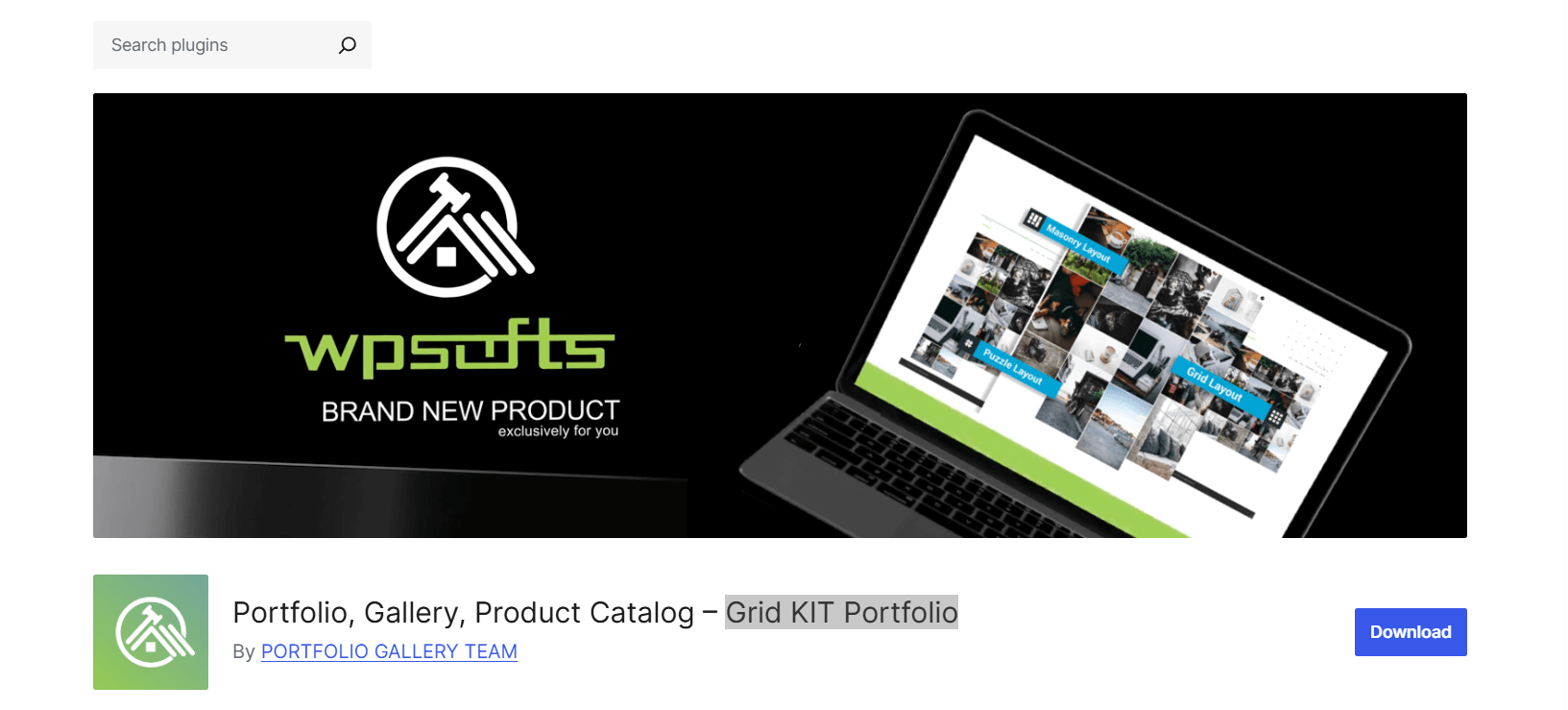
Grid KIT Portfolio brings serious customization power to your WordPress showcase. This plugin stands out by offering an embedded layout builder that gives you the freedom to create truly unique portfolio presentations.
Unlike simpler gallery plugins that offer a handful of preset layouts, GridKit lets you craft custom arrangements that match your creative vision perfectly. It’s particularly popular with agencies and freelancers who work with diverse clients and need their portfolios to adapt to different project types.
Key Features
- Embedded Layout Builder: Visual drag-and-drop builder gives you precise control over spacing, alignment, and arrangement without touching code
- Dedicated Gutenberg Block: Seamlessly integrates with the block editor while maintaining full customization capabilities
- Diverse Content Support: Handle images, videos, iFrames, maps, and complete galleries within individual portfolio items
- Multiple Layout Styles: Choose from masonry, puzzle-style arrangements, or traditional grids, each with extensive customization options
- Deep Customization Options: Fine-tune colors, spacing, columns, hover effects, and transitions to match your brand perfectly
- Fully Responsive Design: Your showcase automatically adapts to any device, with mobile-specific settings available for extra control
- Interactive Portfolio Capabilities: Go beyond static galleries with support for various content types and interactive elements
Pricing
Free version offers core functionality. Premium unlocks filtering and advanced layout features.
Best For
Agencies, freelancers with diverse client work, and anyone building interactive portfolios. If you need a solution that adapts to complex requirements, GridKit handles it.
5. WPZOOM Portfolio
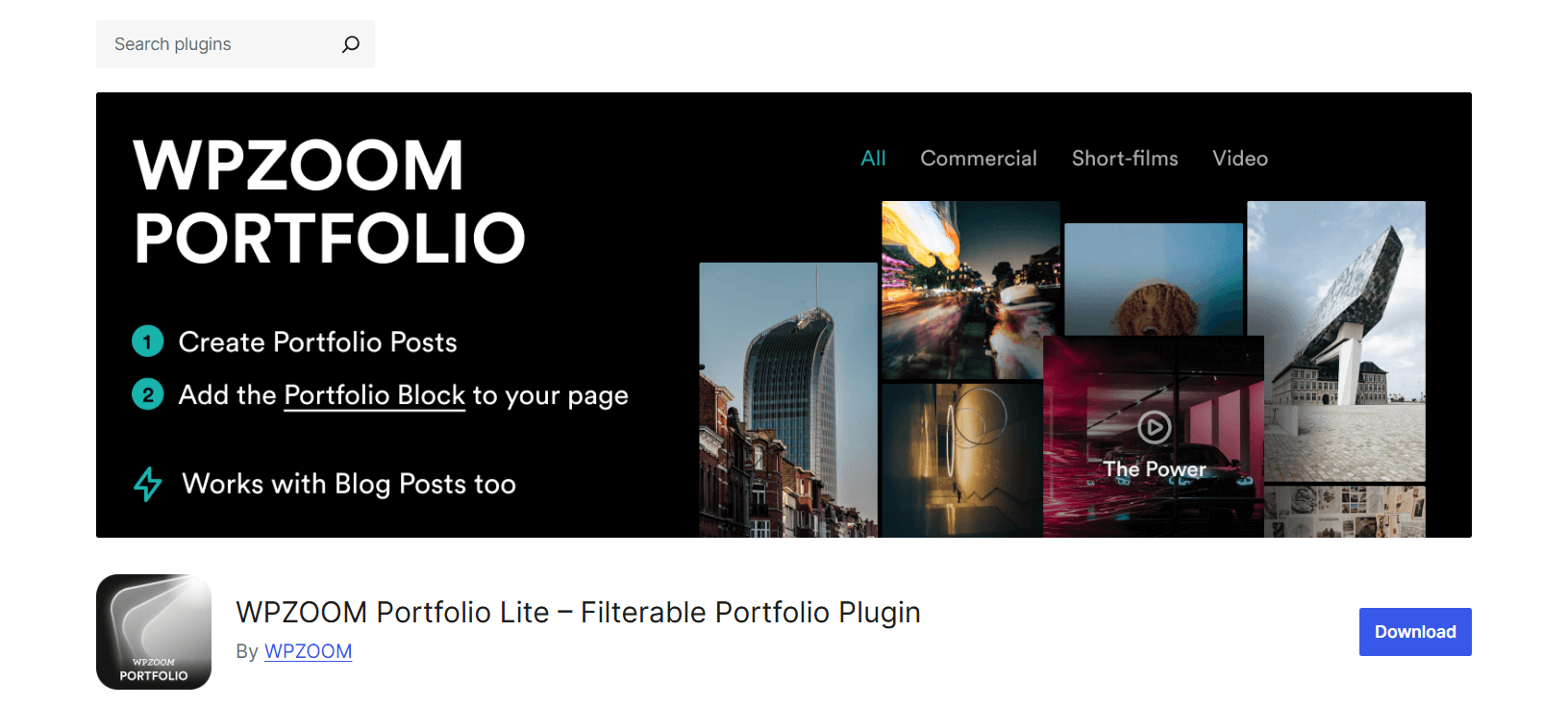
WPZOOM Portfolio strikes a nice balance between features and simplicity, offering a lightweight solution that doesn’t sacrifice functionality for ease of use. Created by the team at WPZOOM, known for their quality WordPress themes and plugins, this portfolio solution brings their attention to design detail and user experience.
What sets this plugin apart is how it manages to feel both professional and approachable. You get powerful portfolio features wrapped in a clean interface that never overwhelms you with options.
Key Features
- Dual Implementation Options: Use the dedicated portfolio block for Gutenberg or shortcodes for flexibility with any page builder or classic editor
- Isotope Filtering System: Smooth, animated filtering lets visitors sort your work by category with attractive transitions
- Integrated Lightbox: Clean popup viewing experience with keyboard navigation and smooth transitions between items
- Video Background Support: Add dynamic video backgrounds to portfolio items for extra visual impact
- Slideshow Capabilities: Display multiple images per portfolio item in elegant slideshows
- Lightweight Codebase: Performance-focused design keeps things lean while maintaining professional features
- Clean UI Design: Polished interface makes portfolio management straightforward without sacrificing control
- Solid Developer Support: Regular updates and a responsive support team ensure long-term reliability
Pricing
Free version available. Check their site for Pro features if needed.
Best For
Freelancers and creatives who want a solid balance of design and usability. If you need a reliable portfolio gallery without unnecessary complexity, this works well.
Here’s how these plugins stack up side by side:
| Plugin | Layout Styles | Media Types | Filtering | Gutenberg | Lightbox | Best For |
| Visual Portfolio | Grid, masonry, justified, slider | Images, video, audio | Yes (AJAX) | Full support | Yes | Mixed media, photographers |
| Portfolio Gallery | Grid, masonry, slider | Images, video | Front-end filters | Partial | Yes | Visual artists, quick setup |
| Portfolio Block | Block-based layouts | Images, video | Yes | Native | Yes | Block-first sites, minimal setups |
| GridKit | Masonry, puzzle, grid | Images, video, iFrame, maps | Premium only | Yes | Yes | Agencies, complex portfolios |
| WPZOOM Portfolio | Grid, standard layouts | Images, video | Isotope filtering | Block + shortcode | Yes | Freelancers, balanced needs |
How to Choose the Right Portfolio Plugin for Your Needs
Different creatives have different requirements. Here’s how to match your situation with the right tool.
For Photographers and Visual Artists
Visual Portfolio or Portfolio Gallery serves you well. Both handle image-heavy galleries gracefully and provide the filtering and lightbox features that let your photography shine.
For Videographers and Multimedia Creators
Visual Portfolio’s video capabilities make it the top choice. GridKit also handles video well if you need more layout customization.
For Agencies and Freelancers with Client Work
GridKit or WPZOOM Portfolio gives you the flexibility to showcase diverse projects. You need something that adapts to different client needs, and these plugins deliver.
For Minimal, Lightweight Portfolio Sites
Portfolio Block or WPZOOM Portfolio keeps things lean. If you’re building a simple showcase and want to avoid plugin bloat, these are your friends.
For Gutenberg-Based Sites
Visual Portfolio and Portfolio Block offer the best native block editor experiences. They feel like natural parts of WordPress rather than bolted-on solutions.
Tips for Building a High-Impact Portfolio

The plugin is just the starting point. Here’s how to make your portfolio actually work.
Optimize Your Images
Use compression tools and the WebP format to keep file sizes down. Your gorgeous 10MB photos need to become gorgeous 200KB photos. Quality matters, but so does loading speed.
Enable Lazy Loading
Load images as visitors scroll rather than all at once. Most modern portfolio plugins include this feature, so turn it on.
Use Categories Wisely
Don’t create 47 categories. Keep your filtering menu simple and logical. Think about how clients actually search for work, not how you organize your files.
Add Meaningful Metadata
Write actual descriptions and titles. “Project_final_v3.jpg” doesn’t help anyone. “Modern Kitchen Renovation for Downtown Loft” does. This helps SEO and accessibility.
Link to Detail Pages When Needed
Sometimes a lightbox is enough. Other times, you need a full project page with context, process shots, and testimonials. Know which projects deserve the deep dive.
Keep Your Portfolio Fresh
Update regularly. Add new work, archive old projects that no longer represent your current skill level. Your portfolio should show where you are now, not where you were three years ago.
Real also WordPress Media Issues: Fix, Prevent & Speed Up Your Site.
Mistakes You Should Avoid When Creating Your Portfolio
Let’s talk about what not to do.
Don’t Overload with Heavy Images
Yes, you’re proud of that 8K render. But if it takes 30 seconds to load, nobody will see it. Optimize everything.
Don’t Over-Complicate Filtering
Seven filter categories are probably too many. Keep it simple. Make choices easy, not exhausting.
Don’t Skip Mobile Testing
Check your portfolio on actual phones. The desktop version might be perfect, while mobile is a disaster.
Don’t Forget Accessibility
Add alt text to every image. Make sure keyboard navigation works. Your portfolio should be usable by everyone, not just people with perfect vision and a mouse.
Don’t Create Plugin Bloat
You don’t need five different gallery plugins. Pick one good portfolio solution and stick with it. More plugins equal more potential conflicts and slower sites.
Also, check out Video Formats for WordPress Explained: MP4, WebM, OGV Compatibility Guide.
FAQs on WordPress Portfolio Plugins
What is the best portfolio plugin for WordPress?
It depends on your needs, but Visual Portfolio offers the best balance of features, performance, and flexibility for most users. For simpler needs, Portfolio Gallery works great.
How do I create a portfolio in WordPress without coding?
All the plugins we covered let you build portfolios through visual interfaces. Visual Portfolio and GridKit particularly excel at no-code portfolio creation with their built-in builders.
Which portfolio plugins work best with the Gutenberg block editor?
Visual Portfolio and Portfolio Block offer the best native Gutenberg integration. They work as true block solutions rather than just being compatible.
Do WordPress portfolio plugins support both images and videos?
Yes. All five plugins we reviewed handle both images and videos. Visual Portfolio particularly excels at mixed media showcases.
How do I add filtering and categories to a portfolio gallery?
Most plugins include filtering as a standard or premium feature. Create categories in WordPress, assign your portfolio items to those categories, and enable filtering in your plugin settings. Visual Portfolio and WPZOOM Portfolio make this especially straightforward.
Are portfolio plugins mobile-friendly and responsive?
The plugins we reviewed are all responsive, but always test on actual devices. Your specific theme and settings can affect results.
Will a portfolio plugin slow down my website?
Quality plugins shouldn’t significantly impact speed if configured properly. Visual Portfolio and WPZOOM Portfolio are particularly performance-conscious, loading scripts only when needed.
What features should I look for in a WordPress portfolio plugin?
Prioritize flexible layouts, filtering capabilities, media support for your content type, Gutenberg integration, and good performance. Everything else is secondary to these core features.
Can I customize the layout of my portfolio items?
Yes. GridKit and Visual Portfolio offer the most layout customization. Even simpler plugins like Portfolio Gallery provide customization through settings and CSS if needed.
Do I need a premium plugin to build a professional portfolio in WordPress?
Not necessarily. The free versions of Visual Portfolio and Portfolio Gallery provide enough features for professional results. Premium versions add convenience and advanced features, but aren’t always required.
Find the 5 Best Post Grid Plugins for WordPress to Showcase Your Content Smartly.
Final Thoughts
WordPress portfolio plugins transform your website into a powerful, creative showcase platform. Whether you’re a photographer displaying your latest shoots, a designer showing client work, or an agency building an interactive project gallery, the right plugin makes the difference.
Visual Portfolio offers the best all-around experience for most users. Portfolio Gallery wins for simplicity and quick setup. GridKit excels for complex, customized showcases. WPZOOM Portfolio balances features and performance nicely. Portfolio Block keeps things minimal and block-focused.
The best approach? Try one that matches your needs. Most offer free versions, so you can test before committing. Upload a few sample projects, play with layouts, test the filtering, and see how it feels.
Which plugin are you going to try first? Your next great portfolio showcase is just a few clicks away.

 Save 90%