
Customer reviews can make or break your online store. When shoppers see real feedback from other buyers, they’re far more likely to click “Add to Cart.”
The numbers back this up: products with reviews convert significantly better than those without. Reviews build trust, answer questions your product descriptions miss, and give hesitant buyers the confidence to complete their purchase.
Here’s the problem: WooCommerce’s built-in review system is basic. You get a star rating and a text field. That’s it.
No automated review request emails. No rich snippets setup. No photo reviews. Manual moderation becomes overwhelming as your store grows. You can’t send reminder emails or get detailed insights about what customers actually think.
That’s where a WooCommerce review plugin comes in. The right plugin transforms your review system from a basic feature into a powerful conversion tool.
In this guide, we’ll compare the top WooCommerce review plugins for WordPress and share strategies to help you collect more reviews and use them effectively.
What to Look for in a WordPress Product Review Plugin
Not all review plugins are created equal. The features you need depend on your store type and goals.
- Seamless WooCommerce integration is non-negotiable. The plugin should work smoothly with your existing setup without conflicts.
- Schema and structured data support help search engines display star ratings directly in search results. Those yellow stars under your product listings come from a properly implemented review schema. They significantly improve click-through rates.
- Automated review reminders save you from manually chasing customers for feedback. The best plugins send emails at optimal times after purchase and follow up with customers who haven’t responded.
- Photo and video reviews make feedback more engaging and trustworthy. A real photo of your product in use beats a thousand words of description.
- Review moderation and spam protection keep your reviews authentic. Look for verified buyer badges, spam filters, and easy moderation workflows.
- Performance and compatibility matter more than you think. A poorly coded plugin slows down your entire site, especially on product pages where speed directly impacts conversions.
- Customization options let you match reviews to your brand. You should control colors, layouts, and what information displays.
- Review analytics and reporting help you understand trends, spot problems early, and identify your best products.
- Multilingual support is essential if you serve international customers. Your review system should work in multiple languages without friction.
Keep these criteria in mind as we explore each plugin.
Check also WooCommerce Product Demos: Add Interactive Video and 3D Images.
Top WooCommerce Review Plugins for WordPress
Here’s a side-by-side comparison of the top WooCommerce review plugins to help you choose the right one for your store. We’ve broken down the key features, pricing, and ideal use cases so you can quickly spot which plugin matches your needs.
| Feature | Customer Reviews for WooCommerce | ReviewX | YITH WooCommerce Advanced Reviews | Product Reviews Pro for WooCommerce |
| Automated Reminders | ✓ Yes | ✓ Yes | Basic | ✓ Yes |
| Photo Reviews | ✓ Yes | ✓ Yes | ✓ Yes | ✓ Yes |
| Video Reviews | ✗ No | ✓ Yes | ✗ No | ✗ No |
| Multi-Criteria Ratings | ✓ Yes | ✓ Yes | ✗ No | ✓ Yes |
| Review Voting | ✗ No | ✗ No | ✓ Yes | ✗ No |
| Review Schema | ✓ Yes | ✓ Yes | ✓ Yes | ✓ Excellent |
| Social Sharing | ✗ No | ✓ Yes | ✗ No | ✗ No |
| Free Version | ✓ Yes | ✓ Yes | ✓ Yes | ✓ Yes |
| Starting Price | $59.99/year | $47.40/year | €89,99/year | $79/year |
| Best For | Small-medium stores | Visual products | Established stores | Complex catalogs |
1: Customer Reviews for WooCommerce

Customer Reviews for WooCommerce is one of the most popular options in the WordPress repository. It focuses on collecting and displaying WooCommerce customer reviews with automated review reminders and detailed analytics.
The plugin works well for stores of all sizes but particularly shines for shops that want detailed insights without overwhelming complexity.
Key Features
- Automated email reminders make collecting reviews effortless. You schedule when reminder emails go out and customize the messaging to match your brand. The system tracks which customers have already left reviews, so you won’t annoy people who’ve already provided feedback.
- Trust badge feature displays aggregate ratings on your site, adding immediate social proof. You can show badges on product pages, collection pages, or anywhere else using shortcodes.
- Multi-criteria reviews let customers rate different aspects of your products. Instead of one overall star rating, buyers can rate quality, value, appearance, or any custom criteria you define. This gives you richer data and helps shoppers make informed decisions.
- Photo reviews allow customers to upload images alongside their text reviews. These visual testimonials display beautifully on product pages. Photo reviews tend to be more trustworthy and engaging than text alone.
- Verification features automatically mark reviews from verified buyers, helping shoppers distinguish genuine feedback from potentially fake reviews.
- Review analytics dashboard shows review trends, response rates, and product performance over time.
Limitations
The free version limits some features, including the number of automated reminder emails you can send. High-volume stores will likely need the premium version.
Customization options in the free version are limited. While you can make basic styling changes, advanced design control requires the pro version.
The plugin doesn’t support video reviews, which might be a dealbreaker if your products benefit from video demonstrations.
Some users report occasional plugin conflicts with certain themes, particularly those with heavily customized product page layouts. Test compatibility before committing.
SEO and Schema Support
Customer Reviews for WooCommerce implements review schema markup properly, helping search engines display rich snippets with star ratings in search results. The structured data includes aggregate ratings, individual review markup, and all the elements Google looks for.
The plugin automatically generates the necessary JSON-LD schema without requiring technical knowledge. However, if you’re using another SEO plugin that also adds review schema, disable one implementation to avoid duplicate markup.
Pricing
The free version includes basic review collection, manual reminders, trust badges, and simple customization. It’s genuinely useful for smaller stores.
The premium version starts at around $59.99 per year for a single site. Premium features include automated review reminders, priority support, advanced customization, additional trust badges, and enhanced analytics. Higher-tier plans exist for agencies managing multiple client sites.
Best Use Case
Customer Reviews for WooCommerce works best for stores that want detailed customer insights through multi-criteria ratings. If understanding different aspects of product satisfaction matters to your business, this plugin delivers.
It’s excellent for stores that want to automate review collection without a complicated setup. The plugin suits fashion, beauty, and physical product stores where photo reviews add significant value.
2: ReviewX
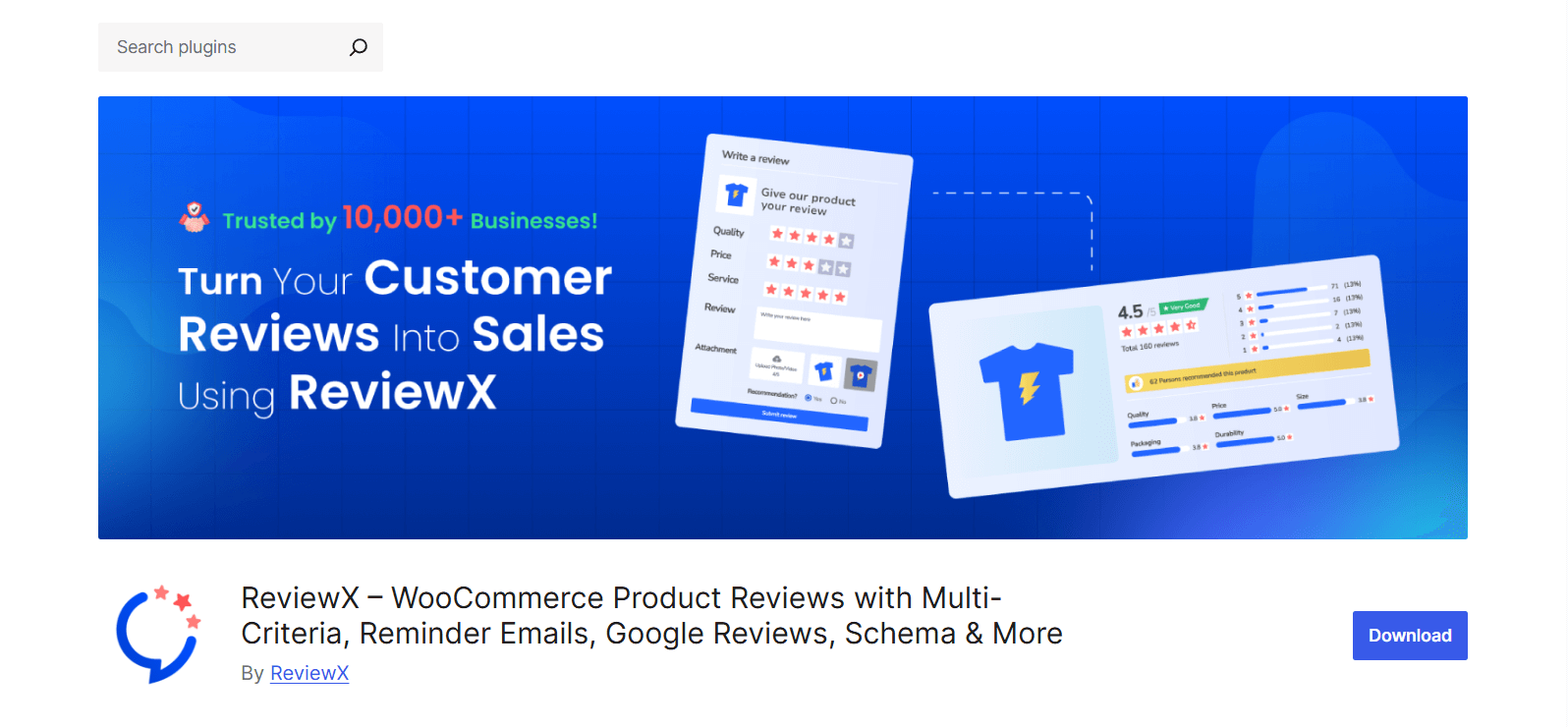
ReviewX positions itself as a comprehensive review solution with modern design and extensive customization. It supports both WooCommerce products and general WordPress posts, making it versatile if you want consistent reviews across your entire site.
Key Features
- Clean and modern review display makes your reviews stand out. The interface feels contemporary and matches current design trends. You get multiple layout options, including masonry grids, traditional lists, and card-based designs.
- Photo and video review support is a huge trust builder. Customers can upload multiple images or video files with their feedback, creating rich, authentic testimonials. Video reviews are powerful for demonstrating how products work in real life.
- Review reminder system sends automated emails after purchase. You can customize timing, email content, and segments that customers receive reminders based on purchase history or product category.
- Criteria-based rating lets you define custom rating categories. A clothing store might ask customers to rate fit, quality, and style separately. A software product could use ease of use, features, and support as criteria.
- Social sharing integration encourages customers to share their reviews on social media, extending the reach of positive feedback beyond your website.
Limitations
The free version limits many features that make ReviewX powerful. Video reviews, advanced customization, and some of the best display options require the pro version.
Some users report that the plugin can feel slightly heavy, potentially impacting page load times if not optimized properly. Test performance on your specific setup.
The review moderation interface, while functional, isn’t as streamlined as some competitors. Managing large volumes of reviews can become tedious.
Review import and export options are limited in the free version, which can be problematic if you’re migrating from another review system.
SEO and Schema Support
ReviewX implements proper schema markup for both individual reviews and aggregate ratings. The plugin uses JSON-LD format, which Google recommends, and includes all relevant properties for rich snippets.
ReviewX automatically updates the schema when new reviews come in, keeping your structured data current without manual intervention. This helps maintain accurate star ratings in search results.
Pricing
The free version includes basic review collection and display, simple customization, and limited review reminders.
Premium pricing starts at approximately $47.40 per year for a single site. The pro version unlocks video reviews, advanced layouts, priority support, detailed analytics, and removal of ReviewX branding. Agency plans exist for developers managing multiple stores.
Best Use Case
ReviewX is perfect for stores where visual presentation matters and you want reviews to feel like a premium feature. If your products benefit from video demonstrations or you’re targeting younger, social-media-savvy customers who expect modern interfaces, ReviewX delivers.
The plugin works well for electronics, gadgets, beauty products, and anything where showing the product in use adds significant value.
3: YITH WooCommerce Advanced Reviews
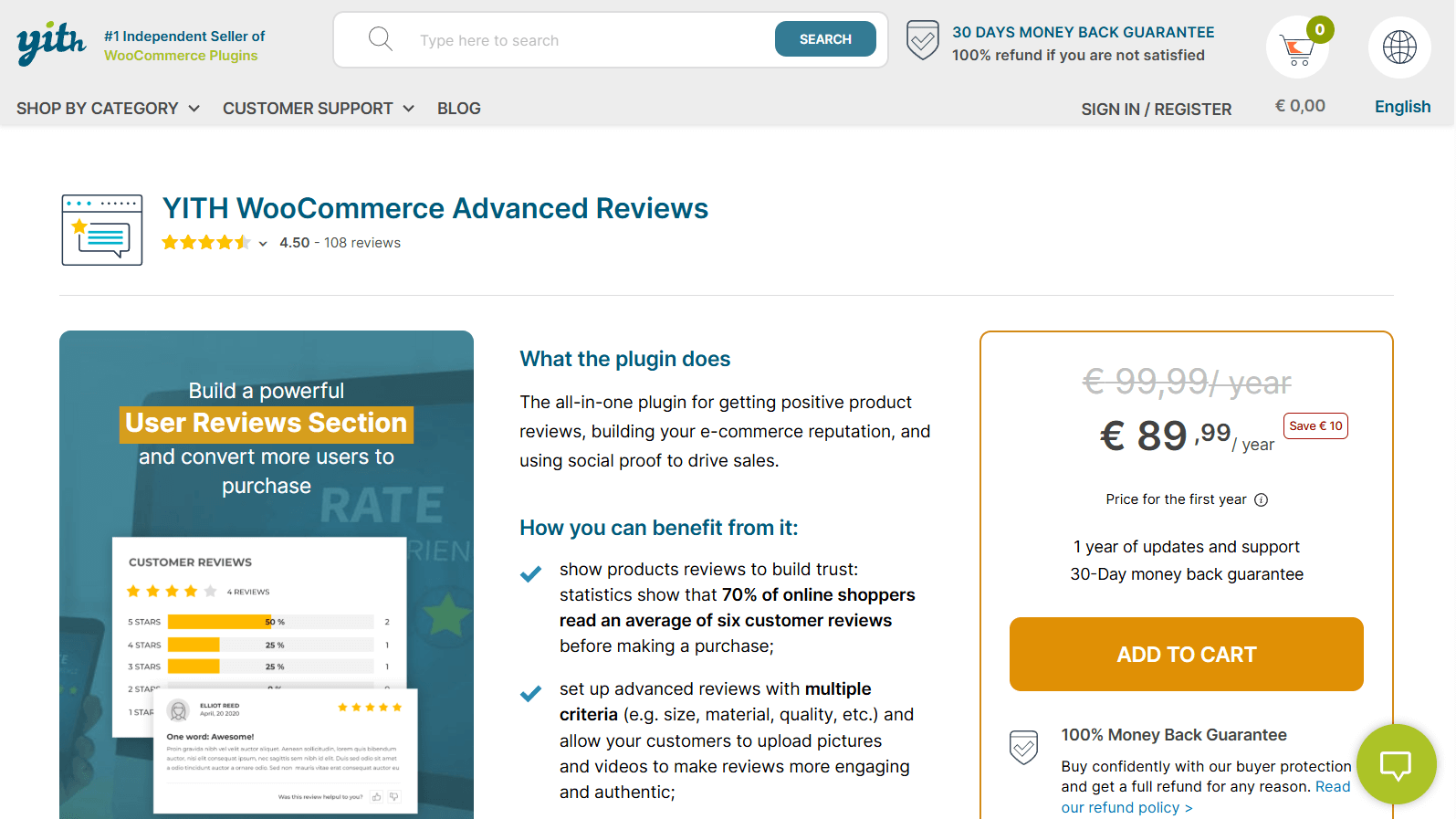
YITH WooCommerce Advanced Reviews comes from YITH, a well-known developer in the WooCommerce ecosystem. This plugin focuses on advanced review functionality with features like review voting, review attachments, and detailed moderation tools.
Key Features
- Review voting system is a standout feature. Customers can upvote or downvote existing reviews, helping surface the most helpful feedback to the top. This crowdsourced curation makes it easier for shoppers to find relevant information quickly.
- Robust moderation tools give you granular control over review approval, editing, and organization. You can set up automatic filters based on keywords, require approval for first-time reviewers, or automatically approve reviews from verified buyers.
- Multiple attachments per review including photos and documents. While less common than photo-only support, this can be useful for certain product types like templates or patterns where customers might want to share their results.
- Review titles let customers add a headline to their feedback, making reviews scannable and easier to digest. This simple feature significantly improves readability when you have many reviews on a single product.
- Advanced filtering and sorting let shoppers find relevant reviews based on rating, date, or helpfulness votes. This improves the browsing experience, especially on products with dozens of reviews.
Limitations
YITH Advanced Reviews is premium-only with no free version available. While the features justify the cost for serious stores, it’s a barrier if you want to test before committing.
The interface feels more traditional than modern competitors like ReviewX. It’s functional and reliable but doesn’t have the visual polish of newer plugins.
Automated review reminder emails are basic compared to specialized alternatives. You can send requests, but the customization and segmentation options are limited.
Video review support is absent, which is a significant gap if your products would benefit from video testimonials.
SEO and Schema Support
YITH implements review schema correctly with proper aggregate ratings and individual review markup.
The structured data follows Google’s guidelines and includes all necessary properties for rich snippets to appear in search results. The plugin updates the schema automatically as new reviews are submitted and approved.
Pricing
YITH WooCommerce Advanced Reviews requires the premium version, priced at approximately €89,99 per year for a single site license. This includes all features, regular updates, and support.
Best Use Case
YITH WooCommerce Advanced Reviews is ideal for established stores that need robust moderation tools and want the quality assurance that comes from an experienced WooCommerce developer.
If you’re getting significant review volume and need to manage it efficiently, the moderation features alone justify the cost. The plugin works well for stores with products that generate mixed reviews, where surfacing the most helpful feedback matters.
4: Product Reviews Pro for WooCommerce
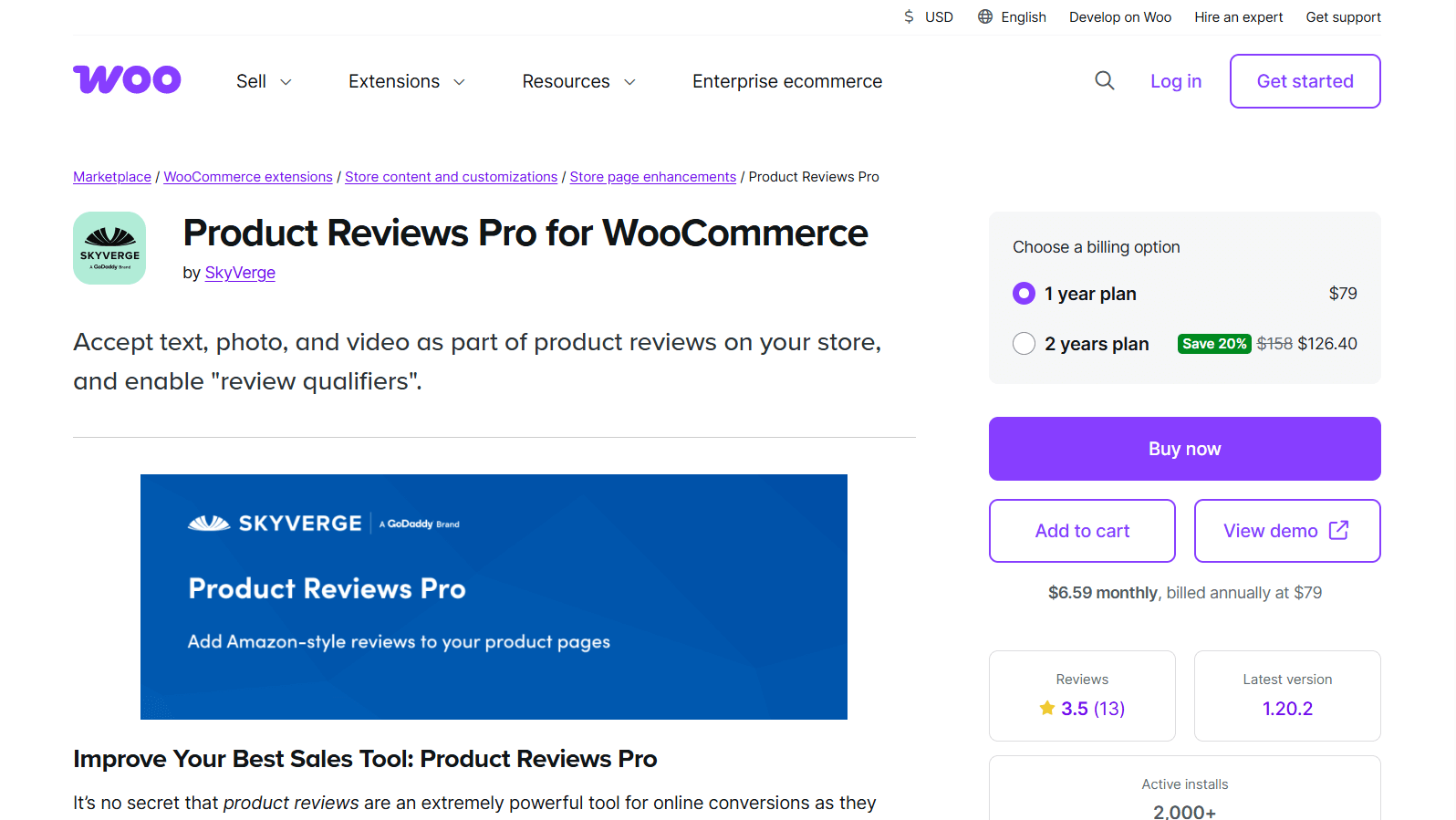
Product Reviews Pro for WooCommerce is the official WooCommerce extension for advanced reviews, developed and maintained by the WooCommerce team. This means it’s built specifically to integrate seamlessly with WooCommerce core functionality and follows the same development standards.
Key Features
- Tight integration with WooCommerce since it’s made by the same team. Updates align with WooCommerce releases, and compatibility issues are virtually nonexistent.
- Contribution-based review system where customers can answer questions from other shoppers within the review context. This creates a helpful community atmosphere and provides additional information beyond standard reviews.
- Review templates let you create different review forms for different product types. A clothing item might ask about fit and material, while electronics might focus on features and durability. This customization produces more relevant and useful feedback.
- Verified purchases only ensure feedback comes from actual buyers, significantly reducing fake or spam reviews. This builds trust with shoppers who know they’re reading genuine customer experiences.
- Comprehensive review filters and sorting let customers find exactly the feedback they want to see based on rating, verification status, or recency.
Limitations
Product Reviews Pro is premium-only and relatively expensive compared to alternatives. Official WooCommerce extension pricing tends to be higher than third-party options.
The interface and design feel functional rather than modern. While it works perfectly, it doesn’t have the visual appeal of newer plugins focused on user experience.
Photo review support exists, but it feels basic compared to plugins that specialize in visual testimonials. You can upload images, but the display options and management tools are limited.
There’s no native video review support.
Automated review request emails are available, but with limited customization compared to dedicated email marketing tools or some competitor plugins.
SEO and Schema Support
Being an official WooCommerce extension, Product Reviews Pro implements schema markup correctly and conservatively. The structured data follows best practices and integrates smoothly with WooCommerce’s existing markup.
Rich snippets appear reliably in search results when you have sufficient reviews. The plugin handles aggregate ratings and individual review schema properly without creating conflicts.
Pricing
Product Reviews Pro requires an annual subscription of approximately $79 per year for a single site. This includes updates, support, and access to future feature additions.
The pricing is on the higher end compared to third-party alternatives, but you’re paying for guaranteed compatibility and official support from the WooCommerce team.
Best Use Case
Product Reviews Pro makes the most sense for stores that prioritize reliability and official support over cutting-edge features. If you’re running a high-value business where plugin conflicts would be costly, paying the premium for an official extension provides peace of mind.
This plugin works well for stores with complex product catalogs where different product types need different review questions. The template system handles this use case better than most alternatives.
How to Get More Reviews: Strategy and Implementation
Installing a plugin for WooCommerce product reviews is just the first step. Getting customers to actually leave reviews requires a strategy.
How to Collect More Reviews
Timing matters
Don’t send review requests immediately after purchase. Customers need time to receive and use your products. For physical products, wait 7-14 days depending on shipping times. For digital products, 3-5 days often works better.
Follow up persistently but politely
Send a second reminder to customers who didn’t respond to the first request. Wait another week, then send one final request. Most plugins let you automate this sequence.
Make it ridiculously easy
The review request email should include a direct link that takes customers straight to the review form with their order information pre-filled. Every extra click reduces completion rates.
Consider review incentives thoughtfully
Offering small discounts or loyalty points for reviews can significantly increase response rates. However, ask for honest feedback rather than positive reviews specifically. Many platforms prohibit incentivized positive reviews, and customers can tell when reviews are bought rather than earned.
Segment your requests
Not all customers are equally likely to leave reviews. Consider sending different messages to first-time buyers versus repeat customers, or to customers who bought different product types.
Leverage post-purchase momentum
Some plugins let you show a review prompt on order confirmation pages or thank you pages. Customers are already engaged at this moment, making them more likely to leave quick feedback.
Review Moderation Best Practices
Develop a clear moderation policy: Decide upfront how you’ll handle different types of reviews. Will you approve everything except obvious spam? Do reviews need manual approval? Having consistent rules prevents inconsistent decisions.
Respond to negative reviews constructively: A thoughtful response to a negative review can actually build more trust than the review itself damages. Acknowledge the issue, offer a solution, and show that you care about customer satisfaction.
Never delete negative reviews: Unless they’re clearly fake or violate policies. Removing legitimate criticism destroys trust faster than the negative review itself. A mix of positive and negative feedback looks authentic, while 100% five-star reviews look suspicious.
Use negative feedback to improve: Reviews highlighting the same issue repeatedly indicate a real problem. Use this data to improve products, update descriptions to set better expectations, or enhance your fulfillment process.
Implement verification prominently: Make it obvious which reviews come from verified purchases. This helps shoppers trust positive reviews and gives more weight to criticism.
Combat spam proactively: Use automated filters to catch obvious spam before it reaches your moderation queue.
Leveraging Reviews Beyond Product Pages
- Feature reviews in marketing materials. Pull compelling testimonials for social media posts, email campaigns, and even paid advertising. Real customer feedback is more persuasive than anything you can write.
- Create review widgets for your homepage. Show recent five-star reviews or curated testimonials on your homepage to build trust before visitors even browse products.
- Use review insights to improve product descriptions. If customers consistently praise or criticize specific aspects, incorporate that information into your product pages.
- Share visual reviews on social media. Customer photos and videos of your products in use make excellent social content. Always ask permission first, and give credit to the reviewer.
- Monitor review trends for inventory decisions. Products generating enthusiastic reviews should probably get more inventory and marketing attention. Products with declining sentiment might need improvements or phase-out.
Read also 360° Product View Plugins for WordPress: Features, Comparisons, and Guide.
Technical and Performance Considerations
Lazy load review sections: Reviews don’t need to load immediately when someone lands on a product page. Implement lazy loading so reviews load as users scroll down, improving initial page load speed and reducing performance impact.
Optimize images in reviews: Customer-uploaded photos can be huge files. Use plugins or services that automatically compress review images without visibly degrading quality.
Test with your page builder: If you use Elementor, Divi, or another page builder, thoroughly test the review display with your actual theme and layout. Some plugins work better with certain builders than others.
Monitor performance impact: Use tools like GTmetrix or Google PageSpeed Insights to check how your review plugin affects load times. A slow product page directly hurts conversions.
Consider your caching strategy: Reviews are frequently updating content, which can conflict with aggressive caching. Configure your caching plugin to refresh product pages more often or exclude the review section from caching.
Check mobile display carefully: More than half of your customers will view reviews on phones. Test the entire review experience on multiple mobile devices to ensure everything works smoothly.
FAQs on WooCommerce Review Plugins for WordPress
Do review plugins slow down my store?
It depends on the plugin and your setup. Well-coded plugins have minimal performance impact when properly configured.
However, any plugin adds some overhead. The key is choosing lightweight options and implementing best practices like lazy loading and image optimization. Test your site speed before and after installing a review plugin to measure the actual impact.
Can I migrate reviews between plugins?
Most professional review plugins include review import and export functionality, though the process varies in complexity. Moving from one plugin to another usually involves exporting your reviews to a CSV file, then importing that file into your new plugin. Always back up your database before attempting migration, and test on a staging site first if possible.
Does using the review schema risk duplicate content or markup issues?
Yes, if you’re not careful. If multiple plugins or your theme are adding review schema, search engines may see conflicting structured data, which can prevent rich snippets from appearing.
Use Google’s Rich Results Test tool to check your product pages and ensure only one set of review schema exists.
How can I get reviews from old customers?
Most review plugins let you manually trigger review request emails for past orders. Look for bulk actions or import tools in your plugin’s settings.
Send these retroactive requests in batches rather than all at once to avoid overwhelming your email sending limits. Consider offering a small discount for review to encourage these older customers.
What are the best practices for offering discounts for reviews?
Keep incentives small and universal rather than large and selective. A 10% discount on the next purchase or 50 loyalty points works better than entering reviews in a lottery for a big prize. Always ask for honest feedback rather than positive reviews specifically.
Make it clear that the incentive is for leaving a review, not for leaving a good review. Never offer incentives only for five-star reviews, as this violates most platform policies and destroys authenticity.
Conclusion
Customer reviews transform browsers into buyers by building trust and reducing purchase anxiety. While WooCommerce’s native review system covers the basics, a dedicated WooCommerce review plugin for WordPress unlocks the full potential of customer feedback.
For most stores, start with Customer Reviews for WooCommerce or ReviewX. Both offer strong free versions without upfront investment. As you grow, consider upgrading to premium features or platforms like Stamped.
If you’re running an established store with complex needs, Product Reviews Pro provides official support and reliability, while YITH Advanced Reviews offers powerful moderation for high-volume operations.
Choose a plugin based on your product type, customer base, and budget. Most importantly, pick one you’ll actually use consistently. Install it, set up automated review requests, and start collecting feedback. Reviews compound over time, so starting today means you’ll have valuable social proof working for you months from now.

 Save 90%