
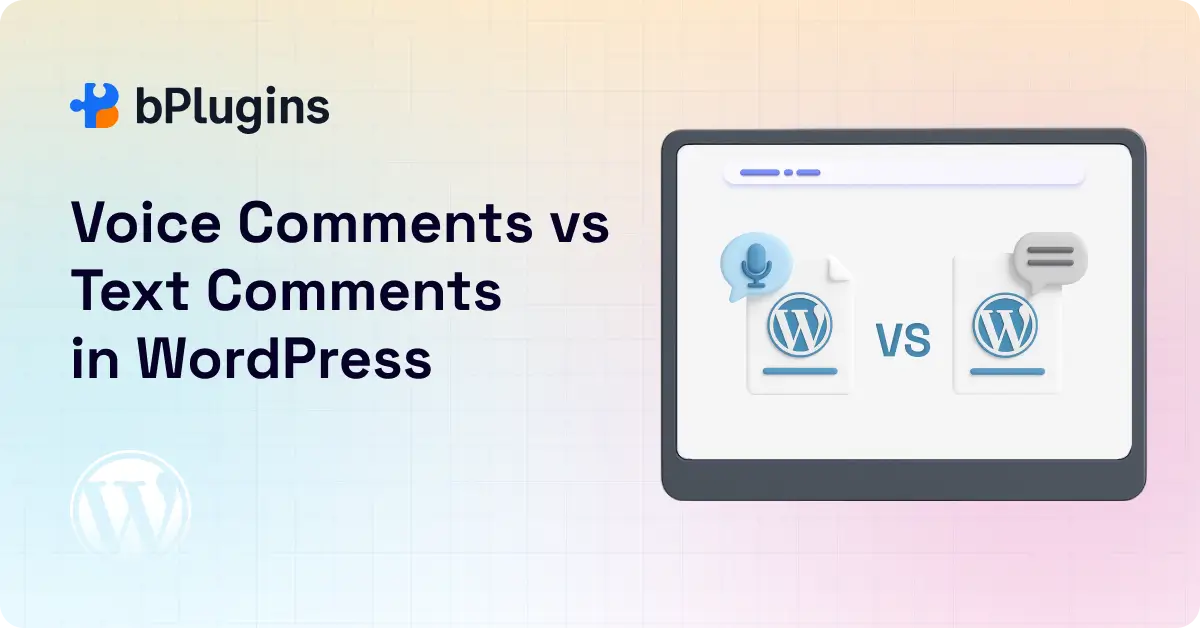
Comments play a big role in building interaction on a WordPress site. They turn a post into a conversation and help you understand what your audience connects with. But the way people share their thoughts online is changing.
Many users now prefer speaking instead of typing, and that shift is starting to show up on WordPress. Voice comments are becoming a strong alternative to text comments.
This brings up an important question: can voice comments boost engagement more effectively than traditional text-based replies?
In this post, we’ll look at both options and help you decide which one makes the most sense for your site.
What Are Voice Comments in WordPress?
Voice comments let your visitors leave audio feedback instead of typing out their thoughts. Think of it like leaving a voicemail, but right there on your blog post or course lesson.
The setup is pretty straightforward. Visitors click a record button, speak their comment, and hit submit. The audio file gets attached to your content just like a regular comment would.
You can use these on blog posts, online courses, portfolio pages, community forums, or anywhere you want deeper interaction.
Plugins like Voice Feedback make audio commenting simple for site owners. You don’t need to be tech-savvy to add this feature. Most solutions work right out of the box with standard WordPress themes.
Voice Comments vs Text Comments: Key Differences
Ease of Expression
Speaking comes naturally to most people. We talk faster than we type, and we don’t need to worry about spelling or grammar while recording. Text comments require more mental effort because you’re translating thoughts into written words, then double-checking for errors.
Emotional Delivery
Voice carries emotion in ways text never can. The excitement in someone’s voice when they love your content or the frustration when they disagree comes through clearly. Text comments often feel flat, even with exclamation points and emojis trying to fill the gap.
Accessibility and User Experience
Voice comments help people who struggle with typing. This includes users with dyslexia, arthritis, or those who simply aren’t confident writers. On the flip side, text comments work better for people in quiet spaces like libraries or offices where speaking isn’t practical.
Time to Create and Consume
Recording a 30-second voice comment takes less time than typing out the same thoughts. But here’s the catch: listening to voice comments takes longer than scanning text. You can skim five text comments in the time it takes to hear one voice comment.
Engagement Potential
Voice comments feel more personal. When someone takes the time to record their thoughts, it shows a higher level of investment. This often leads to more thoughtful responses and longer conversation threads.
Benefits of Using Voice Comments in Modern WordPress Sites
Higher Engagement and Interaction
People who leave voice comments tend to say more than they would type. A text comment might be “Great post!” but a voice comment becomes a 30-second share about how the content helped them solve a real problem.
This extra detail gives you better feedback and creates opportunities for meaningful follow-up conversations. Other visitors also feel more connected when they hear real voices instead of reading anonymous text.
Human Tone and Personal Connection
There’s something special about hearing another person’s voice. It breaks down the barrier between creator and audience. Your community members stop feeling like usernames and start feeling like real people.
This human touch builds stronger relationships. Readers become loyal followers when they feel personally connected to you and your community.
Faster Feedback Delivery
Voice comments speed up the feedback process dramatically. Instead of typing paragraphs, visitors can share detailed thoughts in seconds. This matters especially for busy professionals who want to engage but don’t have time to craft written responses.
With the Voice Feedback plugin, site visitors can leave comments instantly without typing. The reduced friction means more people actually complete the commenting process instead of abandoning it halfway.
Inclusive for Non-Writers and Mobile Users
Not everyone feels comfortable writing. Some people overthink their word choices or get anxious about making mistakes. Voice removes that pressure.
Mobile users particularly benefit from voice comments. Typing on a small screen is annoying, but tapping a button and speaking is effortless. Since most web traffic comes from mobile devices now, this convenience factor can significantly boost participation.
Great for Podcasters, Educators, and Creators
If you run a podcast, voice comments feel natural for your audience. They’re already listening to audio content, so responding with audio makes sense.
Educators using WordPress for online courses can get richer feedback through voice. Students can explain their confusion more clearly by talking through it rather than struggling to write it out.
Content creators who build membership sites also benefit. Voice comments add a premium feel to community interactions and help members feel more connected to each other.
Limitations of Traditional Text Comments
Typing Fatigue
Let’s be honest: typing out thoughtful comments gets exhausting. By the time someone reads your 2,000-word article, they might not have the energy to compose a detailed response.
This is why so many comments are just a few words. People want to engage but can’t commit to more typing.
Lack of Emotional Depth
Text struggles to convey tone. Even with careful word choice, readers might misinterpret your meaning. Sarcasm gets missed. Enthusiasm seems fake. Genuine questions look like criticism.
These misunderstandings can derail conversations before they start.
Lower Motivation to Reply
Text comments often feel like work. The back-and-forth typing creates friction that makes people less likely to continue the conversation. One or two exchanges, then silence.
Spam and Generic Comments
Text comment sections attract spam bots and generic responses hunting for backlinks. “Nice post” and “Thanks for sharing” comments add nothing to your community. They just clutter the conversation.
When Text Comments Still Work Best
Voice isn’t always the answer. Text comments have their place.
Quiet Browsing Environments
People browsing at work, in cafes, or on public transportation can’t listen to voice comments without headphones. And they definitely can’t record their own. Text keeps these users included in the conversation.
Quick One-Line Replies
Sometimes you just need to drop a fast “Congratulations!” or answer a yes/no question. Voice would actually be overkill here. Text is faster for both the commenter and anyone reading responses.
SEO and Indexable Responses
Search engines can’t index voice comments. All that valuable discussion stays invisible to Google. Text comments add keyword-rich content to your pages, which can help with search rankings.
If your SEO strategy relies on user-generated content, pure voice comments create a gap.
Public Discussion Forums
Forum-style discussions where people reference specific points need text. It’s easier to quote someone’s exact words and respond to multiple points when everything is written out. Voice gets messy for complex debates with several participants.
Engagement Impact: Voice vs Text
We’ve tested both approaches across different types of WordPress sites, and the results are interesting.
Voice comments typically generate longer, more detailed responses. Where text comments average 10-20 words, voice comments run 30-60 seconds with much richer content.
However, the total number of comments might drop slightly with voice-only systems. Some visitors won’t participate if voice is the only option. This is why hybrid systems often perform best, keeping overall engagement up while improving quality.
User retention tells another story. Sites with voice comments see visitors coming back more often to check responses. The investment in recording something makes people more curious about replies.
Real Use Cases of Voice Comments
Education and E-Learning
Online courses thrive with voice feedback. Students can explain their struggles more clearly than they could type them. Instructors hear the confusion in their voice and provide better help.
Discussion-based learning becomes more dynamic. Instead of reading stiff, formal posts, students have actual conversations about the material.
Customer Feedback
Product reviews and testimonials carry more weight as voice recordings. Potential customers trust authentic-sounding voices more than written reviews, which could be fake.
Support teams also get better information from voice feedback. Frustrated customers can explain problems more thoroughly than they would type, helping you fix issues faster.
Blogging Communities
Niche blogs building tight communities benefit from the personal touch. Food bloggers hear excitement about recipes. Travel bloggers get detailed stories about readers’ adventures. The connections run deeper than text allows.
Membership Sites
Premium membership sites use voice comments to differentiate themselves from free alternatives. The feature adds perceived value and makes members feel special.
Private communities also feel more intimate with voice. Members open up more when talking rather than writing.
Portfolio and Client Feedback
Designers, writers, and other creatives can get nuanced feedback through voice. Clients explain their vision or concerns with the detail that text comments miss. The back-and-forth revision process becomes smoother.
WordPress users using Voice Feedback have reported deeper participation in comment sections, especially for portfolio reviews and client collaboration.
Best Practices for Using Voice Comments
Keep Messages Short
Encourage comments between 30 and 60 seconds. Longer recordings become tedious to listen to. Shorter ones don’t provide enough value. Find the sweet spot where people can share complete thoughts without rambling.
Offer Transcript Options
Include automatic transcription when possible. This helps with accessibility, SEO, and users who prefer reading. Several WordPress voice comment plugins now offer this feature built-in or through integration.
Combine With Text Input Option
Never force voice-only commenting. Always give users a choice. Some people want to type, and that’s fine. The goal is to remove barriers, not create new ones.
Moderate Effectively
Listen to voice comments before they go live if your site attracts spam. Set up clear community guidelines about appropriate content. Voice spam is less common than text spam, but it happens.
Use in Specific Sections
You don’t need voice comments everywhere. Add them where they’ll shine: course lessons, testimonial pages, podcast episode pages, or in-depth blog posts. Quick announcement posts might not need them.
Voice Plus Text Combination: A Hybrid Comment Strategy
The smartest approach combines both formats. Let users choose how they want to engage.
Give Users the Choice
Place both record and text buttons in your comment form. Some people will always prefer typing, while others love speaking. Meeting users where they’re comfortable maximizes participation.
Improve Accessibility
This hybrid model helps everyone. Screen reader users stick with text. People with speech impediments use text. Mobile users choose voice. Users in quiet spaces pick text. Everyone wins.
Double Engagement Channels
Different types of comments attract different types of responses. Voice comments often get voice replies. Text comments get text replies. Offering both creates more conversation pathways and keeps threads active longer.
FAQs on Voice Comments vs Text Comments
Are voice comments better than text comments for engagement?
Voice comments typically create deeper, more personal engagement. People share more details when speaking than typing, and the human connection is stronger. However, they work best when combined with text options rather than replacing text entirely. The format matters less than removing barriers to participation.
How can I add voice comments to my WordPress site?
Install a voice comment plugin through your WordPress dashboard. Search for options like Voice Feedback, which integrate directly with your existing comment system. Most plugins work with standard themes and require minimal setup. You’ll typically just activate the plugin and adjust a few settings to match your preferences.
Do voice comments work on mobile devices?
Yes, voice comments work great on mobile. Most smartphones have built-in microphones, making it easier to record a comment than type one out on a small keyboard. This mobile-friendly aspect is actually one of the biggest advantages of voice comments.
Can voice comments and text comments coexist?
Absolutely. Hybrid systems that offer both options perform best. Users choose their preferred format based on their situation. You get the depth of voice comments plus the convenience of text, maximizing total engagement across your community.
Are voice comments good for accessibility?
Voice comments help users who struggle with typing due to dyslexia, motor impairments, or language barriers. However, they can create barriers for deaf or hard-of-hearing users. This is why offering transcripts or keeping text options available is important for true accessibility.
Do voice comments affect page speed or storage?
Audio files are larger than text, so they use more storage space and can impact load times if not optimized. Quality plugins compress audio files and use efficient hosting to minimize this impact. You might need to upgrade your hosting plan if you expect heavy voice comment traffic.
Can I moderate or delete voice comments?
Yes, you have full control, just like with text comments. You can listen to submissions before approving them, delete inappropriate content, and ban problematic users. Good voice comment plugins include all standard WordPress moderation tools.
Are voice comments SEO-friendly?
Raw audio isn’t crawlable by search engines, which can hurt SEO compared to text comments. However, plugins that provide automatic transcription solve this problem. The transcript gives search engines indexable content while users still get the voice experience.
Conclusion
The voice vs text comments debate doesn’t need a winner. Both formats bring unique strengths to your WordPress site.
Voice comments create emotional connections and encourage detailed sharing. They reduce barriers for mobile users and people who don’t enjoy writing. The personal touch builds stronger communities.
Text comments remain essential for SEO, quick interactions, and users in situations where voice isn’t practical. They’re skimmable, searchable, and universally accessible.
The real opportunity lies in combining both approaches. Give your audience options and let them engage in whatever way feels natural. This flexibility maximizes participation while maintaining quality interactions.
Ready to see how voice comments can transform your site’s engagement? Try voice comments using the Voice Feedback plugin and watch your community conversations become more vibrant and personal. Your visitors will appreciate the choice, and you’ll gain insights that text alone could never provide.

 Save 90%