
A WordPress portfolio website is more than a digital resume. It is a creative showcase that highlights your skills, style, and professional identity. Designers, musicians, filmmakers, architects, and content creators often use their portfolios as the first point of contact for potential clients and collaborators. The way you present your work can leave a lasting impression.
WordPress is a top choice for building portfolio websites because it is flexible, scalable, and offers many tools to bring your vision to life. With responsive layouts, customizable designs, and seamless multimedia integration, WordPress makes it easy to create a portfolio that looks professional and works smoothly.
Adding media players can take your portfolio to the next level. Instead of relying on static images or downloadable files, WordPress media players allow you to showcase your work interactively. Videos, audio, documents, and 3D models can be embedded directly into your site. This makes your portfolio more engaging and helps visitors experience your creative process in a dynamic way.
In this article, we will explore why media players are essential for creative portfolios, highlight the key types of media you can use, and share tips for optimizing your WordPress portfolio website.
Why Media Players Matter in Portfolios
A strong portfolio is about storytelling, not just showing finished projects. Media players help you present your work in richer, more engaging ways.
Go beyond static images – A screenshot or photo cannot always capture the depth of your creative work. Videos, audio samples, embedded PDFs, and interactive 3D models give visitors a complete view of your skills and expertise.
Boost user engagement – Interactive portfolios keep visitors exploring longer. A filmmaker’s reel, a musician’s demo track, or an architect’s 3D model creates an immersive experience that static images alone cannot provide.
Cross-device accessibility – Modern WordPress portfolio plugins ensure that videos, audio, and documents play smoothly across devices and browsers. Your portfolio looks professional and functions well on both desktop and mobile.
By using different types of media, you can create a multimedia portfolio that highlights your creativity and helps your work stand out.
Learn about 10 Unique Content Types You Can Embed in WordPress Besides Videos.
Key Media Types for Creative Portfolios
Creative professionals tell their stories in many ways. The best WordPress portfolios combine video, audio, documents, and interactive 3D models to create a richer experience.
Video
Use videos to showcase short films, animation reels, motion graphics, product demos, or explainer videos. Videos capture attention, demonstrate your skills in motion, and provide a professional, shareable presentation. The HTML5 Video Player plugin makes embedding self-hosted or external videos simple and responsive.
Audio
Embedded audio works well for musicians, podcasters, DJs, voice-over artists, and audio producers. Visitors can instantly preview tracks or voice reels without downloads. The HTML5 Audio Player plugin supports playlists and responsive playback across devices.
Documents
Case studies, reports, brochures, eBooks, and presentations can be embedded directly into your site. Writers, consultants, agencies, and educators can use PDF Poster for PDFs or Document Embedder for Word, Excel, and PowerPoint files, providing interactive access without downloads.
Check out Best WordPress Document Viewer Plugins: Easy Documents Embed.
3D Models
Interactive 3D models are ideal for architects, engineers, product designers, and 3D artists. Visitors can rotate, zoom, and explore designs in real time. The 3D Viewer plugin lets you embed these models directly in your WordPress portfolio.
Explore the 5 Best AI 3D Model Generator Tools and WordPress Plugins.
Using these media types strategically helps you create a multimedia portfolio website that highlights your creativity, technical skills, and professional range.
Also check out Top 5 WordPress 3D Plugin Use Cases That Drive Engagement.
Optimization Tips for Creative Portfolios
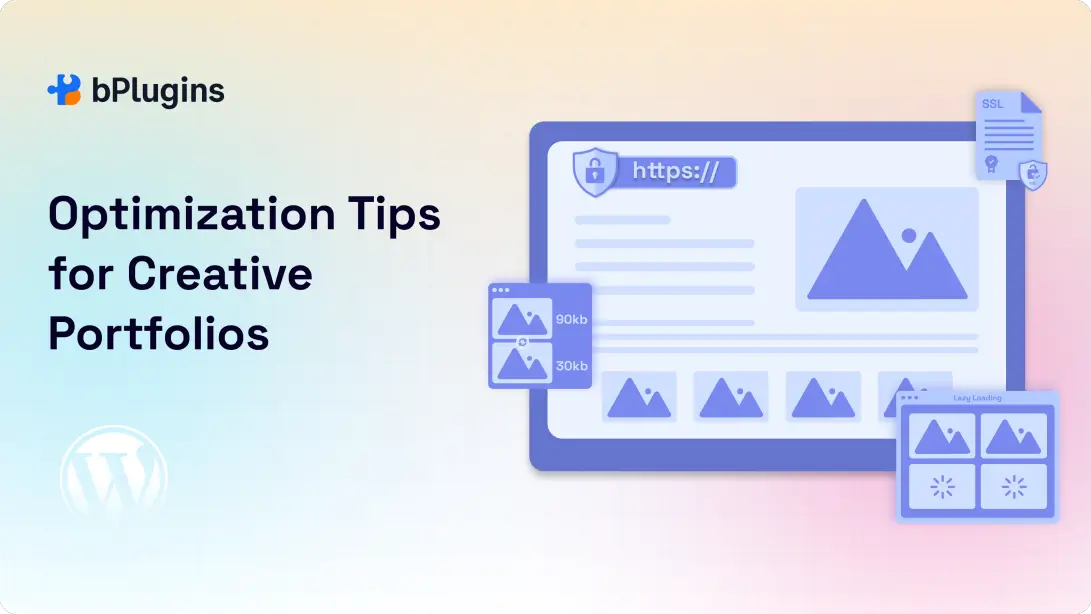
A multimedia portfolio can impress visitors, but large media files can slow your site. A slow portfolio frustrates users and can hurt SEO rankings. Here are practical tips to keep your site fast and reliable.
1. Compress Media for Faster Load Times
High-quality videos, audio, and 3D models can be heavy. Use compression tools to reduce file sizes without losing quality. Convert videos to modern formats like MP4 or WebM and optimize audio to lower bitrates where possible. Lighter files load faster and provide smoother playback.
2. Enable Lazy Loading
Lazy loading makes media like videos, PDFs, and 3D models load only when visitors scroll to them. This prevents the whole page from loading at once, improving speed and user experience. Many WordPress themes and plugins support lazy loading automatically.
Check out 5 Best PDF Plugins Compared: Features & Performance.
3. Use Secure Delivery (SSL/HTTPS)
Serving media over HTTPS ensures secure, encrypted delivery. It builds trust with your audience and aligns with Google’s ranking requirements. If your portfolio includes client-sensitive files, secure delivery is essential.
4. Optimize Media for SEO
Every file should be search-engine-friendly. Add descriptive alt text for images, transcripts for audio, and metadata for videos and PDFs. Examples:
- A filmmaker’s reel could use alt text like “motion graphics showreel 2025.”
- A musician’s demo track might include transcript snippets of lyrics.
- A consultant’s PDF case study could be named “digital-marketing-strategy-case-study.pdf.”
Well-optimized media improves visibility in search results and helps your portfolio attract organic traffic.
Read also Video Player Performance Optimization: Speed Up Your WordPress Site.
Examples of Media-Rich Portfolios
Multimedia portfolios show how these media types can work together in real-world scenarios:
- Filmmakers can combine video reels embedded with the HTML5 Video Player and supporting scripts or storyboard PDFs using PDF Poster.
- Musicians and podcasters can showcase demo tracks with the HTML5 Audio Player, along with lyrics or episode notes embedded via Document Embedder.
- Design agencies and consultants can present case studies using PDF Poster or Document Embedder alongside interactive 3D mockups with the 3D Viewer plugin.
- Architects and product designers can feature 3D models embedded with 3D Viewer alongside project documentation to provide a full perspective of their work.
Explore 360° Product View Plugins for WordPress: Features, Comparisons, and Guide.
Blending video, audio, documents, and 3D elements creates an engaging, versatile portfolio. Visitors can experience your work in multiple ways and understand your expertise more fully.
Also learn WordPress Media Issues: Fix, Prevent & Speed Up Your Site.
Frequently Asked Questions on WordPress Portfolio Websites
1. Can I use multiple media players on one WordPress portfolio site?
Yes. Many professionals combine video, audio, documents, and 3D models. For example, a filmmaker might use HTML5 Video Player for reels and PDF Poster for case studies, while an architect may pair a 3D Viewer with supporting documents. Make sure your site is optimized to handle multiple media types smoothly.
2. How do I prevent my videos and audio from slowing down the portfolio?
Compress media before uploading, use modern formats, and enable lazy loading. Hosting videos on a CDN or using lightweight players like HTML5 Video Player and HTML5 Audio Player helps maintain fast performance.
3. Are embedded documents mobile-friendly?
Yes. Plugins like PDF Poster and Document Embedder display files responsively. Reports, presentations, and eBooks adjust to different screen sizes so visitors can read them comfortably on mobile devices.
4. Do 3D models work across all browsers?
The 3D Viewer plugin uses WebGL, which is supported by major browsers. While performance may vary on older devices, most modern browsers handle 3D models efficiently.
5. Which is better: self-hosting or third-party hosting for portfolio media?
It depends on your needs. Self-hosting gives full control and a clean presentation. Third-party hosting, like YouTube or SoundCloud, reduces server load and provides built-in streaming features.
Many professionals use a hybrid approach: self-host key work with plugins like HTML5 Video Player and HTML5 Audio Player, while linking to larger external libraries.
Check out PDF vs Document Viewer: Which Works Best for SEO and UX.
Conclusion
A strong WordPress portfolio website is more than a gallery of images. It is a dynamic, interactive space that tells your story. Combining videos, audio samples, documents, and 3D models helps you create a multimedia portfolio that showcases your skills in the most engaging way.
WordPress makes building such a portfolio simple with specialized plugins. The HTML5 Video Player and HTML5 Audio Player provide professional playback for reels and soundtracks.
PDF Poster and Document Embedder allow you to display case studies, reports, and other written works directly on your site. For creatives working in 3D, the 3D Viewer plugin brings models to life in real time.
These tools together transform your WordPress site into a versatile, professional, and engaging showcase. Your portfolio will not only impress visitors but also help you stand out in a competitive creative industry.
If you are building or updating your WordPress portfolio website, experiment with these plugins and create an immersive experience that truly represents your creative work.

 Save 90%