
We’re really excited to share something new with you.
🎉 Introducing Voice Feedback — a lightweight, privacy-friendly WordPress plugin that lets your visitors record and send voice messages right from your site. No forms, no typing, no hassle.
It works like a simple voicemail feature for your site. Visitors can share user feedback, leave audio comments, ask questions, or submit testimonials using their own voice.
Instead of filling out long forms, users just click a button, record their message, and send it within seconds. It’s fast, easy to use, and adds a personal touch to every interaction.
Whether you manage a blog, run an online course, sell products, or build a community, Voice Feedback helps you create more meaningful engagement by making communication feel real and human.
If you’ve ever wanted to hear directly from your users in their own words, this is the tool that brings that experience to life.
The Core Features of Voice Feedback
The Voice Feedback includes everything you need to start collecting voice messages. Here’s what it offers:
- Voice Recording Field: Add a voice recorder to your site using a Gutenberg block, shortcode, or a floating voice drawer that appears on every page.
- Playback & Retake: Visitors can listen to their message before submitting and re-record if needed.
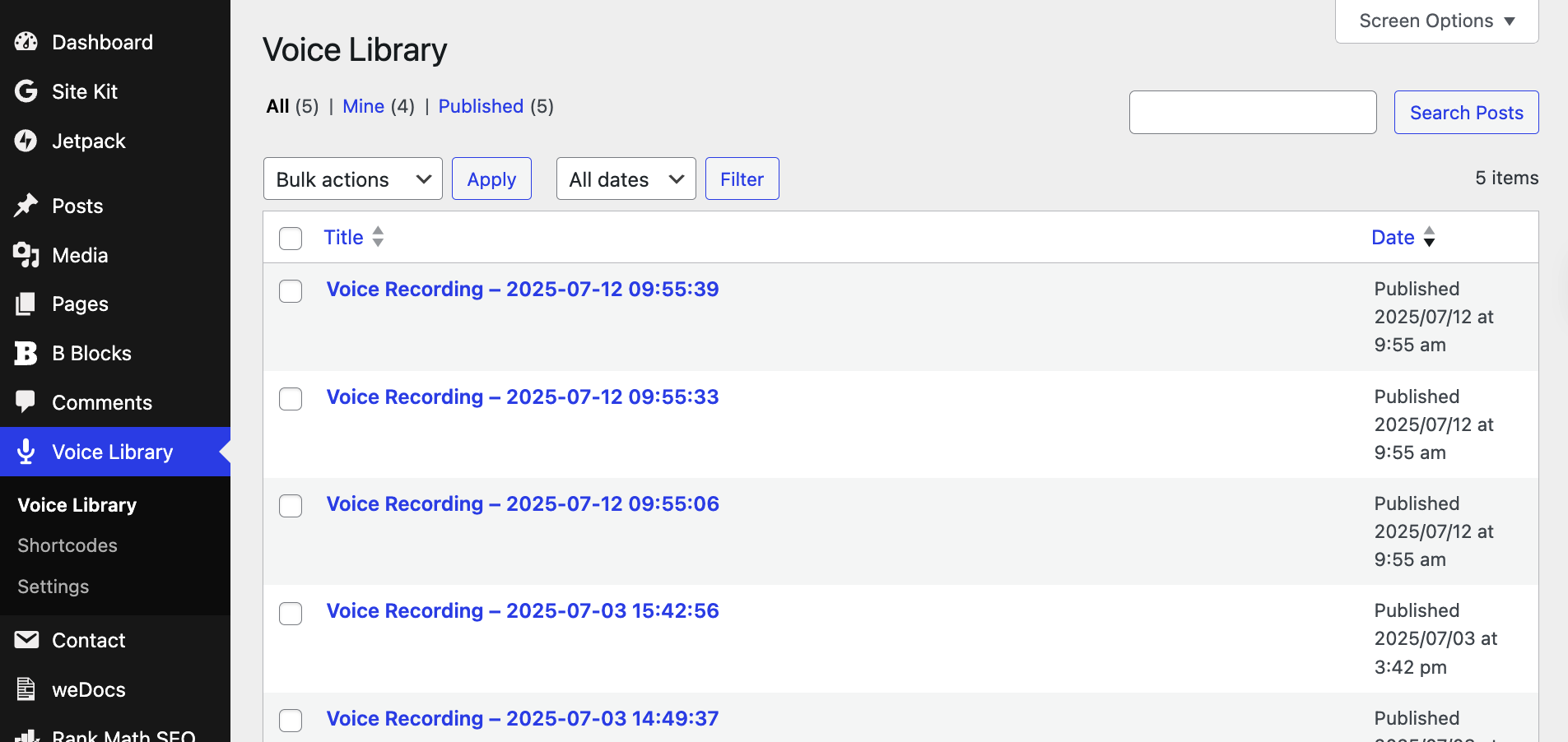
- Voice Library (Admin Panel): All voice messages are saved in the WordPress dashboard, where you can listen, manage, or delete them anytime.
- Customize the UI: Easily adjust typography, colors, and padding to match your branding.
- Flexible Placement – Display a floating voice feedback drawer across your site automatically, or insert it manually using a Gutenberg block or shortcode where needed.
- Fast & Privacy-Friendly – Lightweight design with no personal data collection—built purely for seamless and secure voice interactions.
Whether you’re gathering testimonials, user feedback, or audio questions, Voice Feedback makes it quick and effortless.
Who Can Benefit From Voice Feedback?
Voice Feedback is designed for creators, businesses, and educators who want meaningful, authentic input from users, without the hassle of forms or typing.
Here’s who will love it:
- Course Creators: Let students ask questions or submit assignments via voice.
- Coaches & Consultants: Collect personalized voice messages from leads or clients.
- E-commerce Sites: Get real-time customer feedback or product questions.
- Bloggers & Content Creators: Invite voice comments or audio reactions.
- Support Teams: Offer a more human channel for user feedback and bug reports.
- Communities: Let forum members or BuddyBoss users speak instead of typing.
If your audience has something to say, Voice Feedback gives them the mic.
How To Use Voice Feedback
Getting started is simple and takes just a few minutes.
Install and Activate Voice Feedback
Navigate to your WordPress dashboard. Go to Plugins → Add New and search for Voice Feedback.
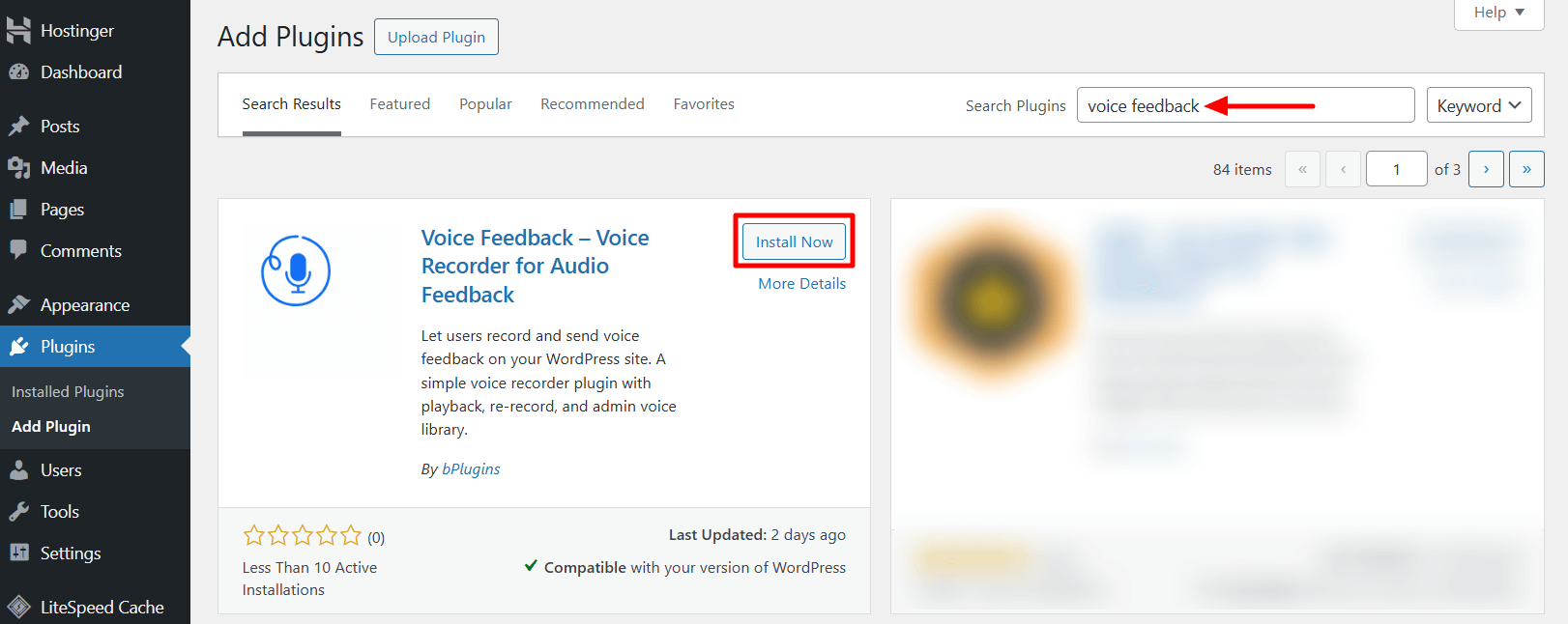
Now, install and activate the plugin.
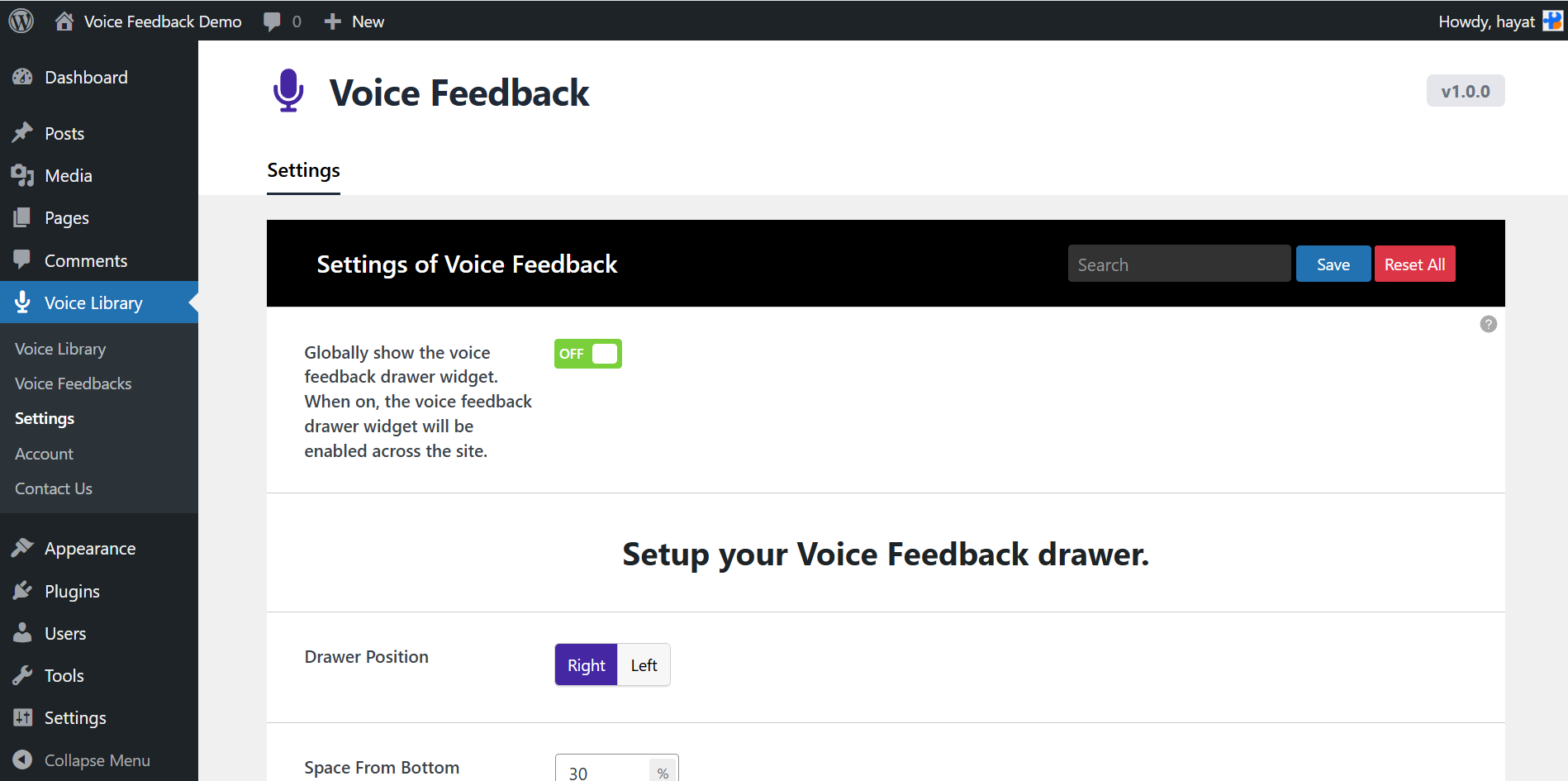
Once the plugin is activated, a voice recorder will appear on the right side of your website as a floating drawer.
Choose Your Embed Options: Block or Shortcode
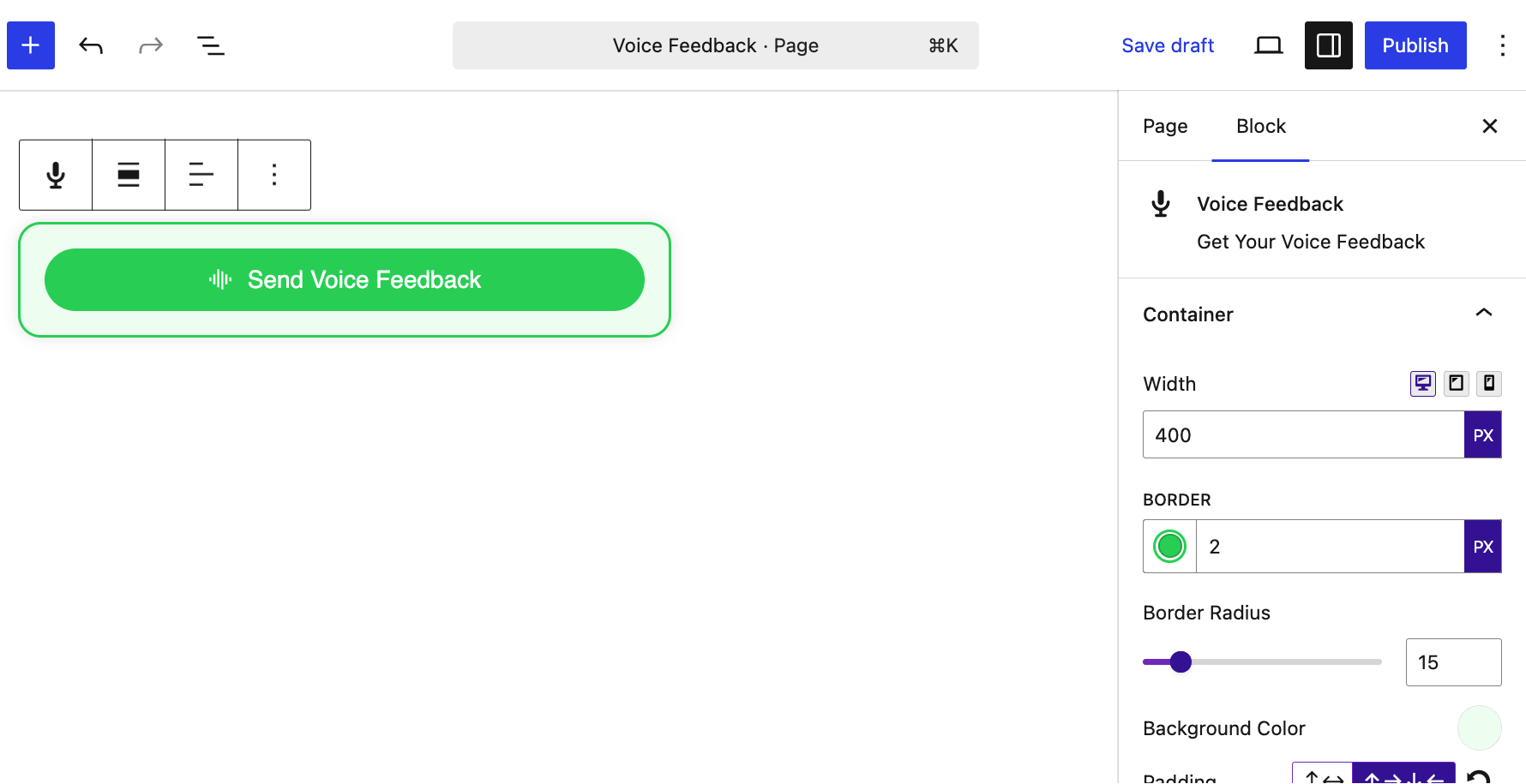
You can easily add Voice Feedback to specific posts or pages using the dedicated Gutenberg block.
Just search for the Voice Feedback block in the block editor and insert it wherever you want users to leave voice messages.
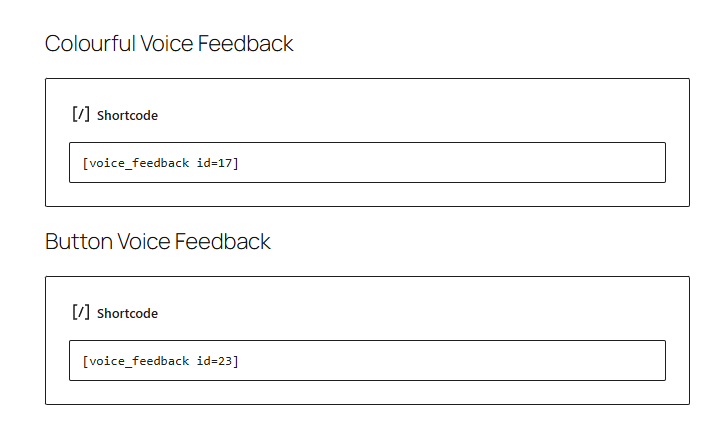
You can also use the classic shortcode method to embed Voice Feedback anywhere on your site.
Go to the Voice Feedback section in your WordPress admin panel. Copy the generated shortcode.
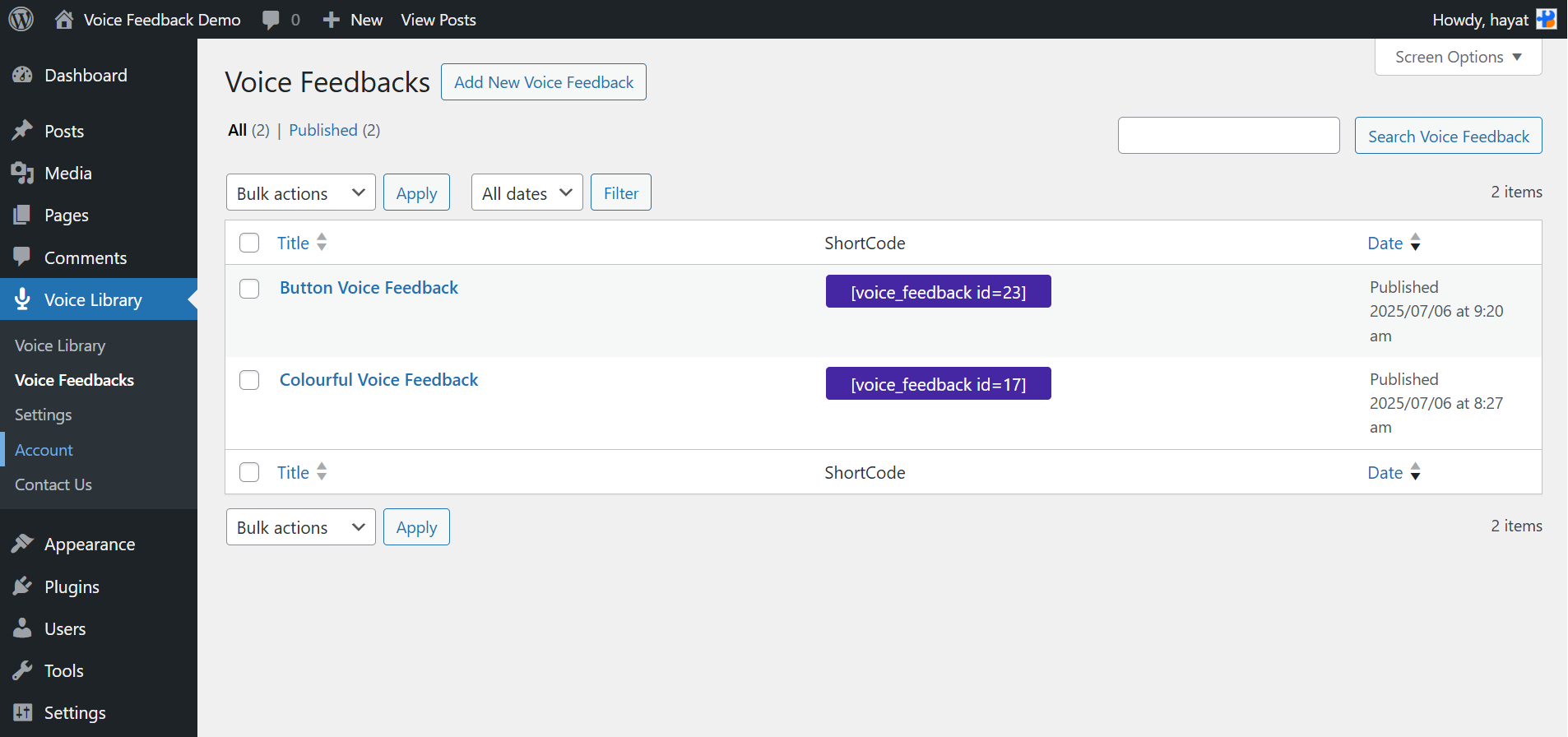
Paste it into any post, page, or widget area where you want the recorder to appear.
You can enable the floating voice drawer for site-wide feedback access.
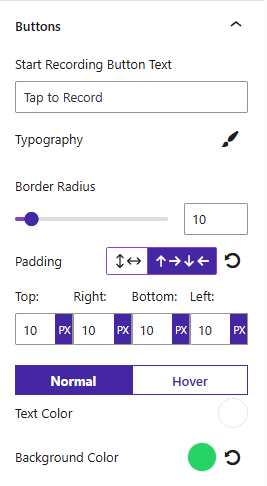
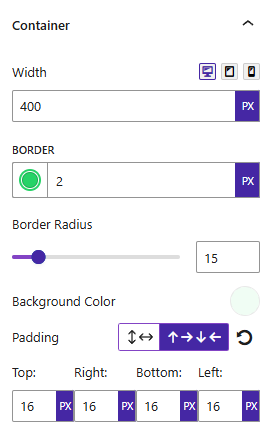
Customize Appearance
Match the voice recorder’s UI to your theme using built-in design settings.
Listen & Manage Submissions
Go to your admin panel and listen to submitted audio messages anytime.
Upgrading to Voice Feedback Pro unlocks deeper integrations with form plugins, WooCommerce, community plugins, and even lets you reply to users with voice!
Voice Feedback: It’s Time to Listen to Users
Text is great—but voice? It’s faster, more human, and full of emotion. Whether you’re collecting user feedback, receiving audio reviews, or adding voice forms to your site, Voice Feedback brings the power of voice to WordPress in a way that’s seamless and exciting.
Start with the free version to test it out.
🔓 Unlock Voice Feedback Pro to take your site’s communication to the next level.
Let your users speak their truth—literally.

 Save 90%