
Building a WordPress site no longer means wrangling slow, heavy page builders. Today, the Gutenberg block editor gives you a fast, native way to craft rich layouts right inside WordPress. Its full‑site editing tools put you in charge of design, speed, and future‑proofing.
If you need fresh Gutenberg layout ideas and want a no page builder WordPress workflow, you’re in the right place.
This guide walks you through creating eye‑catching, interactive pages with B Blocks, a lightweight plugin that adds advanced design features while keeping your site lean and builder‑free.
Introducing B Blocks: Your Gutenberg Toolkit
If you want to design interactive WordPress layouts without using a traditional page builder, B Blocks is a powerful addition to your Gutenberg workflow. It enhances the native editor with performance-focused, interactive blocks—without adding unnecessary bloat.
What Is B Blocks?
B Blocks is a lightweight WordPress plugin that extends the default Gutenberg editor with a carefully selected set of functional blocks. It’s built for users who want more layout flexibility than core WordPress offers, but without the slowdown of full page builders.
Whether you’re creating a homepage, product landing page, portfolio, or blog layout, B Blocks gives you just the right tools to design fast, modern, and engaging pages.
Interactive Gutenberg Blocks Included
B Blocks offers a curated collection of blocks to help you build rich, user-friendly layouts:
- Accordion – Organize FAQs or long-form content in collapsible sections.
- Chart – Visualize data using bar, line, or pie charts.
- Pricing Table – Compare billing tiers or service plans with clear call-to-action areas.
- Video – Embed product videos or tutorials without clutter.
- Navigation – Create structured, stylish navigation within your layout.
- Post Grid with Filters – Display blog posts, portfolios, or case studies with dynamic filtering.
- 3D Viewer – Embed interactive 3D models directly on your site.
- Slider – Showcase testimonials, featured content, or service highlights in a compact carousel.
Each block is easy to insert, customize, and align with your site’s branding—no coding needed.
B Blocks vs. Other Gutenberg Blocks Plugins
Most Gutenberg blocks plugins try to be all-in-one solutions. The result? Dozens of generic blocks you may never use, which slow down both the editor and the front end.
B Blocks takes a different approach:
- Focuses on interactive and conversion-ready blocks
- Keeps the block collection lean and purposeful
- Avoids duplicating design features already available in WordPress or your theme
- Outputs clean, semantic HTML that supports SEO and accessibility
If you want a performance-first Gutenberg layout builder, B Blocks is a smart, future-ready choice.
Built for Speed
Unlike bulky page builders or overloaded block suites, B Blocks is built with performance in mind:
- Lightweight codebase with minimal dependencies
- Optimized rendering for better Core Web Vitals
- Blocks load only when used, not site-wide
- Mobile-ready and fully responsive out of the box
This ensures your WordPress site stays fast, interactive, and scalable—even as your design needs grow.
Interactive Gutenberg Layout Ideas Using B Blocks
Whether you’re building a homepage, landing page, portfolio, or blog, interactivity is key to capturing attention and guiding users toward action. With B Blocks, you can design professional layouts directly in Gutenberg using blocks that balance flexibility, speed, and performance.
Here are five layout ideas where B Blocks excels:
1. Homepage Layout – Hero, Features, and Call-to-Action
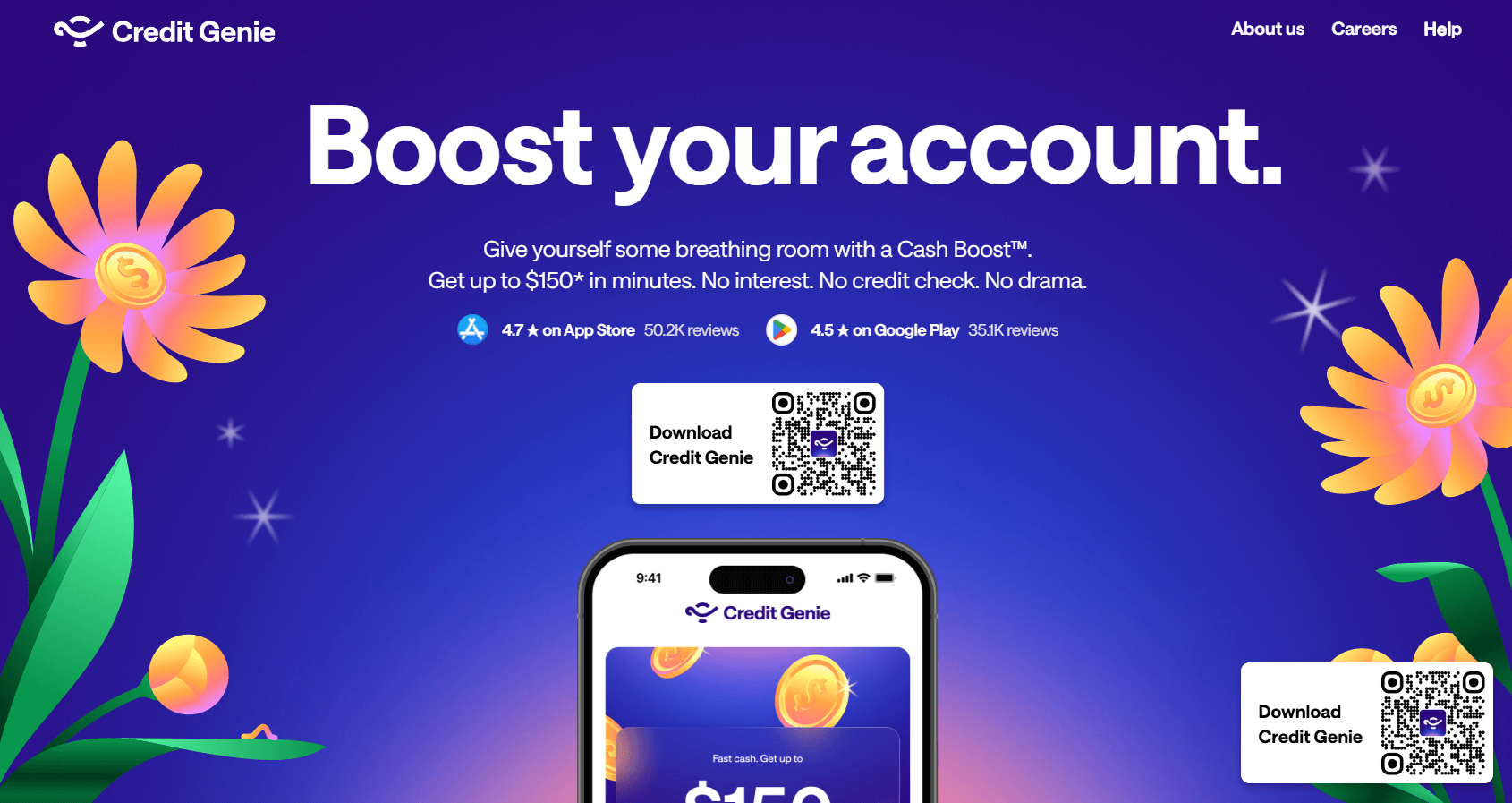
Your homepage is your digital front door and often the first thing visitors see. It should quickly communicate who you are, what you offer, and why it matters.
A well-structured homepage layout not only builds trust but also encourages users to explore further or take immediate action, whether that’s signing up, making a purchase, or browsing your services.
How B Blocks helps:
- Section Heading – Create bold hero titles with clean separators and intro text to set the tone.
- Feature Boxes – Highlight services or product benefits in a structured, eye-catching layout.
- Tabs – Present multiple features in a compact, clickable format to reduce visual clutter.
- Button / Button Group – Add animated CTAs linking to sections, popups, or external pages.
- Row Columns – Customize column layouts for balanced content and media placement.
2. Service Landing Page
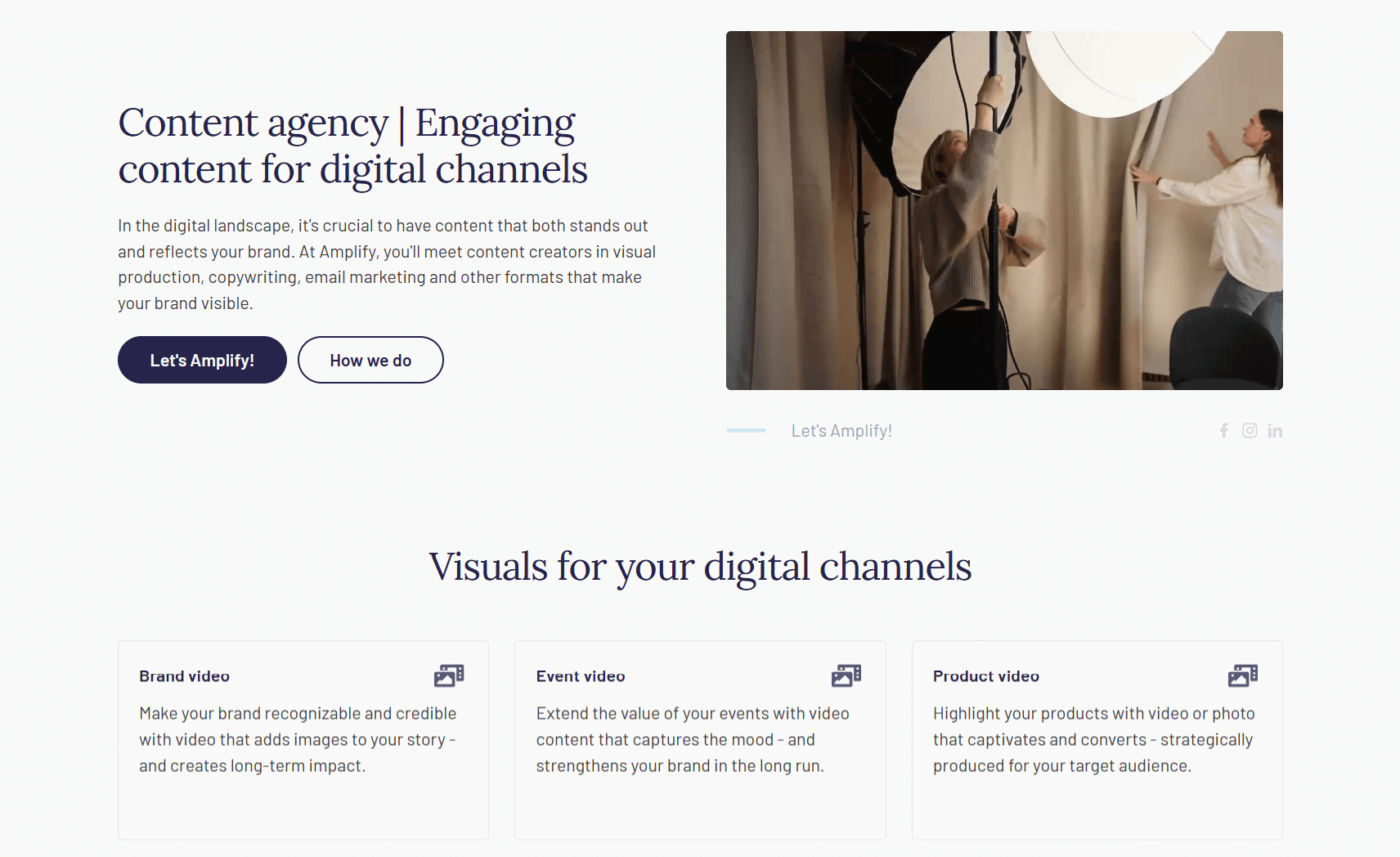
A landing page serves a focused purpose: converting visitors into leads or customers. It walks users through key information—what your service is, who it’s for, and how it solves their problem.
With the right layout, you can guide users through benefits, proof, and CTAs without overwhelming them, creating a smooth and persuasive experience from top to bottom.
How B Blocks helps:
- Accordion – Keep FAQs compact and easy to scan.
- Video Block – Add a product demo or testimonial in a lightweight, responsive popup.
- Pricing Table – Display multiple pricing tiers or billing cycles in a clean, interactive layout.
- Alert Block – Highlight limited-time offers, guarantees, or important notes near CTAs.
- Mail To – Add a simple one-click email link to boost conversions.
3. Portfolio or Case Study Section
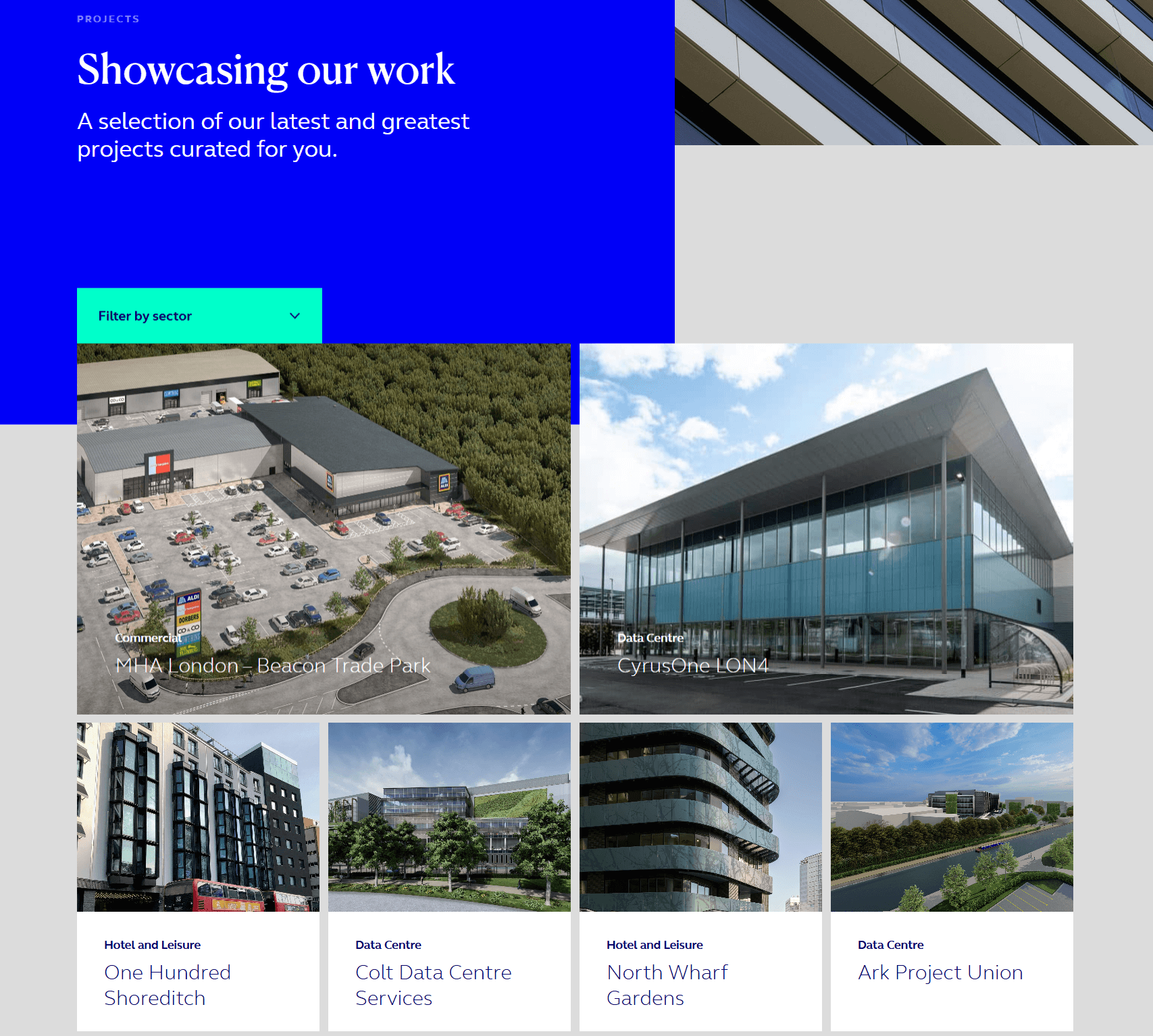
When your work speaks for itself, your layout should let it shine. A strong portfolio or case study section showcases your projects, process, and results, building credibility with potential clients.
It helps users understand what you do, how well you do it, and what kind of results they can expect, whether you’re a freelancer, agency, or product-based brand.
How B Blocks helps:
- Image Gallery – Display visuals in a responsive, stylish grid.
- Advanced Image – Add hover effects, captions, and overlays to give context.
- Image Comparison – Use a before-and-after slider to show transformations.
- Posts Block – Display projects or case studies in a filterable grid or masonry layout.
- Animated Text – Subtly animate headlines or results to draw attention.
4. Blog Post Template with Engagement Elements
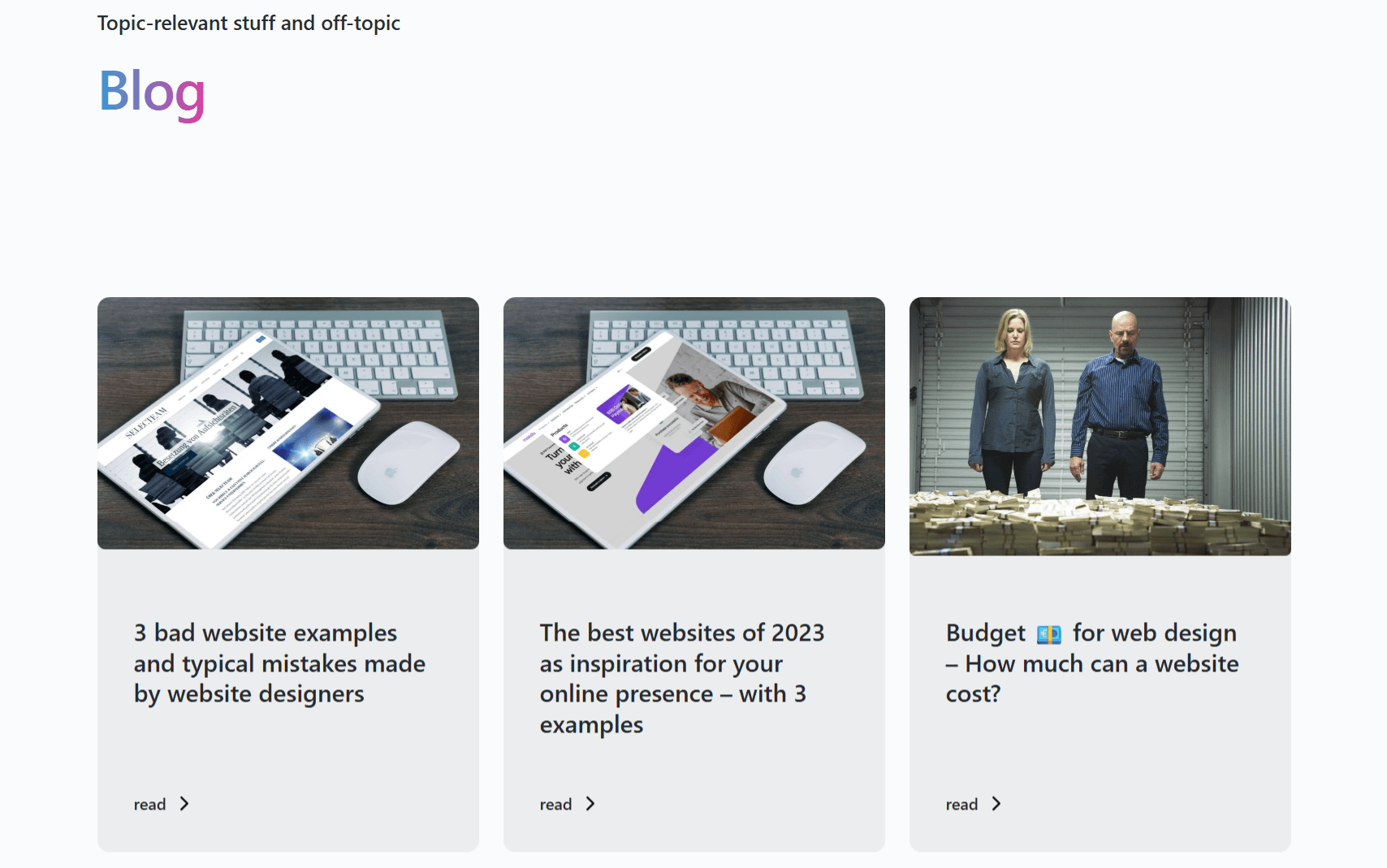
Blogs are more than content—they’re a tool for education, storytelling, and SEO. A thoughtfully designed blog layout improves readability, breaks up long text, and encourages interaction.
The right structure can boost time on site, reduce bounce rates, and lead readers deeper into your content ecosystem, whether you’re publishing tutorials, reviews, or opinion pieces.
How B Blocks helps:
- Posts Block – Show related articles at the end of each post to encourage continued reading.
- Section Heading – Break up content into easy-to-read segments with consistent styling.
- Counter & Star Rating – Add visual interest to data, reviews, or comparisons.
- GIF Image – Use playful visuals to add energy to announcements or lighter content.
- Social Share – Make it easy for readers to share your posts across platforms.
5. eCommerce Product Page or Shop Layout
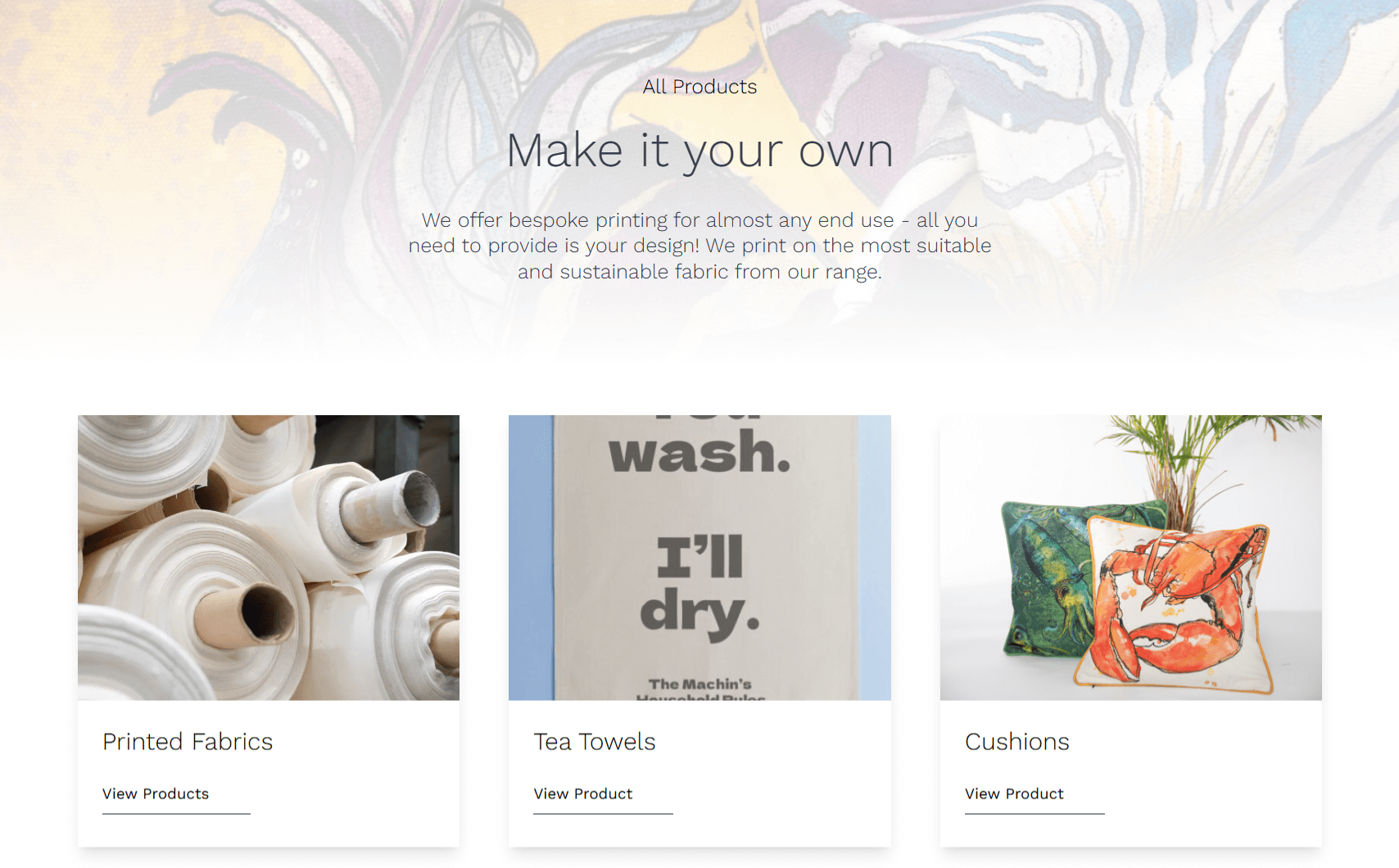
A product page is your chance to convince shoppers to buy. It should combine compelling visuals, detailed information, and trust-building elements like reviews and guarantees.
A conversion-optimized product layout reduces buyer hesitation by answering common questions, showcasing product benefits, and making the purchase process seamless, especially on mobile devices.
How B Blocks helps:
- 3D Viewer – Embed interactive product models for a 360° view (supports .glb/.gltf files).
- Image Comparison – Show before/after results—ideal for beauty, fitness, or repair products.
- Video Block – Feature product demos or testimonials with sleek, modal-style playback.
- Pricing Table / Price List – Highlight bundles, packages, or service tiers.
- Countdown – Add urgency with a real-time countdown for sales or offers.
- Star Rating – Display customer reviews to build trust through social proof.
- Alert Block – Add shipping info, return policies, or limited stock warnings near CTAs.
With B Blocks, each layout is fully responsive, customizable, and optimized for speed. You can build rich, interactive pages in Gutenberg—no page builder required.
How to Get Started with B Blocks
Let’s see how to use B Blocks on your WordPress website.
Installation
Navigate to your WordPress dashboard area. Go to Plugins → Add New and search for B Blocks. Now, install and activate the plugin.
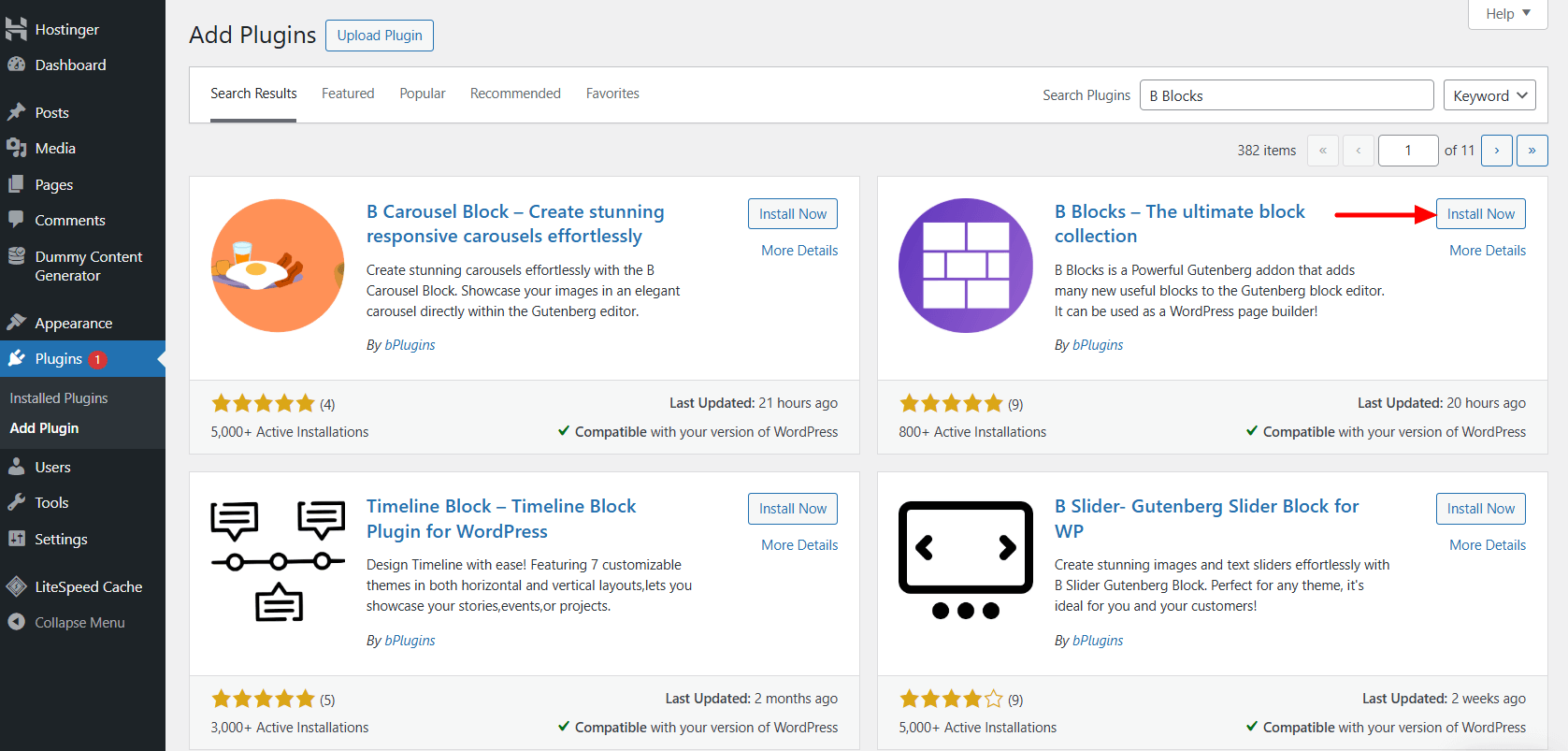
Note: If you’ve installed the pro version, you need the license key to activate the plugin.
Template and B Blocks Library
Once you’ve activated the B Blocks plugin, you can start building stunning pages or posts using its collection of interactive blocks and ready-made templates.
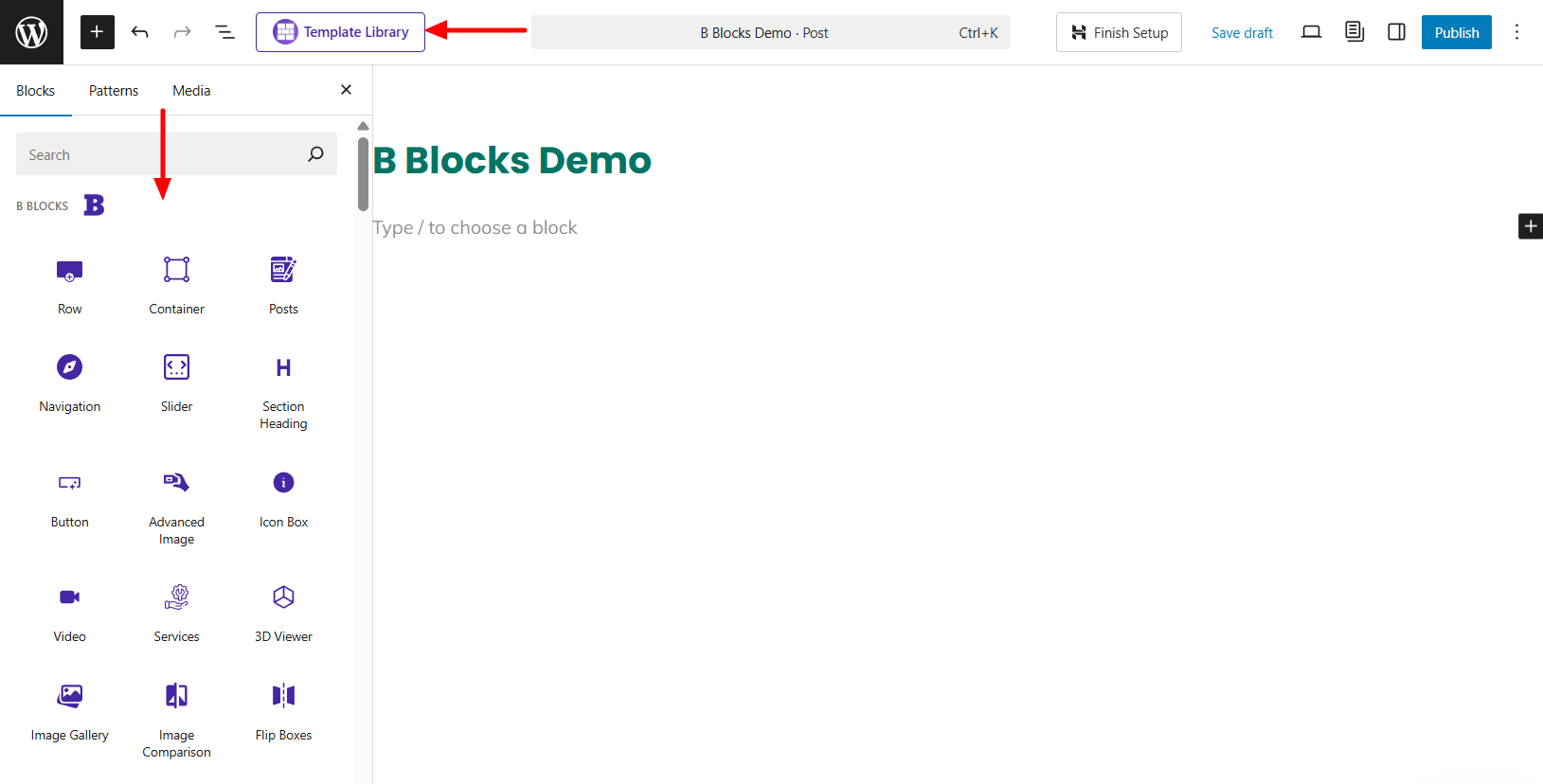
To browse templates, click the Template Library button located at the top-left of the editor toolbar. From there, you can explore a wide range of layouts designed for different sections of your website.
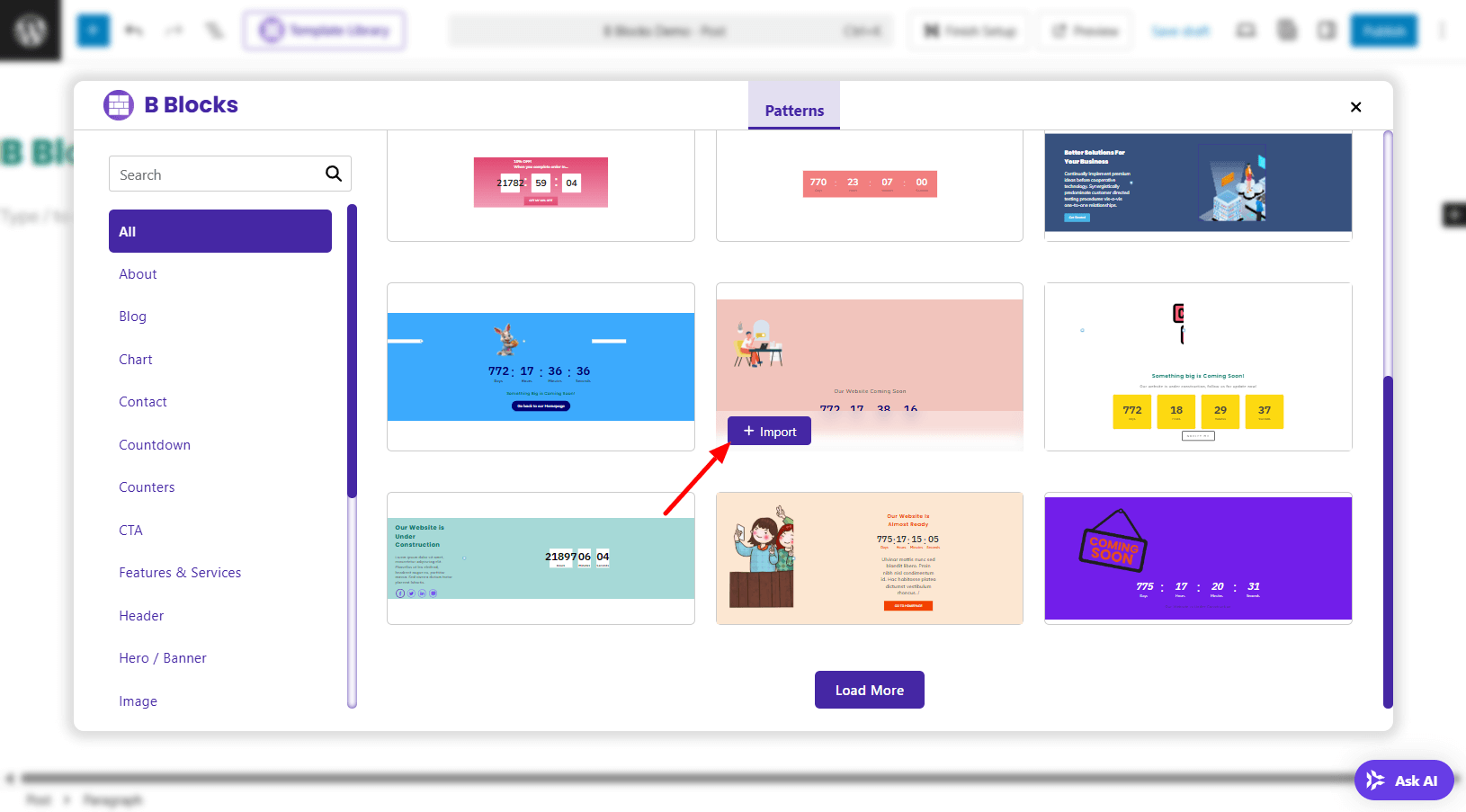
Use the left-hand menu to filter templates by category. When you find one that suits your needs, simply click the Import button to add it directly to your Gutenberg editor.
Customization
After importing a template or adding blocks, use the block settings panel on the right sidebar to customize the design.
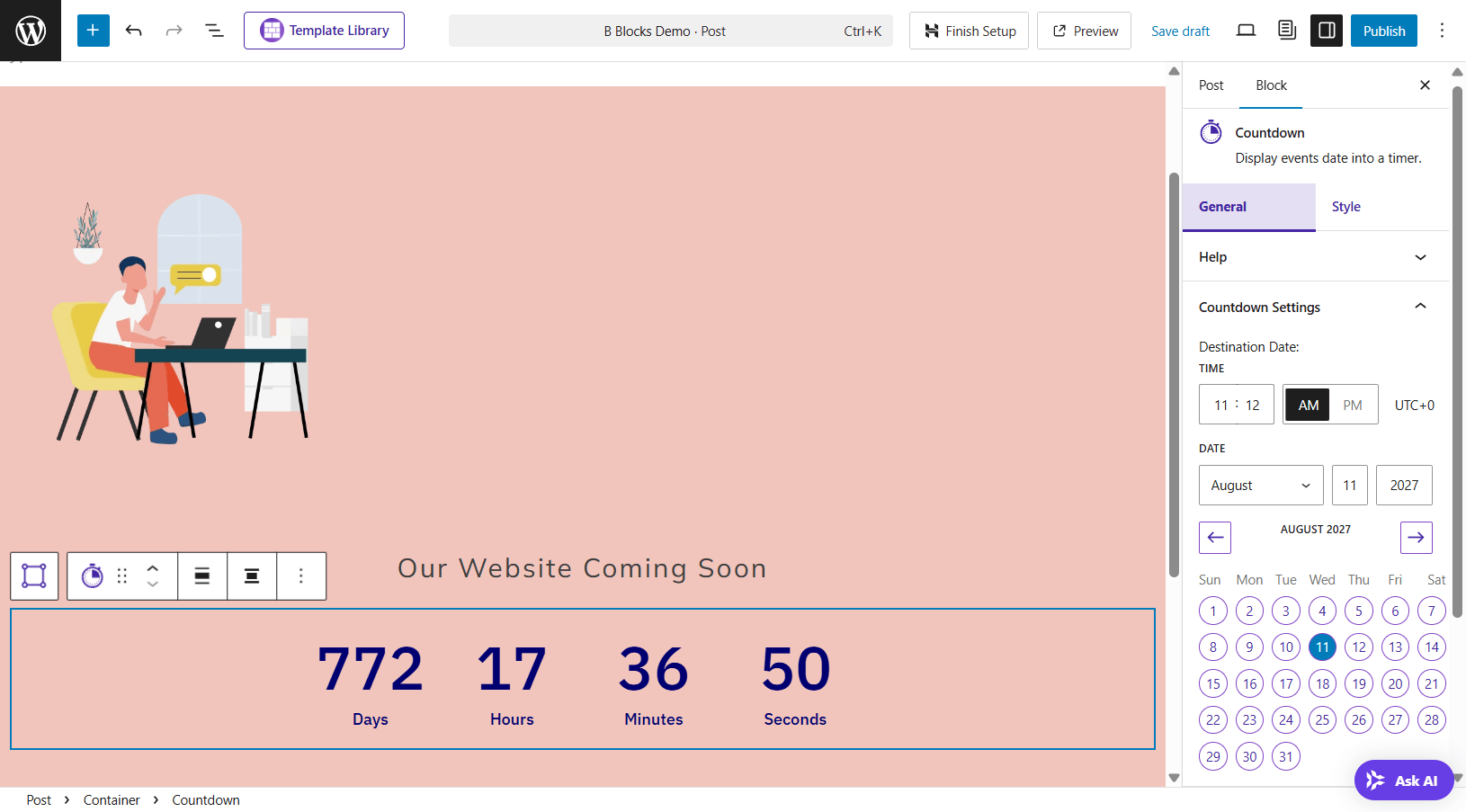
You’ll find full control over typography, spacing, colors, icons, and more, making it easy to craft each section to match your brand without needing custom code.
Gutenberg: The Future-Proof Layout Solution
As WordPress evolves, Gutenberg has grown from a simple block editor into a full design system. It empowers users to build fast, modern layouts without relying on bulky, third-party page builders.
If you’re exploring Gutenberg layout ideas or aiming for a no page builder WordPress approach, understanding what Gutenberg can do today is key to unlocking its full potential.
What Gutenberg Can Do Today
Gutenberg makes it easy to design custom layouts using modular, drag-and-drop blocks. You can add and arrange text, images, videos, sliders, grids, buttons, and more—no coding required.
With features like block patterns, reusable blocks, and grouping, you can create repeatable design elements that save time and improve consistency. Gutenberg also supports global styles and theme-level controls, so your entire site stays visually cohesive without custom CSS or extra plugins.
The Shift to Full Site Editing (FSE)
Full Site Editing (FSE) takes Gutenberg beyond posts and pages. You can now design your site’s header, footer, sidebar, archive pages, and even error pages, all using blocks. This shift puts full control in your hands, eliminating the need for traditional theme editing or complex builder tools.
For site owners and developers alike, FSE offers a more streamlined, future-proof workflow. It supports the no page builder philosophy by keeping everything within the native WordPress environment, reducing reliance on third-party tools.
Native Performance Benefits
One of Gutenberg’s biggest advantages is built-in performance. Unlike traditional page builders that load extra JavaScript, CSS, and frameworks, Gutenberg outputs clean, minimal HTML and uses core WordPress functions.
Here’s what that means for your site:
- Faster Load Times – Leaner code and fewer assets improve page speed.
- Better Core Web Vitals – Gutenberg-built pages often score higher in Google’s performance metrics.
- Cleaner DOM Structure – Simplified HTML reduces rendering time and complexity.
For anyone focused on speed, accessibility, and long-term stability, Gutenberg is a smart choice. And when combined with a lightweight block plugin like B Blocks, it becomes a powerful toolkit for building interactive and high-performance layouts.
What Makes a Layout Interactive in WordPress
An interactive layout does more than just display content—it invites users to explore, click, scroll, and engage. Interactivity turns a static page into a dynamic experience, encouraging longer visits, smoother navigation, and higher conversion rates.
Whether you’re building a homepage, blog, or product page, adding interactive elements helps guide visitors toward key actions while making your site more memorable and user-friendly.
Common Interactive Elements and Their Uses
Interactive layouts often include functional UI components that improve both design and usability. Here are some widely used examples:
- Accordions – Great for FAQs or long content sections, allowing users to expand and collapse information without visual clutter.
- Tabs – Group content into clearly labeled panels, ideal for features, specifications, or categories.
- Sliders & Carousels – Highlight testimonials, product images, or featured posts in a scrollable space-saving format.
- Toggles and Switches – Useful for pricing comparisons, feature activation, or filter settings—especially in service or eCommerce layouts.
- Hover Effects & Animations – Add subtle motion to elements like images, buttons, or headings to improve visual feedback without overwhelming users.
- Load More & Infinite Scroll – Keep content flowing without page reloads, making browsing smoother for blogs, portfolios, and galleries.
Why Interactivity Drives Engagement and Conversion
Interactive features aren’t just nice to have—they directly impact how users behave on your site:
- Improved User Experience – Interactive elements simplify content discovery and reduce cognitive load.
- Longer Time on Site – Users spend more time exploring when they can engage with content at their own pace.
- Better Communication – Complex information becomes easier to digest when broken into tabs or accordions.
- Action-Focused Design – Toggles, buttons, and popups guide users to take clear next steps like signing up, contacting, or purchasing.
- Mobile-Ready Interactions – Well-designed interactive blocks adapt to touch inputs, creating a seamless experience across devices.
Core UX Principles Behind Effective Interaction
To create meaningful interactivity, every element must serve a purpose and follow key user experience principles:
- Clarity First – Users should instantly recognize how to interact with elements. Use clear labels, intuitive icons, and visual cues.
- Inclusive by Design – Ensure accessibility for all users, including keyboard navigation and screen reader support.
- Purpose-Driven Features – Avoid adding interaction for the sake of aesthetics. Every clickable element should add real value.
- Feedback Matters – Provide visual or animated feedback for user actions, such as highlighting active tabs or confirming a successful form submission.
- Smooth, Frictionless Experience – Keep animations lightweight and interactions responsive. Avoid delays or disruptive elements that get in the user’s way.
How B Blocks Helps You Build Interactive Layouts in Gutenberg
With B Blocks, you can easily add interactivity to your WordPress site—without a page builder or complex setup. Each block is designed to enhance user experience while keeping performance in mind.
From accordions and tabs to sliders, image comparisons, and filterable grids, B Blocks includes all the tools you need to create fast, dynamic, and Gutenberg-native interactive layouts.
Because the plugin is lightweight and modular, it ensures that your site stays fast—even as you build richer, more engaging experiences.
Best Practices for Designing Effective and Interactive Gutenberg Layouts
Creating interactive, visually appealing layouts in Gutenberg isn’t just about adding blocks—it’s about using them with intention. Follow these best practices to design user-friendly, high-performing layouts that look great and function smoothly across all devices.
1. Stick to a Grid and Consistent Spacing
A well-defined grid system brings order to your design. It helps align content, maintain balance, and create a natural flow. Keep margins and padding consistent to ensure the layout feels clean and easy to navigate.
2. Maintain a Clear Visual Hierarchy
Use size, color, and placement to guide the viewer’s attention. Make headlines stand out, place key messages higher on the page, and highlight CTAs with contrast. A strong visual hierarchy helps users instantly understand what’s important.
3. Use Interactive Elements Purposefully
Every interactive block—like accordions, tabs, or toggles—should serve a clear purpose. Avoid unnecessary animations or flashy effects that don’t improve usability. Instead, focus on function-driven interactivity that enhances the user experience without adding noise.
4. Prioritize Accessibility from the Start
Design for everyone. Use semantic HTML, proper ARIA attributes, and make sure interactive blocks (like sliders or modals) are fully accessible. Test keyboard navigation and screen reader support to ensure inclusivity for all users.
5. Optimize for Performance
Interactivity should never slow your site down. Choose lightweight, well-coded solutions like B Blocks that minimize scripts and generate clean, efficient HTML. Prioritize blocks that load only when needed to keep your pages fast and responsive.
6. Test Across Devices and Browsers
Always check how your layouts behave on desktops, tablets, and mobile devices. Make sure that touch gestures, clicks, and keyboard inputs work smoothly across all major browsers. Responsive interaction is key to a great cross-device experience.
Frequently Asked Questions: Building Gutenberg Layouts Without a Page Builder
1. Can I create advanced layouts in Gutenberg without a plugin?
Yes, you can build fairly complex layouts using core Gutenberg features like columns, groups, cover blocks, and block patterns.
However, for truly interactive elements such as tabs, accordions, sliders, or popups you’ll benefit from a lightweight block plugin like B Blocks, which extends Gutenberg’s design flexibility without adding page builder bloat.
2. What makes B Blocks different from other block plugins?
B Blocks focuses on performance and essential features. Unlike bulky block libraries, it offers a curated set of practical, interactive blocks like sliders, toggles, and pricing tables without unnecessary extras that slow your site down.
It’s lean, fast, and designed to feel like a natural extension of the Gutenberg editor.
3. Will switching from Elementor to Gutenberg affect my site’s SEO?
If done carefully, switching to Gutenberg can improve your SEO. Gutenberg generates cleaner, more semantic HTML and typically leads to faster page load times—both important ranking factors.
To maintain SEO during migration:
- Set up proper redirects if URLs change
- Preserve meta tags, schema, and on-page SEO
- Rebuild important layouts with accessibility and structure in mind
Also, you can check out the post on Gutenberg vs Elementor.
4. How do I improve page speed using Gutenberg?
Gutenberg is built into WordPress core, so it avoids the extra scripts that slow down traditional builders.
To speed up your site even more:
- Use performance-first block plugins like B Blocks
- Compress images and optimize media
- Avoid unnecessary animations or large third-party libraries
- Disable unused blocks and features
5. Is B Blocks compatible with Full Site Editing (FSE) themes?
Yes, B Blocks works seamlessly with all modern block-based WordPress themes that support Full Site Editing (FSE). You can use its blocks inside headers, footers, template parts, and custom page templates—making it a perfect fit for building interactive sites entirely within Gutenberg.
6. Do I need coding skills to design interactive layouts with B Blocks?
Not at all. B Blocks is built for non-technical users. You can drag, drop, and customize blocks visually using Gutenberg’s intuitive interface—no coding required. Everything from interactive galleries to tabs and pricing sections can be built with clicks, not code.
Conclusion
The way we design WordPress sites is evolving, and it’s a welcome change. With Gutenberg and a lightweight toolkit like B Blocks, you can build fast, interactive, and fully customizable layouts without the drawbacks of traditional page builders.
You get the best of both worlds:
- Speed from clean, efficient code
- Simplicity from working inside the native WordPress editor
- Control over design, structure, and performance
There’s no need to depend on heavy builders that slow down your site. If you’re looking to modernize your workflow and embrace a no page builder WordPress approach, now’s the time to start.
Use these Gutenberg layout ideas to build beautiful, user-friendly pages with B Blocks.

 Save 90%