
Creating visually appealing blog posts is crucial for engaging readers and keeping them on your site.
In the crowded digital landscape, a beautifully displayed post grabs attention and enhances the readability and user experience.
WordPress, with its long array of themes and plugins, offers numerous ways to make your content stand out.
Whether you’re a seasoned blogger or just starting, understanding how to leverage WordPress’s tools can transform your posts into stunning, interactive pieces that captivate your audience.
We are going to show you the Advanced Post Block Plugin and how it helps you create an awesome post-display experience.
Why It’s Important To Beautifully Display Your Post on WordPress?
Before we show you how to display posts on WordPress, you need to know why you need to show posts beautifully on your site-
- First Impressions : The way your post looks is the first thing readers notice. A visually attractive post can entice visitors to stay and explore, while a poorly formatted one can drive them away instantly.
- Readability: A well-structured and visually appealing post is easier to read. Proper use of headings, images, and white space can make your content more digestible, keeping readers engaged from start to finish.
- Engagement: Beautifully displayed posts can lead to higher engagement rates. Features like interactive elements, multimedia, and clear call-to-actions can encourage readers to interact with your content, share it, and even subscribe to your site.
- Professionalism and Credibility: A polished and professional-looking post can boost your credibility. It shows that you take your content seriously and are committed to providing value to your readers.
- SEO: Search engines favor well-organized content. Proper use of headings, images with alt texts, and clean layouts can improve your SEO, making it easier for potential readers to find your posts.
By investing time in the design and presentation of your WordPress posts, you not only enhance the aesthetic appeal but also improve the overall user experience, making your blog a go-to resource in your niche.
How to Beautifully Display Post on WordPress? A Detailed Guide
Now comes the main part. We are going to use the Advanced Post Block plugin to display posts on your WordPress site.
The Advanced Post Block plugin for WordPress is a tool designed to enhance the display of posts on your website. This plugin allows users to create and customize various post layouts using a simple block interface, integrating seamlessly with the Gutenberg editor.
Key features include multiple post layouts (such as grid, list, and slider), support for custom queries, and extensive customization options for styling and content display.
With the Advanced Post Block plugin, users can filter posts by categories, tags, or custom taxonomies and control the visibility of post elements like titles, excerpts, and meta information.
The plugin also supports pagination and responsive design, ensuring that post layouts look great on any device. It’s especially useful for bloggers, news websites, and content-rich sites that need flexible post-presentation options without requiring coding knowledge.
Here are the steps to display posts beautifully on your WordPress site-
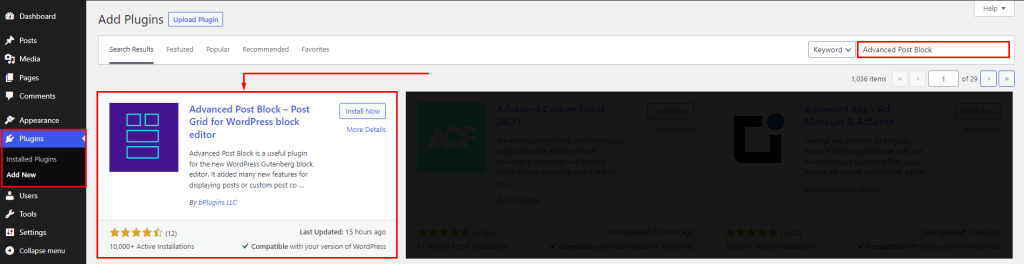
Step 1: Install and Activate the Advanced Post Block Plugin
Login into your WordPress Admin dashboard. Click on the left-side Plugin menu. Now, on the right side, search for the Advanced Post Block.
Click on the Install Now button. Once the plugin is installed, click on the Activate button.
Step 2: Configure the Settings, Layout, Pagination
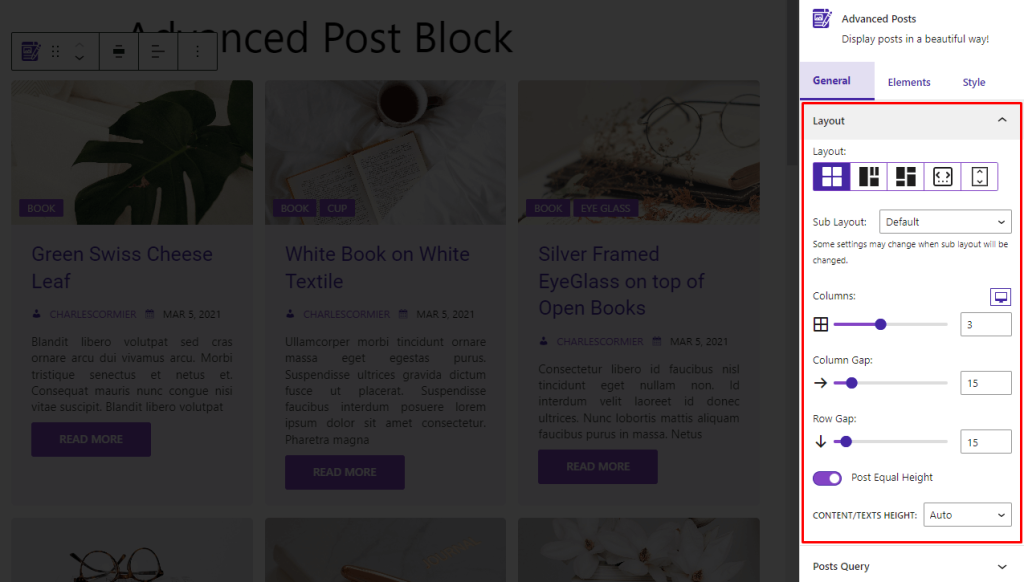
In your sidebar settings, you will see the General tab is selected. if not, select the General tab.
Layout
In layout, change Layout, Sub Layout, Columns, Column Gap, Row Gap, and others(by layout change, some options will appear and disappear).
You can set different columns in different devices for responsiveness. Just click on the device(desktop, tablet, or mobile) icon to select the device, and set the column count.
Show Pagination for your post, set Previous Label, Next Label, Colors(text and background), Active Colors(text and background), Padding, and Space Between.
Note: pagination is not for the Slider and Ticker layout.
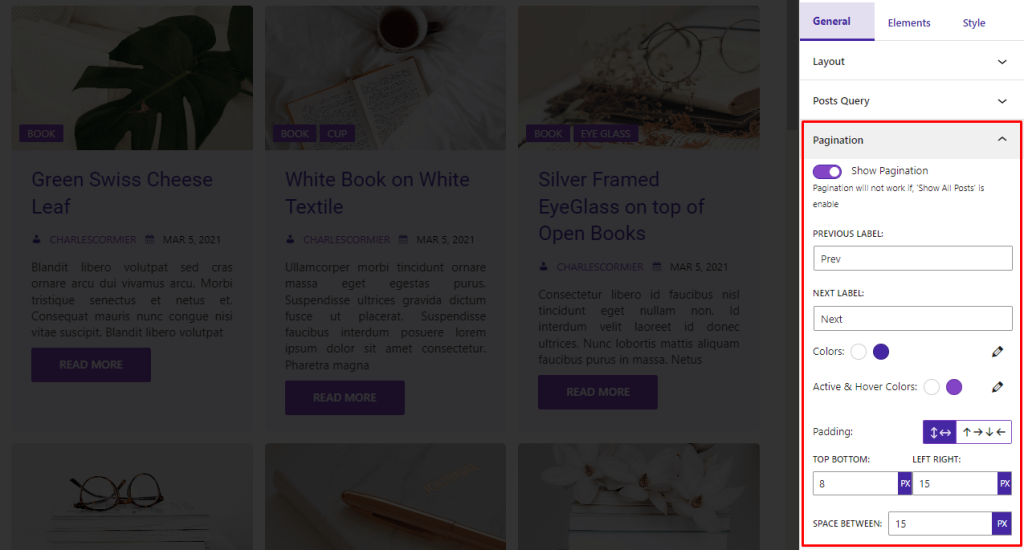
Step 3: Configure the Feature Image and Other SEO Options
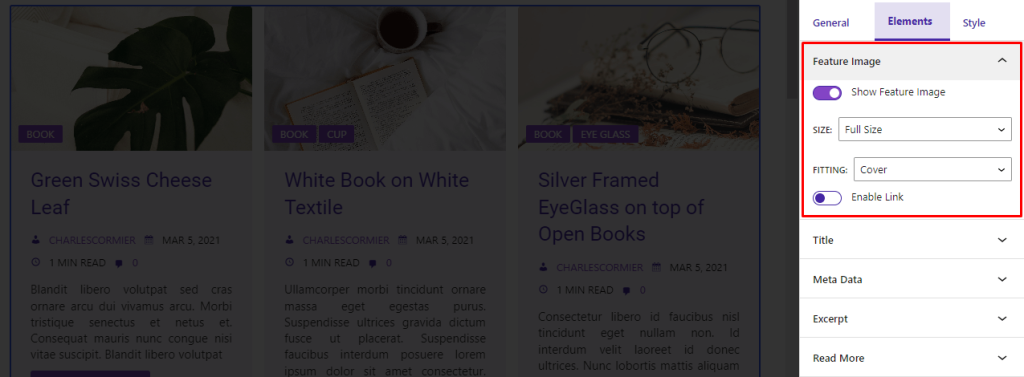
In the Elements tab, you will find the options for setting feature images. You can show/hide Feature Image, set Size, Fitting, and enable/disable Link.
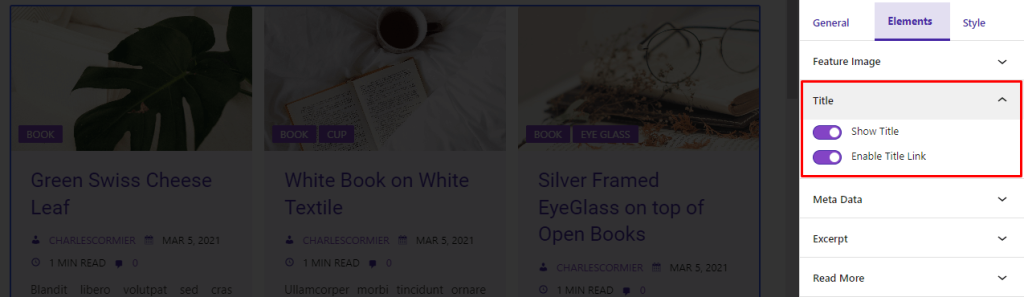
You can also Show/Hide Title and enable/disable the Link for the title element of the posts-
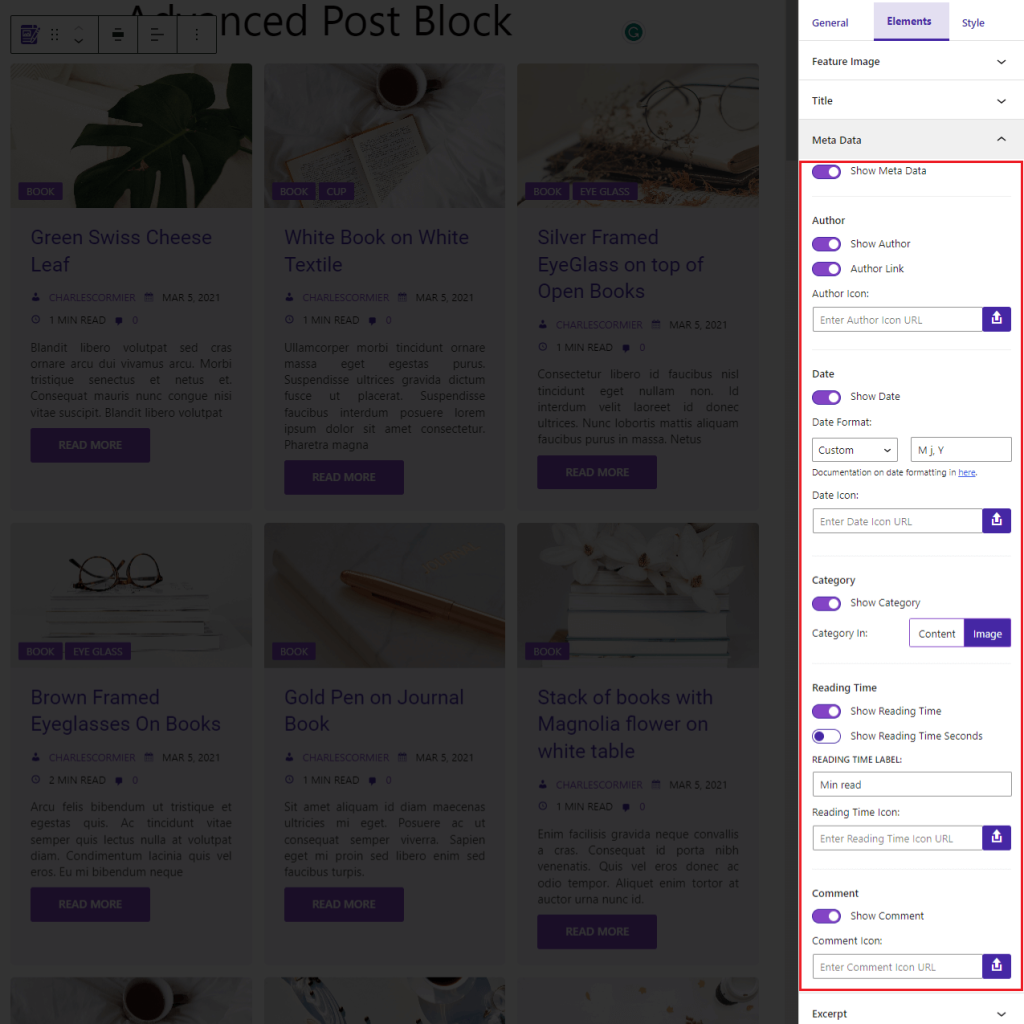
From here,you can show/hide Metadata. And change the options for metadata. You can also configure Author, Date, Category, Reading time, Number of Comments from this section as well.
Step 4: Customize Your Posts from the Style Tab
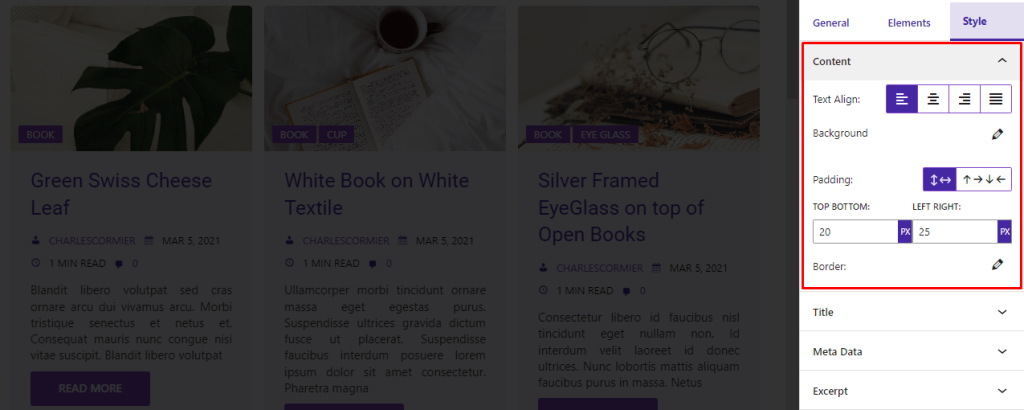
Select the Style tab. Then you will see options like-
For Content, set Text Align, Background, Padding, and Border.
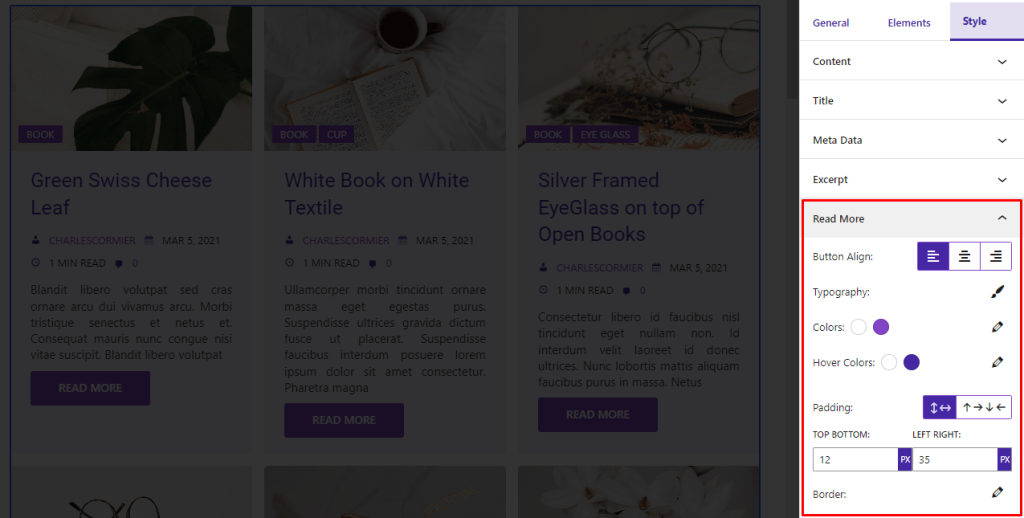
If you want you can enable the Read More option. For Read More, set Button Align, Typography, Colors, Hover Colors, Padding, and Border.
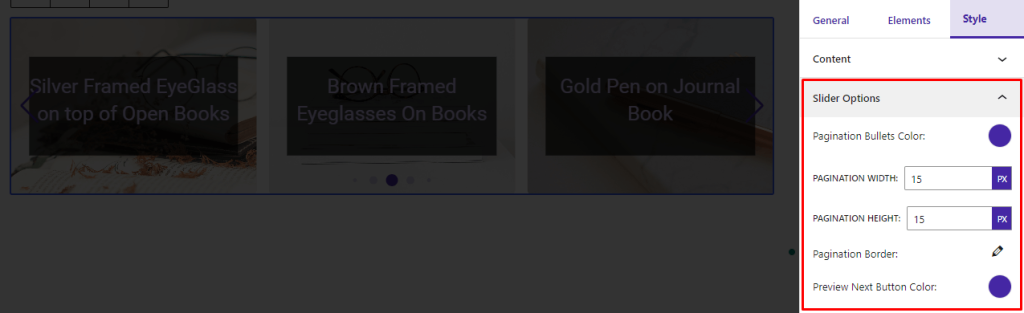
You will see the Slider Options if you select Slider Layout. Set Pagination Bullets Color, Pagination Width, Hight, and Border. Also, set Preview Next Button Color.
And you are done. Now just publish the page and you will see your post in the post archive page.
This is how you can beautifully show posts on your WordPress website.
There are more options to customize the posts and display your posts more customized way. You can read this guide to find the premium options for the Advanced Post Block Plugin.
Display Your Posts Beautifully on WordPress with Advanced Post Block Plugin
Creating a beautifully displayed post on WordPress is both an art and a science. By paying attention to design elements, utilizing the right plugins, and adhering to best practices in content creation, you can transform a simple post into a visually engaging and user-friendly experience.
Remember, the key to a stunning WordPress post is the balance between aesthetics and functionality. Focus on quality images, a clean layout, and readability to captivate your audience.
As you continue to refine your approach, you’ll find that a well-designed post not only attracts more readers but also encourages them to stay longer and engage more deeply with your content. Happy blogging!

 Save 90%