
 Gallery for Google Photos
 How to easily get a refresh token is shown below. Please follow the steps below:
- In the step to create a client ID, add an additional “Authorized Redirect URI”:
- https://developers.google.com/oauthplayground
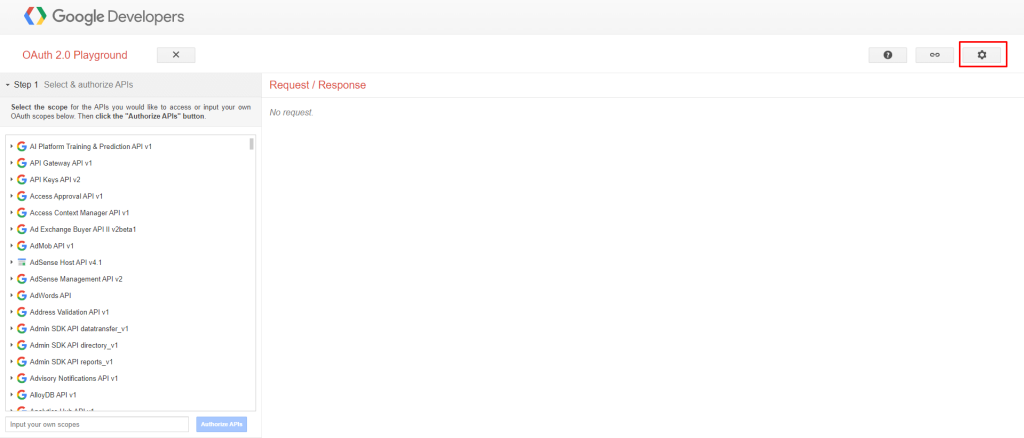
- Now go to the Google OAuth2 Playground. This is a site hosted by Google to help you do your validations. Click on the Settings icon:
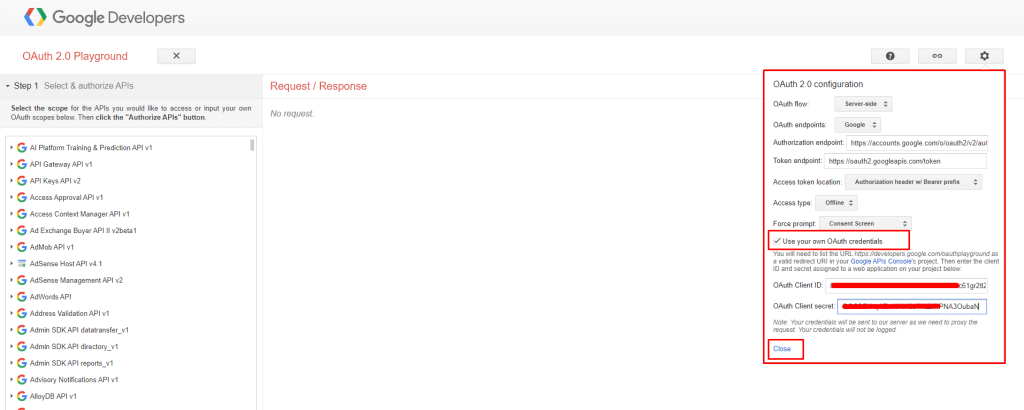
- Select the option to “Use your own OAuth credentials”, and provide the “OAuth Client ID” and “OAuth Client secret” that you obtained in the step to create a client ID. Click “Close” once you are done
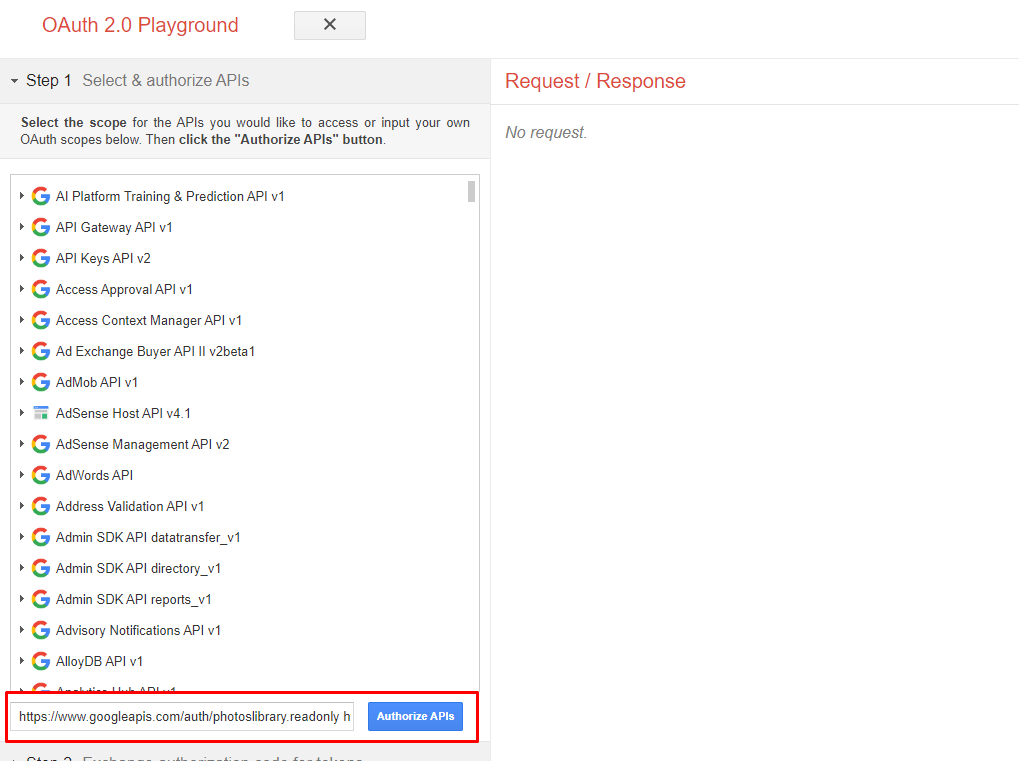
- On the left, under the section that says “Select & authorize APIs”, you will see a box that says “Input your own scopes”. Put in https://www.googleapis.com/auth/photoslibrary.readonly https://www.googleapis.com/auth/photoslibrary.sharing. Note that there are two URLs, separated by a space. Click “Authorize APIs”.
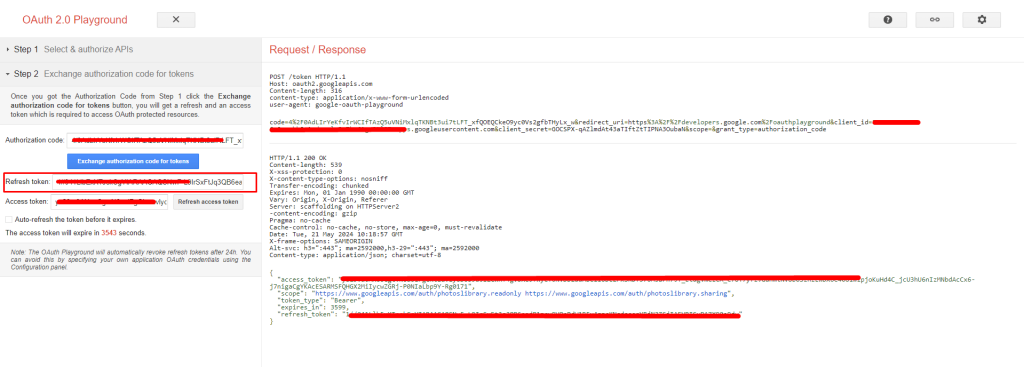
- You will then be brought back to the OAuth 2.0 Playground. You will see and authorization code and an option to “Exchange authorization code for tokens”. Click on it
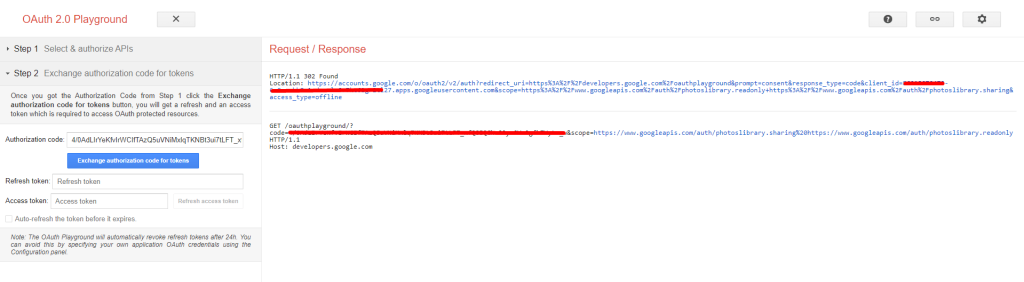
- You will finally see Google provide you with a “Refresh token” and an “Access token”. Copy the “Refresh token”:
 Save 90%