
Starting a podcast means making important tech decisions early on. One of the biggest? Whether to use a dedicated podcast hosting platform or handle everything through your WordPress site with a podcast WordPress audio player.
This choice affects your site’s performance, how easily listeners can find you, and how much time you’ll spend on maintenance. Get it right, and your podcast runs smoothly. Get it wrong, and you might face slow loading times, frustrated listeners, or a crashed website.
Your hosting decision impacts everything from listener experience to your ability to monetize. It determines whether you’ll spend time creating content or troubleshooting technical issues. And it can make the difference between a podcast that scales effortlessly and one that buckles under its own success.
Let’s break down both options so you can pick the right podcast WordPress audio player solution for your show.
Understanding Your Two Main Options
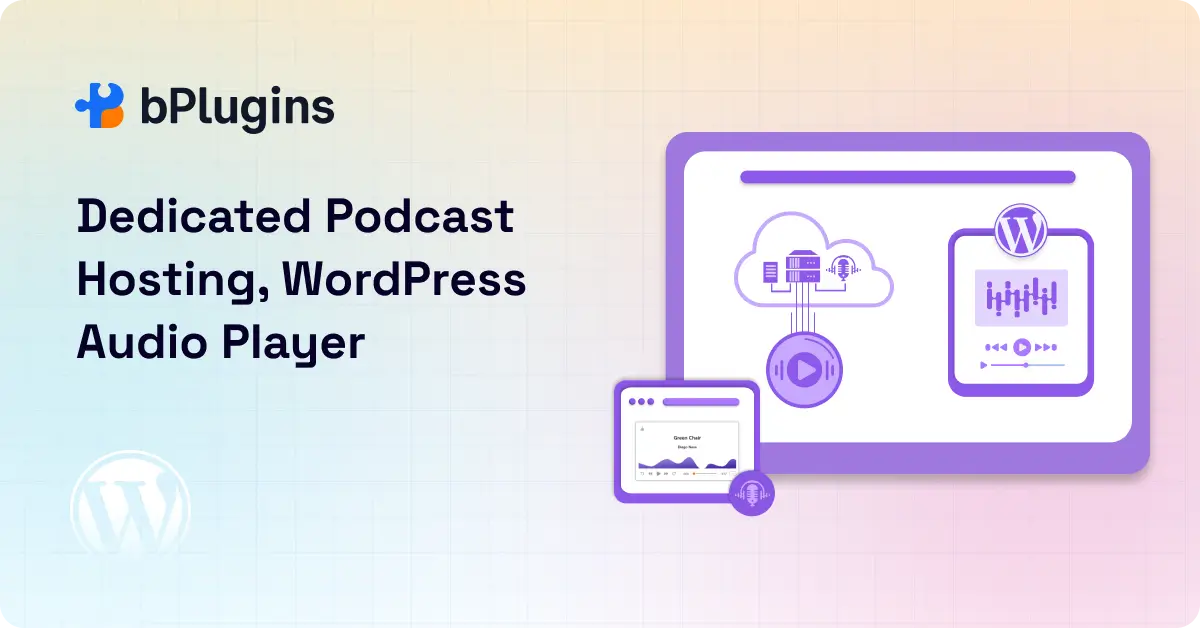
Before we compare, let’s clarify what we’re talking about.
Dedicated Podcast Hosting
It means using an external service built specifically for podcasts. You upload your audio files to platforms like Libsyn, Buzzsprout, Transistor, or Captivate.
These services store your files, create your RSS feed, distribute your show to Apple Podcasts and Spotify, and provide analytics. Everything happens off your website.
Think of it as outsourcing the technical infrastructure. You record and edit your episodes, then hand them off to specialists who handle delivery. These platforms have spent years optimizing audio delivery, building relationships with podcast directories, and developing analytics tools.
WordPress + Audio Player
It means hosting your podcast directly on your WordPress site. You upload audio files to your media library and use either WordPress’s built-in audio block or a plugin to create a player. Your site becomes both your podcast hub and your hosting solution.
This approach appeals to people who already have WordPress sites and want everything in one place. You might use the native WordPress audio block, or install plugins like PowerPress, Seriously Simple Podcasting, or Podlove. Some podcasters prefer dedicated audio players like the HTML5 Audio Player for better customization and performance without the RSS feed complexity of full podcast plugins.
The key difference? Dedicated hosting separates your podcast infrastructure from your website. WordPress hosting combines them. Each approach has significant implications we’ll explore.
Getting Started: The First Episode Experience
Podcast hosting platforms win on simplicity. The typical workflow: create an account, upload your audio file, add your episode title and description, add some artwork, and click publish.
The platform generates your RSS feed automatically, provides embed codes for your website, and often offers one-click submission to major directories.
Most podcast hosts guide you through setup with clear instructions and helpful tooltips. Within an hour, your first episode can be live and submitted to Apple Podcasts, Spotify, and Google Podcasts. Many platforms include onboarding tutorials or live support to help you get started.
With a WordPress audio player, you need to set things up yourself. First, make sure your hosting plan supports large media files. Then install and configure a podcast plugin, or set up the native audio player.
You’ll need to understand RSS feeds if you want your podcast in directories. Most podcasters need to learn about feed validators, iTunes tags, and proper episode formatting.
The WordPress route isn’t impossible, especially if you’re already comfortable with the platform. But it takes more technical knowledge and research.
You’ll probably spend several hours reading documentation, testing different plugins, and troubleshooting issues. For someone without WordPress experience, the learning curve feels steep.
Performance and Reliability: When Your Podcast Goes Viral
Here’s where the differences really matter, and where many self-hosted podcasters learn expensive lessons.
Podcast hosting platforms are built for one thing: delivering audio files quickly and reliably to lots of people. Their servers optimize streaming, handle traffic spikes, and rarely buffer or crash. They use Content Delivery Networks (CDNs) that distribute your files across multiple servers worldwide.
When someone in Tokyo downloads your episode, they get it from a nearby server, not from a single location halfway around the world.
These platforms also handle concurrent downloads gracefully. If 500 people try downloading your latest episode simultaneously, the system scales automatically. You don’t even notice the spike. This matters when you release a new episode and announce it to your email list or social media followers.
Self-hosting on WordPress? That’s riskier, and the risks multiply as you grow.
Audio files are large. A typical one-hour podcast at decent quality runs 50-80 MB. If dozens of people try downloading your latest episode at once, your site might slow to a crawl or go down completely. Your hosting plan matters a lot here. Shared hosting plans (the cheap ones many beginners use) often can’t handle the load.
We’ve seen this play out repeatedly. A podcaster publishes their best episode yet, promotes it enthusiastically, and watches their website crash under the traffic. When your site goes down, your podcast goes down too. Listeners can’t access your show, and you lose momentum at the worst possible moment.
Even if your site doesn’t crash completely, slow loading times frustrate listeners. People expect instant playback. If your WordPress audio player buffers constantly or takes 30 seconds to start playing, many listeners will give up. You’ve created great content, but the delivery mechanism is failing you.
The bandwidth costs can surprise you too. If you have 1,000 downloads of a 60 MB file, that’s 60 GB of bandwidth. Release weekly, and you’re using 240 GB monthly just for one episode’s initial wave.
Add your older episodes getting downloaded, and bandwidth usage explodes. Many hosting plans charge overage fees or throttle your site when you exceed limits.
Read Lazy Loading for Videos, PDFs & 3D Models in WordPress.
Creative Control Over Your Podcast
This is where WordPress shines, and it’s why some creators accept the performance tradeoffs.
WordPress gives you total freedom over design and functionality. Want a custom-designed player that matches your brand perfectly? You can build it. Need specific layouts that showcase transcripts, guest bios, and related episodes in a particular way?
You control the HTML, CSS, and plugins. Want to integrate your podcast with your blog, email signup forms, and course offerings in creative ways? WordPress lets you do exactly that.
The level of customization possible is remarkable. You can create unique episode pages with rich media, custom fields for guest information, dynamic playlists, and sophisticated categorization systems.
You can build membership areas where premium subscribers access exclusive content. You can design interactive features that podcast hosting platforms simply don’t offer.
For creators who view their podcast as part of a larger brand ecosystem, this flexibility is invaluable. Your podcast isn’t just a show. It’s integrated content that flows seamlessly with everything else you create.
Podcast hosting platforms offer less flexibility. You get their player design, their embed options, and their interface. Some platforms allow customization of colors, logos, and basic branding elements. But fundamentally, you’re working within their framework and limitations.
That said, many podcast hosts provide attractive, professional-looking players that work well on any website. For most podcasters, the standard embeds do everything needed without requiring design expertise. The question becomes whether you need more control than these platforms offer.
Reaching Your Audience: The Distribution Challenge
Getting into Apple Podcasts, Spotify, Google Podcasts, and other directories is painless with podcast hosting. They generate your RSS feed automatically using the proper format and tags.
Many platforms offer one-click submission to major directories or provide step-by-step guides. Updates happen seamlessly. When you publish a new episode, it automatically appears in your feed and pushes to all directories.
The RSS feed is crucial here, and podcast hosts get it right by default. They include all the necessary iTunes tags, episode metadata, artwork specifications, and category information. They validate your feed continuously and alert you if something breaks. They handle redirects properly if you need to migrate later.
On WordPress, you handle this yourself. You need plugins like PowerPress, Seriously Simple Podcasting, or Podlove to create a proper podcast RSS feed. The native WordPress RSS feed doesn’t include podcast-specific tags and won’t work for directory submission.
Once you’ve configured your feed, you manually submit to each directory. Apple Podcasts requires going through Podcasts Connect.
Spotify has its own submission process. Google, Amazon, iHeartRadio, and others each have their requirements. It’s extra work that becomes tedious, especially when you’re starting out and eager to focus on content creation.
Feed management becomes your responsibility too. If something breaks in your feed (perhaps a plugin conflict or incorrect settings), your podcast might disappear from directories until you fix it. Monitoring and maintaining feed health requires ongoing attention.
For podcasters serious about growth, distribution matters enormously. The easier you make it for listeners to find and subscribe to your show, the faster you’ll grow. Podcast hosting removes friction from this process.
Analytics That Actually Help: Understanding Your Audience
Podcast hosts provide detailed stats that help you understand and grow your audience. You get download numbers broken down by episode, date, and platform. You see listener locations geographically.
You learn which podcast apps people use (Apple Podcasts, Spotify, Overcast, etc.). You track how listeners discover your show and which episodes perform best.
Advanced analytics show listener retention, helping you understand if people finish episodes or drop off partway through. Some platforms provide demographic data or listener technology information.
This data helps you make better content decisions, understand what resonates, and pitch to sponsors or advertisers effectively.
The accuracy matters too. Podcast hosting platforms follow IAB (Interactive Advertising Bureau) standards for counting downloads, filtering out bots and duplicate requests. When you tell a sponsor you have 5,000 downloads per episode, that number is credible and verifiable.
WordPress analytics mostly show website traffic, not podcast-specific metrics. Your site analytics tell you how many people visited your episode page, how long they stayed, and where they came from.
But you don’t know how many actually listened to your podcast, whether they listened in a podcast app (where most listening happens), or how far through the episode they got.
You’ll know that 1,000 people visited your episode page, but maybe only 200 pressed play, and perhaps just 50 actually finished listening. Without proper podcast analytics, you’re making content decisions based on incomplete data.
Third-party tools can fill this gap. Services like Podtrac or Chartable offer analytics for self-hosted podcasts. But that means more setup, additional costs, and another service to manage. You’re adding complexity to solve a problem that podcast hosting handles automatically.
The Money Question: True Costs Over Time
Podcast hosting costs money every month. Plans typically range from $10 to $50 monthly, depending on your upload limits, storage, and features. Entry-level plans work fine for beginners, while growing shows might need mid-tier plans.
This ongoing cost bothers some creators, especially those watching every dollar. But consider what you’re getting: unlimited bandwidth (usually), reliable storage, technical support, automatic backups, analytics, distribution tools, and freedom from maintenance headaches.
For many podcasters, this represents excellent value. The cost scales with your success, and growing podcasts often monetize through sponsorships, listener support, or product sales. Your podcast hosting becomes a business expense that generates returns.
WordPress hosting might seem cheaper upfront, especially if you already have a website. You’re paying for hosting anyway, so why not use it for podcasting too? The problem is that hidden costs catch people off guard. Here’s what self-hosting your podcast WordPress audio player actually costs:
Upgraded Hosting Plans: Your existing hosting plan probably can’t handle podcast traffic. Cheap shared hosting plans buckle under audio file delivery. You’ll need to upgrade to VPS (Virtual Private Server) or dedicated hosting, which costs $30 to $100+ monthly. That suddenly rivals podcast hosting prices.
Bandwidth Overages: Many hosting plans have bandwidth limits. Exceed them, and you face overage charges or throttling. A successful podcast can easily push you over limits, turning your “cheap” hosting into an expensive surprise.
CDN Services: To handle traffic properly, you’ll need a Content Delivery Network to serve your audio files. Quality CDN service costs $10 to $50 monthly. Add this to your upgraded hosting, and you’re paying more than podcast hosting would cost.
Check also CDN for WordPress: Optimizing Media Player Performance.
Time Investment: You’ll spend hours on maintenance, backups, security updates, plugin troubleshooting, and feed management. If your site crashes at 2 AM during an episode launch, you’re scrambling to fix it. Calculate the value of your time, and suddenly dedicated podcast hosting looks like a bargain.
Who Owns What: Control and Independence
This matters more than people think, and it’s where philosophical differences emerge.
With podcast hosting, you depend on someone else’s platform. You’re subject to their terms of service, pricing changes, and business decisions. If they raise prices, you pay more or migrate elsewhere. If they change features, you adapt. If they shut down (rare but not impossible), your podcast needs a new home.
This dependency concerns creators who value control. You’re building on rented land, not property you own. Your audience relationships run through their platform. Your analytics live in their system. Your content sits on their servers.
That said, reputable podcast hosts understand these concerns. They offer feed redirection so you can migrate without losing subscribers. They let you export your content and data. They build businesses around serving podcasters well because their success depends on yours. Still, you’re trusting them to act in your interests.
WordPress means you own everything. Your content lives on your server (or a server you rent directly). You control the data completely. Nobody can change the rules on you, raise prices arbitrarily, or restrict how you use your content. This independence appeals to creators who want complete ownership.
You decide how to monetize, what content to create, and how to interact with listeners. You’re not subject to platform policies that might restrict certain topics or monetization methods. Your podcast is truly yours in every sense.
The tradeoff is responsibility. Ownership means handling everything yourself or hiring help. Server issues become your problem. Security breaches affect your content. Feed problems are yours to solve. You can’t call technical support when things break at midnight.
Learn Embedding Podcasts in WordPress Using HTML5 Audio Player.
When Each Approach Makes Sense
Choose podcast hosting if:
You’re serious about podcasting as a primary content format. If your podcast is central to your content strategy or business, reliable hosting is worth every penny.
Your show is gaining traction or you expect decent listener numbers. Once you’re getting hundreds of downloads per episode, professional hosting becomes essential.
You’d rather focus on content than technical setup. If you want to spend time researching topics, interviewing guests, and editing audio rather than troubleshooting servers, podcast hosting removes technical distractions.
Directory distribution and detailed analytics matter to you. Growing your podcast requires understanding your audience and reaching them where they listen.
You want reliable delivery without worrying about server capacity. Peace of mind knowing your podcast won’t crash your website is valuable.
Technical maintenance isn’t your thing. Not everyone wants to become a WordPress expert. Podcast hosting lets you stay in your creative lane.
You plan to monetize through sponsorships. Advertisers want reliable download numbers and professional delivery. Podcast hosting provides both.
Go with WordPress and an audio player if:
You’re just starting with a small audience and limited budget. If you’re testing the waters with a few episodes and minimal listeners, self-hosting can work initially.
Brand customization and design control are priorities. If your website design matters enormously to your brand, and you need deep customization, WordPress offers unmatched flexibility.
You’re comfortable managing hosting, backups, and performance. If you already run WordPress sites successfully and understand server management, you can handle the additional complexity.
Your website doubles as a content hub where the podcast is one part of a bigger ecosystem. If you’re running a membership site, blog, or business where the podcast enhances other offerings, integration might matter more than standalone performance.
You want complete ownership of your content and platform. If control and independence trump convenience, and you’re willing to handle the technical responsibility, WordPress delivers total ownership.
Your podcast is secondary content. If your podcast supplements your main content rather than being the centerpiece, and you’re not worried about massive growth, self-hosting might suffice.
Watch Out for These Pitfalls
Self-hosting audio on WordPress comes with real risks that catch people off guard. Before you commit to using a podcast WordPress audio player on your own server, understand these common problems that trip up even experienced WordPress users:
- Server Overload: Hosting large audio files on your own server can quickly strain your hosting resources, especially on shared hosting. When a new episode is promoted and downloads increase, your entire website can slow down. Pages may load slowly, forms may stop working, and important signup pages can time out. A spike in podcast downloads can affect your whole site.
- Maintenance Time Commitment: Self-hosting requires regular backups, updates for WordPress core, themes, and plugins, and ongoing checks to ensure everything works smoothly. You also need to monitor your RSS feed to confirm it remains valid. This ongoing work takes time away from creating new episodes and managing your podcast.
- Limited Analytics: WordPress does not provide detailed listener data. You will not know how many people listen, how long they stay, which episodes perform best, or where new listeners come from. Without this information, it becomes harder to improve your show and plan future content.
- Ongoing Distribution Effort: You need to submit your show to multiple podcast directories and update them whenever you change artwork or descriptions. You must also keep an eye on each platform to ensure your show displays correctly. If you ever change your hosting setup, you will need to manage feed redirects and make sure each directory stays updated.
- Plugin Conflicts: WordPress sites often rely on many plugins, which increases the chance of conflicts. Caching plugins can affect audio playback, SEO plugins can cause issues with your feed, and security plugins may block download requests. Fixing these issues takes time and usually happens when listeners start reporting problems.
- Feed Validation Issues: Small changes such as plugin updates, theme conflicts, or incorrect settings can break your RSS feed. When this happens, your podcast may stop appearing in directories like Apple Podcasts or Spotify for new listeners. This limits your visibility until the issue is found and corrected.
Check 6 Best WordPress Audio Player Plugins: Ultimate Comparison.
Smart WordPress Audio Player Setup Tips
If you decide to use WordPress with an audio player, do it right from the start:
Use a reliable podcast plugin
You can use a reliable podcast plugin like Seriously Simple Podcasting, PowerPress, or Podlove instead of manually embedding audio files. These plugins handle RSS feeds properly, include necessary iTunes tags, and reduce technical headaches. They’ve solved problems you haven’t encountered yet.
Choose plugins that are actively maintained with regular updates. Check when the plugin was last updated and read recent reviews. Abandoned plugins become security vulnerabilities and compatibility nightmares.
For WordPress users who need a straightforward audio player without the complexity of full podcast plugins, the HTML5 Audio Player offers a lightweight solution. It’s built specifically for WordPress, loads quickly, and works reliably across devices.
Perfect if you’re embedding episodes hosted elsewhere or need a clean player for your self-hosted audio files.
Optimize your audio files before uploading
This single step prevents many performance problems.
Compress your audio appropriately. A mono 64kbps file works fine for talk shows and saves massive bandwidth compared to stereo 192kbps. Most listeners can’t tell the difference on typical listening devices, but your server certainly notices.
Use MP3 format for maximum compatibility. While newer formats like AAC offer better compression, MP3 remains the universal standard that every podcast app handles well.
Edit your audio files to remove dead air and long pauses. Tighter editing produces better content and smaller file sizes. It’s a win for both listener experience and server performance.
Use a CDN (Content Delivery Network) to serve your audio files
This is crucial for acceptable performance.
A CDN distributes your audio files across servers worldwide. When someone in Australia downloads your episode, they get it from a nearby server, not from your hosting in Virginia. This dramatically improves loading speed and reduces the load on your main server.
Services like BunnyCDN, KeyCDN, or Cloudflare offer affordable CDN options. Setup requires some technical knowledge, but the performance improvement is worth the effort. Your website stays fast even when podcast downloads surge.
Upgrade your hosting plan before you need to
Don’t wait until your site crashes to realize shared hosting isn’t sufficient.
VPS (Virtual Private Server) or managed WordPress hosting provides the resources needed for podcast delivery. These plans cost more but handle traffic and file delivery far better than cheap shared hosting.
Look for hosting plans with high bandwidth limits or unmetered bandwidth. Your podcast will consume substantial bandwidth as it grows. Better to have room than hit limits constantly.
Keep everything updated regularly
WordPress core, themes, and plugins all need regular updates for security and compatibility.
Set a weekly maintenance schedule. Check for updates, read changelogs to understand what’s changing, backup your site, then update everything. Test your site after updates to ensure nothing broke.
Implement robust backup systems that actually work
Many people have backups but have never tested restoring from them.
Use a plugin like UpdraftPlus or BackupBuddy that stores backups off your server. If your server fails catastrophically, you need backups elsewhere to restore from.
Test your backups periodically by restoring to a staging site. Verify your audio files, database, and configuration all restore correctly. Untested backups are just false security.
Monitor site performance continuously
Use tools like Google PageSpeed Insights, GTmetrix, or Pingdom to track loading speeds.
Set up uptime monitoring with services like UptimeRobot or StatusCake. These tools alert you immediately when your site goes down, so you can respond before losing too much traffic.
Plan for scalability from the beginning
If your podcast takes off, be ready to migrate to dedicated hosting before your server buckles.
Document your setup thoroughly. List all plugins, custom code, and configuration settings. When you need to migrate or troubleshoot, good documentation saves hours.
Have a migration plan ready. Know how you’ll move to a podcast hosting platform if needed. Understand feed redirection to avoid losing subscribers. Don’t wait until you’re in crisis mode to figure this out.
Making Your Decision
Your best choice between dedicated podcast hosting and a podcast WordPress audio player depends on your situation:
Choose dedicated podcast hosting if you are getting 1,000+ downloads per episode, want stable performance without technical work, or plan to monetize through sponsorships.
Go with a WordPress audio player if you are just starting with a small audience, want full control over how episodes appear on your site, and feel comfortable handling hosting and maintenance.
Try the hybrid approach if you want flexibility. Use a podcast host for fast delivery and analytics, then embed episodes on your WordPress site for complete design freedom.
For most podcasters, dedicated hosting creates the smoothest experience. The cost is reasonable, and you can focus more on content instead of troubleshooting your setup.
If you choose the podcast WordPress audio player route, make sure to budget for proper hosting, a CDN, and regular upkeep. Start with what fits your current stage. You can always upgrade your workflow as your podcast grows.
And if you decide to host episodes on your own site, consider using a reliable WordPress audio player that keeps playback smooth and matches your site design. Our HTML5 Audio Player is a simple way to get started and works well for creators who want full control over how episodes appear on their website.

 Save 90%