
 All Embed Addons for Elementor
 Introduction
All Embed Addons for Elementor is a powerful extension designed for the Elementor page builder. It allows you to easily embed and manage various types of content, including code, videos, audio, and more, on your Elementor websites. With this extension, you will have access to a rich collection of embedder widgets that facilitate the addition of content from different platforms.
Requirements
To work with All Embed Addons for Elementor, you need Elementor already activated on your website. Other necessary things you need to consider before installing the plugin,
- Download: All Embed Addons for Elementor
- WordPress Version: 4.3 or higher
- PHP Version: 7.1 or higher
- Elementor Version: 3.7.0 or higher
Installation
Like any other WordPress plugin, you can easily install and activate All Embed directly from the WordPress Plugin Directory.
Search the Plugin:
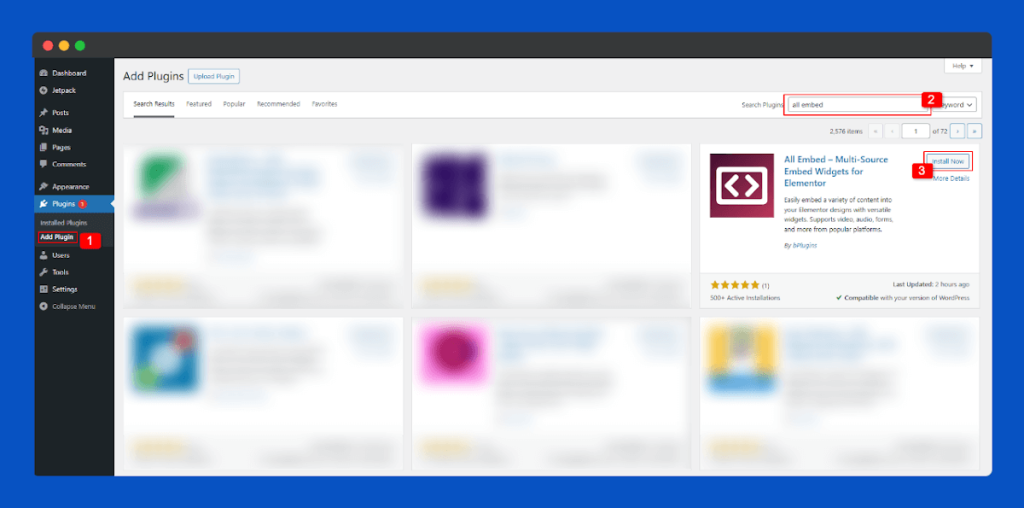
Go to your WordPress Dashboard and navigate to Plugins > Add New.
In the search bar, type “All Embed”, then click the Install Now button when the plugin appears in the results.
Activate the Plugin:
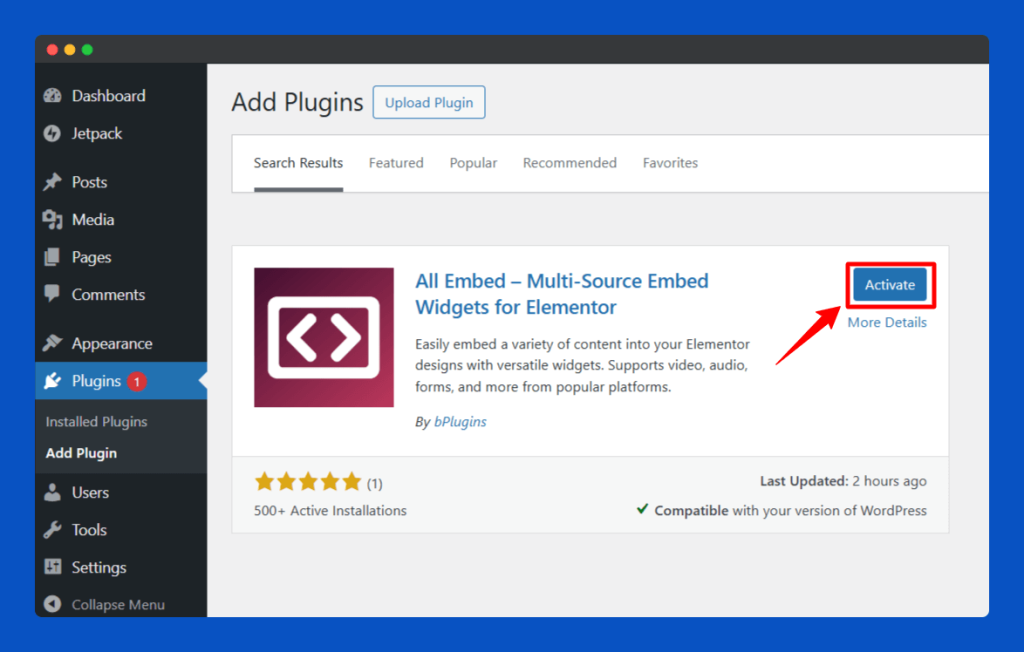
After the installation is complete, click the Activate button to enable All Embed on your website.
Complete Onboarding Setup:
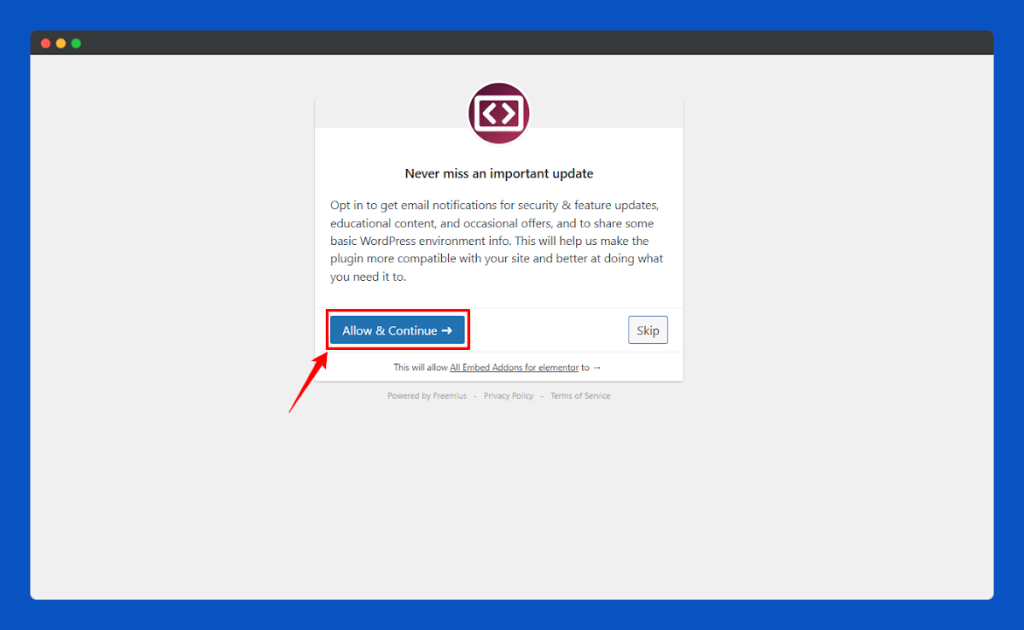
Once you activate the plugin, you will be redirected to the All Embed plugin dashboard. While All Embed is already a fast and lightweight Elementor extension, the setup dashboard gives you the option to optimize it further for even better performance.
Click the Allow & Continue button to subscribe to our newsletter and receive the latest updates and news about our plugin.
After that, the system will redirect you to the plugin dashboard.
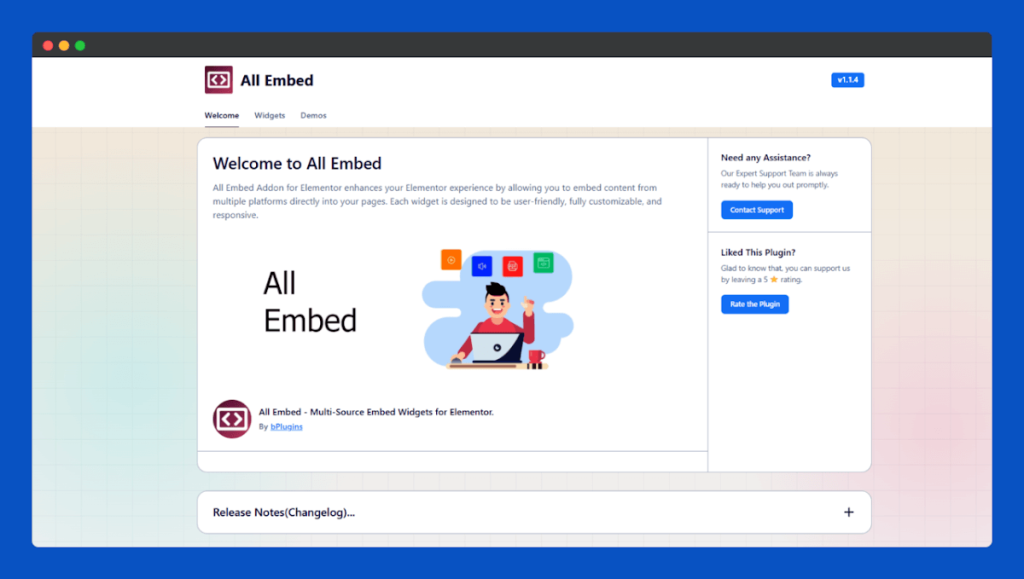
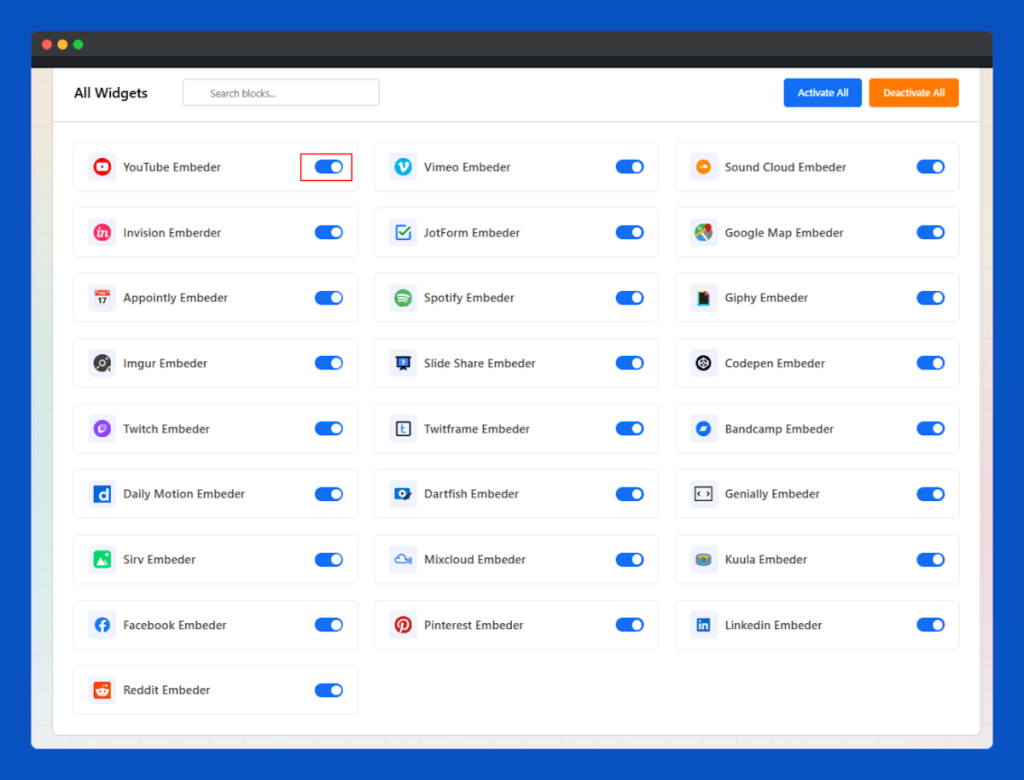
From the Widgets Tab in the All Embed plugin dashboard, you can enable your required widgets and disable user-used widgets for better performance.
 Save 90%