
Animation brings modern websites to life. From subtle hover effects to attention-grabbing hero sections, moving graphics make your WordPress site feel engaging and dynamic. But here’s the real question: should you use GIFs or Lottie animations on WordPress sites?
If you’ve added animations to your site, you’ve probably noticed that GIFs can slow down your pages. Meanwhile, Lottie files promise better performance. But what does that actually mean for your visitors?
In this guide, we’ll compare Lottie animations vs GIFs in WordPress performance, compatibility, and use cases. You’ll learn about the best Lottie plugin for WordPress options and discover when each format makes sense. We’ll take a close look at the Lottie Player plugin.
By the end, you’ll know exactly which format works best for your WordPress projects.
Understanding the Basics: Lottie vs GIF in WordPress
Let’s start with how these formats work. Understanding the fundamentals helps you make smarter decisions.
How GIF Works
GIF (Graphics Interchange Format) has existed since 1987. It works like a flipbook: each frame is a separate image, and playing them in sequence creates motion. Think of it as photographs played one after another.
GIFs are raster files made of pixels. Scale them up and they get blurry. Scale them down, you’re still loading all those pixels. Every color and frame adds to the file size.
How Lottie Works
Lottie takes a completely different approach. Created by Airbnb in 2015, Lottie JSON animations contain mathematical instructions for drawing and animating vector shapes. Instead of storing every pixel of every frame, Lottie stores the recipe for creating the animation.
Your browser reads these instructions and draws the animation in real time. Because it’s vector-based, Lottie animations stay sharp at any size. You can scale them for mobile screens or 4K displays without losing quality.
Quick Comparison: Vector Animation vs Raster Animation
| Feature | GIF | Lottie |
| File Size | Large (500KB to several MB) | Small (10-50KB) |
| Scalability | Poor (pixelates when scaled) | Perfect (vector-based) |
| Transparency | Limited (1-bit alpha) | Full alpha channel |
| Interactivity | None | Programmable controls |
| Creation | Export from any tool | Requires After Effects + Bodymovin |
| Browser Support | Universal | Modern browsers (95%+ coverage) |
| Animation Type | Can show photographic content | Best for graphic/illustration styles |
Why Your Animation Choice Matters in WordPress
WordPress wasn’t built with complex animations in mind. The platform handles images and videos well, but animations sit in an awkward middle ground. Here’s why your choice between Lottie and GIF matters for WordPress sites.
WordPress Media Library Handling
When you upload a GIF to WordPress, it gets treated like any image. The media library stores it, generates thumbnails (though they’re static), and inserts it using a standard image tag. Simple.
Lottie animations require a different approach. They’re JSON files, which WordPress doesn’t natively support in the media library. You’ll need a plugin to handle uploads or link to externally hosted files. This adds a step but gives you more control over how animations load.
Caching and CDN Compatibility
Most WordPress sites use caching plugins like WP Rocket or W3 Total Cache, plus a CDN like Cloudflare. GIFs work seamlessly with these tools because they’re just images. Your CDN caches them and serves them from edge locations.
Read about Caching Strategies for WordPress Media Players to Boost Performance.
Lottie animations need a JavaScript library to render. This means loading both the JSON file and the Lottie player library. Good news: both cache beautifully.
The Lottie library is small (about 60KB), and once cached, it works for all animations on your site. The JSON files cache perfectly because they’re text files.
Page Builder Integration
If you use Gutenberg, Elementor, or Divi, GIF support is automatic. Drop an image widget, upload your GIF, done.
Lottie animations need dedicated blocks or widgets. Gutenberg doesn’t have native Lottie support, so you’ll need a plugin that adds a Lottie block.
Elementor and Divi have similar requirements. Once you install a quality plugin, it integrates with your page builder just as easily as images.
Core Web Vitals Animation Impact
This is where things get interesting. Core Web Vitals measure real user experience, and Google uses these metrics for ranking. Large GIFs can devastate your scores:
- Largest Contentful Paint (LCP): A 2MB GIF in your hero section significantly delays this metric
- Cumulative Layout Shift (CLS): GIFs without explicit dimensions cause layout shifts
- First Input Delay (FID): Heavy files compete for bandwidth
Lottie animations typically improve Core Web Vitals because they’re smaller and lazy-load more effectively. The performance difference isn’t subtle. It can move your site from “needs improvement” to “good” in PageSpeed Insights.
Check also CDN for WordPress: Optimizing Media Player Performance.
Performance Comparison: Lottie vs GIF
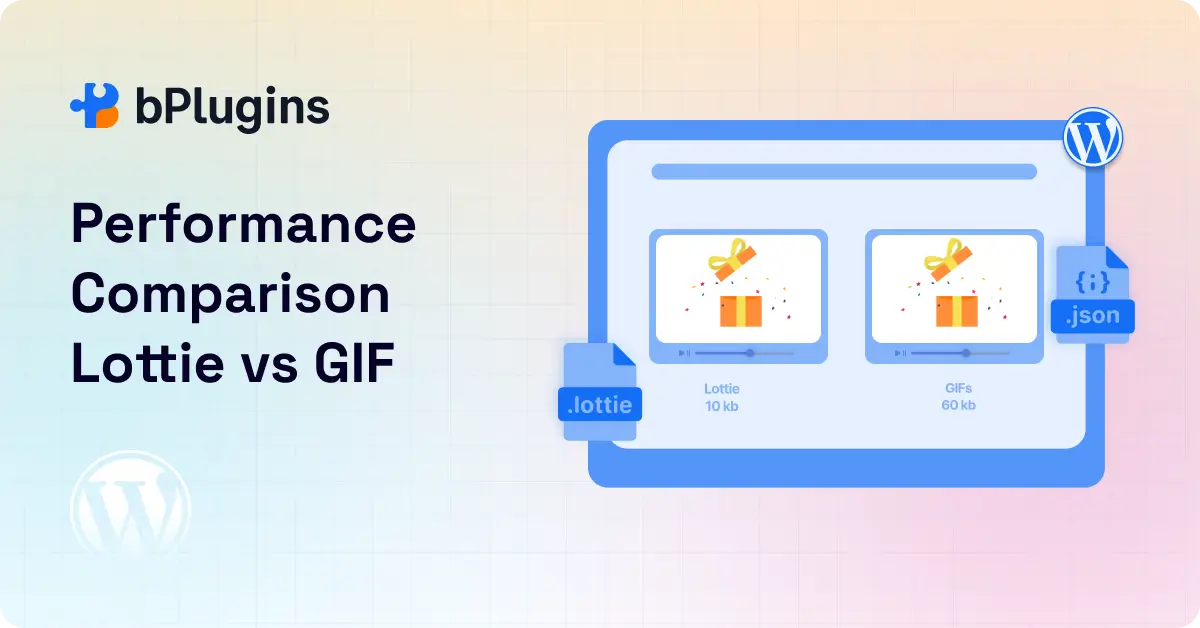
Numbers tell the real story. We ran tests embedding the same animation in both GIF and Lottie format on a standard WordPress installation.
Test Methodology
We created a simple loading animation with a spinning icon and text. The animation loops continuously for 3 seconds per cycle. We exported it as:
- An optimized GIF (using GIF file size optimization tools)
- A Lottie JSON file (exported from After Effects via Bodymovin)
Both were embedded on identical test pages on shared hosting (simulating typical conditions). We measured WordPress animation performance using Chrome DevTools, GTmetrix, and WebPageTest.
Results
File Size:
- GIF: 847KB
- Lottie: 23KB
That’s a 97% reduction. Even with the Lottie player library (60KB, cached across the site), the total footprint is 83KB versus 847KB.
Page Load Time:
- With GIF: 3.2 seconds
- With Lottie: 1.8 seconds
CPU Usage During Playback:
- GIF: Minimal (browser-native decoding)
- Lottie: Slightly higher (JavaScript rendering)
Memory Consumption:
- GIF: 12MB (all frames loaded)
- Lottie: 3MB (vector rendering)
What This Means for Your Site
The file size difference is dramatic. For users on slower connections or mobile data, this matters. A Lottie animation loads in a fraction of the time, improving perceived performance.
The CPU usage difference is real but minimal on modern devices. Lottie uses JavaScript to render, requiring some processing power. On older phones, this could matter. However, for most users, the faster download compensates for the slightly higher CPU usage.
Memory consumption favors Lottie. GIFs load every frame into memory, while Lottie renders frames on demand. For sites with multiple animations, this adds up.
The verdict: For most WordPress sites, Lottie delivers better performance. Exceptions are sites targeting very old devices or very simple animations where a tiny optimized GIF works just as well.
Check also Fast-Loading Video Solutions for WordPress News Sites.
Browser Support and Fallback for Lottie Files
No technology is perfect. Let’s talk about where Lottie struggles and how to handle edge cases.
Browser Compatibility
Lottie works in all modern browsers: Chrome, Firefox, Safari, Edge, and their mobile versions. Browser support sits above 95% globally. The Lottie library uses standard JavaScript and Canvas/SVG rendering, which have been stable for years.
Older browsers like Internet Explorer 11 require polyfills or fallbacks. However, IE11 usage is now under 0.5% globally. Most WordPress sites can safely ignore it.
Creating Fallbacks for Older Devices
Here’s a critical point: Lottie animations don’t work in email clients. If you’re embedding animations in newsletters, you need a GIF or static image fallback.
For websites, implement a fallback strategy:
- Try to load the Lottie animation
- If the browser doesn’t support it or JavaScript is disabled, show a static PNG or optimized GIF
- Use the <noscript> tag or feature detection
Good Lottie plugins for WordPress handle this automatically, detecting browser capabilities and serving the appropriate asset.
Known Limitations
Lottie doesn’t support everything After Effects can do. Some advanced effects, certain blending modes, and expression-heavy animations may not export correctly. The Bodymovin plugin shows warnings when you use unsupported features.
Common limitations include:
- Some layer effects (like certain blurs or glows)
- 3D layers (Lottie is 2D only)
- Some text animation properties
- Certain expressions and scripting
For most graphic animations (icons, loaders, illustrations), these limitations don’t matter. For complex motion graphics, you might need to simplify your design or stick with video formats.
Graceful Degradation
The best approach is progressive enhancement. Start with a static image that everyone can see, then enhance with Lottie for supported browsers. This ensures your content is accessible regardless of device or browser.
You can also use a hybrid approach: Lottie for decorative animations where fallback to nothing is acceptable, and GIF or video for critical content animations.
Learn about Video Player Performance Optimization: Speed Up Your WordPress Site.
Best Lottie Plugin for WordPress
WordPress needs a plugin to handle scalable animation on the web properly. Let’s explore what makes a good Lottie plugin.
Essential Features to Look For
A quality plugin should offer:
Basic Features:
- Easy upload and management of JSON files
- Gutenberg block and classic editor support
- Page builder integration (Elementor, Divi, etc.)
- Responsive sizing and positioning
- Loop and autoplay controls
Performance Features:
- Lazy load animations support
- Load the Lottie library only on pages that need it
- CDN compatibility
- Lightweight codebase
Advanced Options:
- Trigger controls (play on hover, scroll, click)
- Speed adjustment
- Animation direction control
- Event callbacks for developers
Compatibility:
- Fallback image option
- Browser compatibility detection
- Mobile-specific settings
Lottie Player Plugin
Lottie Player stands out as a complete solution. It balances ease of use with powerful features, making it suitable for both beginners and developers.
Key Features
Universal Editor Support: The plugin adds a dedicated Gutenberg block, an Elementor widget, and shortcode support. You can use animated icons in WordPress regardless of your preferred editing method. The block interface is intuitive, with visual controls for all settings.
Upload or Link: Upload JSON files directly to your media library (the plugin enables this) or link to externally hosted files. This flexibility helps with CDN strategies and large animation libraries.
Playback Controls: Set animations to play automatically, on hover, on click, or when scrolled into view. Adjust speed (slow motion or fast forward), set loop counts, and reverse playback direction. These controls are in the editor interface. No coding required.
Interactivity Options: The plugin includes advanced features like play/pause buttons, progress bars, and custom triggers. Create engaging experiences where users control the animation.
Responsive and Retina Ready: Lottie animations are vector-based, so they’re automatically retina-ready. The plugin adds responsive sizing options for desktop, tablet, and mobile.
Performance Optimized: The plugin loads the Lottie library conditionally (only on pages with animations) and supports lazy loading. It uses the lightweight Lottie-player web component, which is efficient and well-maintained.
Fallback Image Support: Specify a static image to show if Lottie isn’t supported. This ensures all visitors see something, even on ancient browsers.
WordPress-Specific Solutions
WordPress sites face unique challenges with animations. The Lottie Player plugin tackles these:
Media Library Integration: By enabling JSON uploads in the media library, the plugin makes Lottie files feel native to WordPress. You manage them like any other asset.
Caching Plugin Compatibility: The plugin works seamlessly with popular caching solutions. The Lottie library and JSON files are static assets that cache efficiently. Conditional loading means you’re not bloating your cache with unused scripts.
Page Builder Ecosystem: Rather than forcing shortcodes in page builders, the plugin provides native widgets. Elementor users get an Elementor widget with all controls in the familiar sidebar. This feels natural and maintains your design workflow.
Mobile Performance: The plugin includes options to disable animations on mobile devices or reduce their complexity. This helps with data usage and battery life, particularly important for users on limited data plans.
Practical Use Cases
Animated Logo in Header: Upload your Lottie logo animation, add it to your header using the widget, and set it to play once on page load. The vector format keeps it crisp on all screens, and the small file size doesn’t impact header load time.
Interactive Icon Buttons: Create icon animations (like a heart that fills on hover). Use the plugin’s hover trigger to make them interactive. Instant playback (no loading delay) makes for satisfying micro-interactions.
Scroll-Triggered Illustrations: Add decorative illustrations throughout a long landing page. Set them to play when scrolled into view. This creates progression and keeps the page dynamic without overwhelming visitors.
Loading States: Replace static loading spinners with smooth Lottie animations. The tiny file size means they load faster than most GIF spinners, creating better perceived performance.
When to Use Lottie vs GIF in WordPress
The “best” format depends on your specific situation. Here’s how to choose for common scenarios.
Hero and Background Animations
Choose Lottie when:
- You have a graphic illustration-style animation
- The animation is prominent and needs to look sharp on all devices
- File size is a concern (it always should be)
- You want to control playback (pause on mobile, play once, etc.)
Choose GIF when:
- The animation includes photographic elements or realistic textures
- It’s a very simple animation (under 100KB as an optimized GIF)
- You need universal compatibility with zero technical setup
Our recommendation: Lottie for 90% of hero animations. The performance benefit is too significant to ignore.
Animated Icons and Micro-Interactions
Choose Lottie always. These are exactly what Lottie was designed for. Icon animations are typically small in frame count but need to look crisp at various sizes. Lottie’s vector rendering and tiny file sizes make it perfect. Plus, you can trigger animations on hover or click for better interactivity.
GIF icons would need separate files for each size (1x, 2x, 3x for retina), multiplying your file count and maintenance burden.
Decorative vs Content Animations
Decorative motifs: Lottie shines here. Things like floating shapes, particle effects, or abstract backgrounds benefit from vector scaling and small file sizes. If the animation is purely decorative, you can skip the fallback since its absence doesn’t affect content.
Content animations: If the animation conveys important information, provide a fallback regardless of format. For infographic-style animations that explain a process, Lottie works great because you can control pacing. For animations showing real products or photographs, GIF or video might be more appropriate.
Short Loops vs Photographic Sequences
Short looping effects: Lottie wins. A 2-second loop with graphic elements might be 15KB as Lottie versus 300KB as GIF. The math is simple.
Photographic sequences: GIF or video (often more efficient than GIF for photographic content). Lottie can’t handle photographs well since it’s vector-based. If you’re animating actual photos or realistic renders, use video formats with modern codecs (WebM, MP4) or carefully optimized GIFs.
Example: Product Feature Showcase
Let’s say you’re building a WordPress site for a SaaS product. You want to showcase features with animations showing the interface in action.
The hybrid approach:
- Use Lottie for animated icons next to each feature heading (small, decorative)
- Use short video clips (not GIFs) for actual interface demonstrations (photographic content)
- Use Lottie for abstract connecting elements or background animations
- Provide static images as fallbacks for all animated content
This gives you the best of all worlds: performance where it matters, realism where needed, and universal compatibility.
SEO and Accessibility for Animated Content
Animations affect more than aesthetics. Let’s talk about how they impact SEO and accessibility.
SEO Impact
Animations don’t directly affect SEO rankings, but their impact on performance does. Google considers page speed and Core Web Vitals as ranking factors.
By using smaller Lottie files instead of heavy GIFs, you improve load times and potentially boost rankings. The effect is indirect but real.
What about the content in animations? Search engines can’t read text inside GIFs or Lottie files. If your animation conveys important information, include that text in regular HTML nearby. Don’t hide critical content inside animations.
Alt Text and ARIA Labels
GIFs in WordPress automatically get alt text fields. Use them. Describe what the animation shows, not just “animation.gif.”
For Lottie animations, the Lottie Player plugin lets you add ARIA labels and titles. Use these to describe the animation’s purpose. This helps screen reader users understand that an animation is present and what it represents.
Motion Sensitivity and Accessibility
Some users experience discomfort from animations, particularly auto-playing loops or rapid motion. This includes people with vestibular disorders, cognitive disabilities, or personal preference.
The prefers-reduced-motion CSS media query lets users indicate they want less motion. Respect this preference.
Better Lottie plugins for WordPress should include this by default or offer a toggle. The Lottie Player plugin includes options to respect motion preferences.
Best practices:
- Don’t auto-play animations with rapid flashing or spinning
- Provide pause controls for looping animations
- Keep decorative animations subtle
- Always provide static fallbacks
- Test with reduced motion settings enabled
Metadata and Structure
Animations don’t have structured data the way images or videos do. If you’re using animations as part of rich content (like a tutorial or product demo), wrap them in appropriate semantic HTML. This helps search engines and assistive technologies understand the animation’s context.
Read also Best Practices for Responsive Video Embeds in WordPress (Performance, Accessibility & SEO).
FAQs on Lottie Animations vs GIFs in WordPress
Are Lottie animations better than GIFs for WordPress performance?
Yes, in most cases. Lottie files are typically 80-95% smaller than equivalent GIFs, which means faster page loads and better Core Web Vitals scores. The vector format also scales perfectly across devices without separate files for different resolutions.
However, Lottie requires JavaScript to render, so there’s a tiny CPU trade-off. For the vast majority of WordPress sites, the performance benefit outweighs this minor cost.
Can I use Lottie animations in WordPress without coding?
Absolutely. Plugins like Lottie Player add visual interfaces to Gutenberg, Elementor, and other page builders.
You upload your JSON file, adjust settings through dropdown menus and toggles, and insert the animation. No code required. The experience is similar to adding an image, just with animation controls.
Do Lottie animations work on all browsers?
Lottie works on all modern browsers (Chrome, Firefox, Safari, Edge) and covers about 95% of global users. Older browsers like Internet Explorer need fallbacks, but IE usage is now minimal.
Mobile browsers fully support Lottie. Good plugins automatically detect browser support and show fallback images when needed.
Can I replace existing GIFs with Lottie files in WordPress?
You can replace GIFs with Lottie animations, but you can’t convert them directly. If you have the source files (like After Effects projects), export them as Lottie using the Bodymovin plugin.
Otherwise, you’ll need to recreate the animation or find similar animations in libraries like LottieFiles. For photographic GIFs, replacement often isn’t practical since Lottie works best with graphic, illustration-style content.
Do Lottie animations affect SEO or accessibility?
Lottie animations improve SEO indirectly by reducing file sizes and improving page speed, which are ranking factors.
For accessibility animated content, you should add ARIA labels to describe animations for screen reader users and respect the prefers-reduced-motion setting for users sensitive to motion.
Text inside animations isn’t searchable, so include important content in regular HTML alongside the animation.
Are GIFs still useful in WordPress?
Yes, for specific situations. GIFs work well for photographic content or very simple animations that compress to tiny sizes. They require zero setup and work everywhere with no JavaScript.
For quick memes, product photos with subtle motion, or projects where you can’t use plugins, GIFs remain viable. However, for most professional WordPress sites, Lottie offers better results.
How do I embed a Lottie animation in the WordPress Gutenberg editor?
Install a Lottie plugin like Lottie Player. This adds a Lottie block to the Gutenberg block inserter. Click the plus button, search for “Lottie,” and add the block. Upload your JSON file or paste a URL to a hosted file.
Adjust the settings (size, loop, autoplay) in the block sidebar, and you’re done. The animation appears in both the editor preview and your published page.
Do Lottie files support transparency and scaling better than GIFs?
Yes on both counts. Lottie supports full alpha channel transparency, while GIFs are limited to binary transparency (each pixel is either fully transparent or opaque). This means Lottie animations can have smooth, semi-transparent effects that GIFs can’t match.
For scaling, Lottie is vector-based, so it stays perfectly sharp at any size, while GIFs pixelate when scaled up.
What’s the average file size difference between GIF and Lottie?
A typical animated graphic is 500KB to 2MB as a GIF, but only 15KB to 50KB as a Lottie file. That’s often a 90-95% reduction. The exact difference depends on animation complexity, but even simple animations usually see 70-80% size reductions.
More complex animations with many elements show even more dramatic differences because Lottie’s vector approach scales efficiently.
Can I control animation playback with Lottie in WordPress?
Yes, this is one of Lottie’s biggest advantages. Using a plugin like Lottie Player, you can set animations to play on page load, on hover, on click, or when scrolled into view.
You can adjust playback speed, set loop counts (play once, twice, or infinite), reverse direction, and even add play/pause buttons. GIFs just loop automatically with no control. This interactivity makes Lottie much more versatile for engaging user experiences.
Making the Right Choice for Your WordPress Site
The choice between Lottie animations and GIFs isn’t about declaring one format superior in all situations. It’s about understanding the strengths of each and choosing wisely for your specific needs.
For most WordPress sites, Lottie animations offer compelling advantages. The dramatic file size reductions improve page speed, which benefits both user experience and SEO.
The vector format ensures your animations look crisp on every device, from phones to 4K monitors. The built-in interactivity opens creative possibilities that GIFs simply can’t match.
GIFs still have their place. They’re universal, require no special setup, and work for photographic content. For simple, small animations or projects with strict compatibility requirements, GIFs remain solid.
The real power comes from knowing when to use each format. Use Lottie for graphic animations, icons, and illustrations where performance matters.
Use GIF (or better yet, modern video formats) for photographic content or when absolute simplicity is required. Always provide fallbacks to ensure all visitors have a good experience.
Ready to Start Using Lottie Animations in WordPress?
The best way to understand the difference is to try it yourself. Install the Lottie Player plugin and experiment with adding Lottie animations to your WordPress site. The plugin is free, easy to use, and packed with features that make working with Lottie animations as simple as adding images.
Start with a simple animation on a low-traffic page. Compare the file sizes, check your page speed scores, and see how the animation looks on different devices. Once you experience the benefits firsthand, you’ll understand why more WordPress developers are making the switch from GIFs to Lottie.
Your visitors will thank you for the faster load times. Your designers will thank you for the crisp graphics. Your hosting bill might even shrink from the reduced bandwidth usage. That’s the power of choosing the right animation format for your WordPress site.

 Save 90%