
 Voice Feedback
 The Voice Feedback plugin allows you to create and display custom voice feedback buttons anywhere on your site using a Shortcode. Let’s learn how to use.
- Go to your WordPress dashboard.
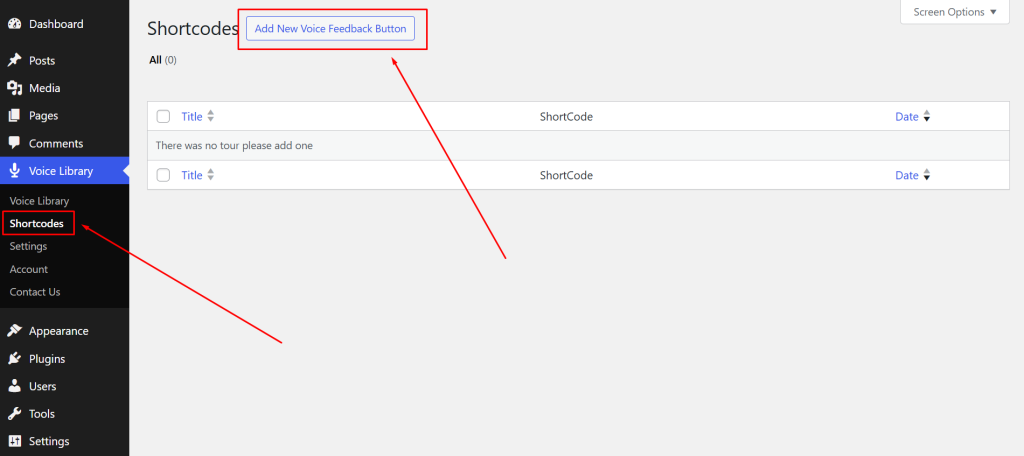
- Click on Voice Library > Shortcodes from the admin menu.
- Click on the Add New Voice Feedback Button.
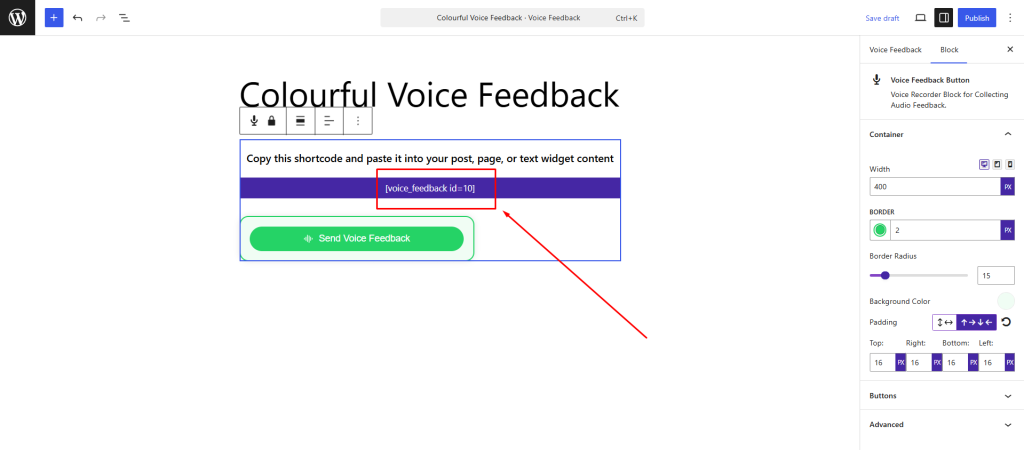
- You’ll be taken to a new page where a Voice Feedback Block is already added.
- You can customize this block — like changing the button text, style, color, etc.
- Once you’re happy, click Publish or Update to save it.
- At the top of the page, you’ll see the generated shortcode — something like:
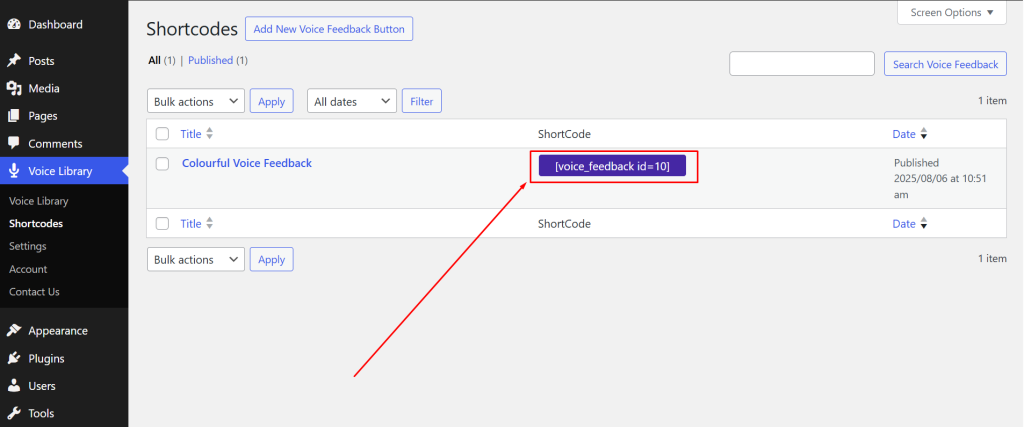
You can see all your created Voice Feedback Button by clicking Shortcodes like that..
 Save 90%