
Online broadcasting is growing fast. WordPress is now a go-to platform for radio stations, music blogs, podcasters, and community broadcasters who want to stream live audio. But to create a smooth and reliable listening experience, you’ll need more than a basic audio player.
That’s where radio player plugins come in. Unlike standard MP3 players, these plugins support real-time streaming from platforms like Shoutcast and Icecast.
They also offer helpful features like track display, scheduling, mobile-friendly design, sticky players, and easy integration with builders like Elementor and Gutenberg.
In this post, we’ll compare the top 5 radio player plugins for WordPress. You’ll learn what each one offers, where they work best, and how to pick the right tool for your site. We’ll also cover key buying tips, answer common questions, and wrap up with our top recommendation.
In a Hurry?
If you need a quick answer, go with StreamCast. After testing the most popular plugins, StreamCast stood out for its easy setup, flexible design, and reliable streaming features.
Top WordPress Radio Player Plugins to Power Your Online Station
The radio player plugin you choose can shape how well your station runs—and how smoothly your listeners tune in. Whether you’re streaming live music, talk shows, podcasts, or community news, you’ll want a player that’s easy to set up, works across devices, and delivers consistent playback.
| Feature/ Plugin | StreamCast | Radio Player | Radio Station | MP3 Audio Player by Sonaar | AudioIgniter |
|---|---|---|---|---|---|
| Streaming Format Support | ✅ Shoutcast, Icecast, MP3 | ✅ MP3, AAC, M3U8, more | ✅ Shoutcast, Icecast | ✅ Shoutcast, Icecast, HLS | ✅ Shoutcast, Icecast |
| Sticky or Floating Player | ✅ Yes (with shortcode) | ✅ Yes (Pro) | 🚫 No | ✅ Yes (Pro) | ✅ Yes (theme-dependent) |
| Customization Options | ✅ 80+ skins, themes, colors | ✅ Skins, CSS, layout | ⚠️ Limited | ✅ Advanced design options | ✅ Basic styling options |
| Show Schedule / Timetables | 🚫 No | ✅ Yes (Pro) | ✅ Yes | 🚫 No | 🚫 No |
| Elementor / Gutenberg Compatible | ✅ Shortcode Widget & Block | ✅ Blocks + Widgets | ✅ Gutenberg | ✅ Elementor / Gutenberg | ✅ All major builders |
| Monetization (Ads / WooCommerce) | ⚠️ Limited (custom code) | ✅ Ads Add-on (Pro) | 🚫 No | ✅ Advanced Ads (Pro) | ✅ WooCommerce support |
| Responsive & Mobile-Friendly | ✅ Fully responsive | ✅ With mobile controls | ✅ Yes | ✅ Yes | ✅ Yes |
| Pricing & Licensing | ✅ One-time or free version | ⚠️ Annual + Add-ons | ✅ Free (open-source) | ⚠️ Premium only | ✅ Free + Pro available |
In the list below, we’ve selected some of the most reliable and feature-packed radio player plugins for WordPress. Each one brings something different to the table, helping you stream live audio with confidence and keep your audience engaged.
1. StreamCast
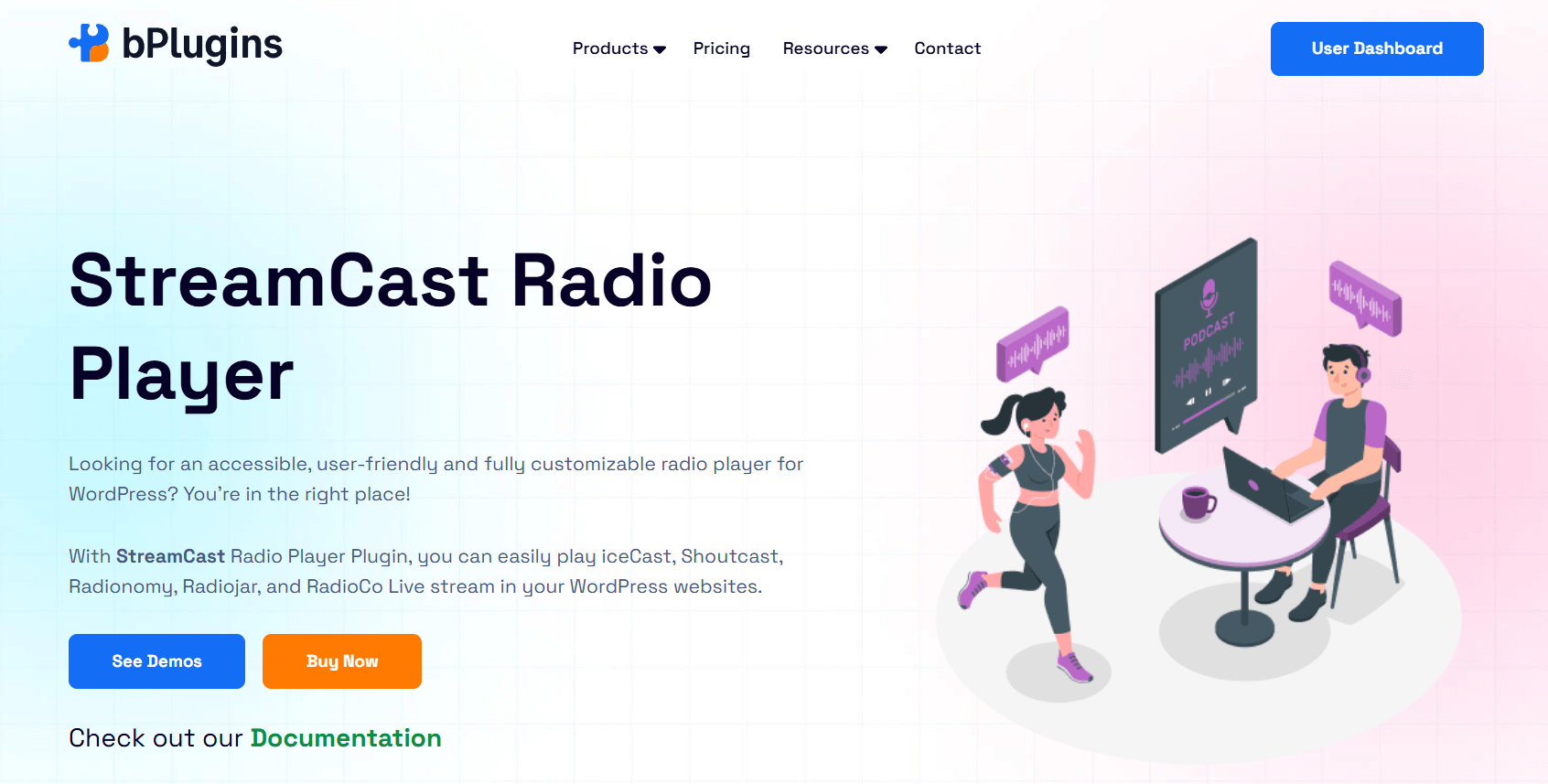
StreamCast is a fully responsive and easy-to-use radio player plugin for WordPress. It supports live streaming from platforms like SHOUTcast, Icecast, Radionomy, Radiojar, and RadioCo.
Designed with flexibility in mind, it allows you to embed live radio anywhere on your site using shortcodes or a dedicated block, no coding required.
StreamCast offers a wide range of customization options, making it easy to adjust the player’s appearance and functionality to match your brand and broadcast style.
Key Features
- Supports Major Streaming Services: Compatible with SHOUTcast, Icecast, and most other popular streaming platforms.
- Multiple Player Layouts: Choose from Minimal, Standard, Advanced, or Ultimate layouts to match your design needs.
- 80+ Player Skins: Pick from over 80 built-in skins to easily style the player to fit your website.
- Flexible Design Options: In Ultimate layout mode, you can change colors, switch themes, and set custom background images.
- Flexible Placement Options: Easily add the player to posts, pages, widget areas, or custom sections using shortcodes, a dedicated block, or a sidebar widget.
- Keyboard-Friendly and Accessible: Built with accessibility in mind, including keyboard shortcuts and screen reader support.
- Custom Playback Controls: Enable autoplay, adjust volume settings, and fine-tune how the player behaves.
- Positioning Options: You can align the player to the left, right, or center based on your layout.
- Responsive and Mobile-Ready: Works smoothly on all screen sizes, including phones and tablets.
Best For
StreamCast is ideal for WordPress users who want a feature-rich, customizable radio player that works seamlessly across devices. Its broad compatibility with streaming servers and range of visual styles make it suitable for both casual and professional broadcasters.
2. Radio Player
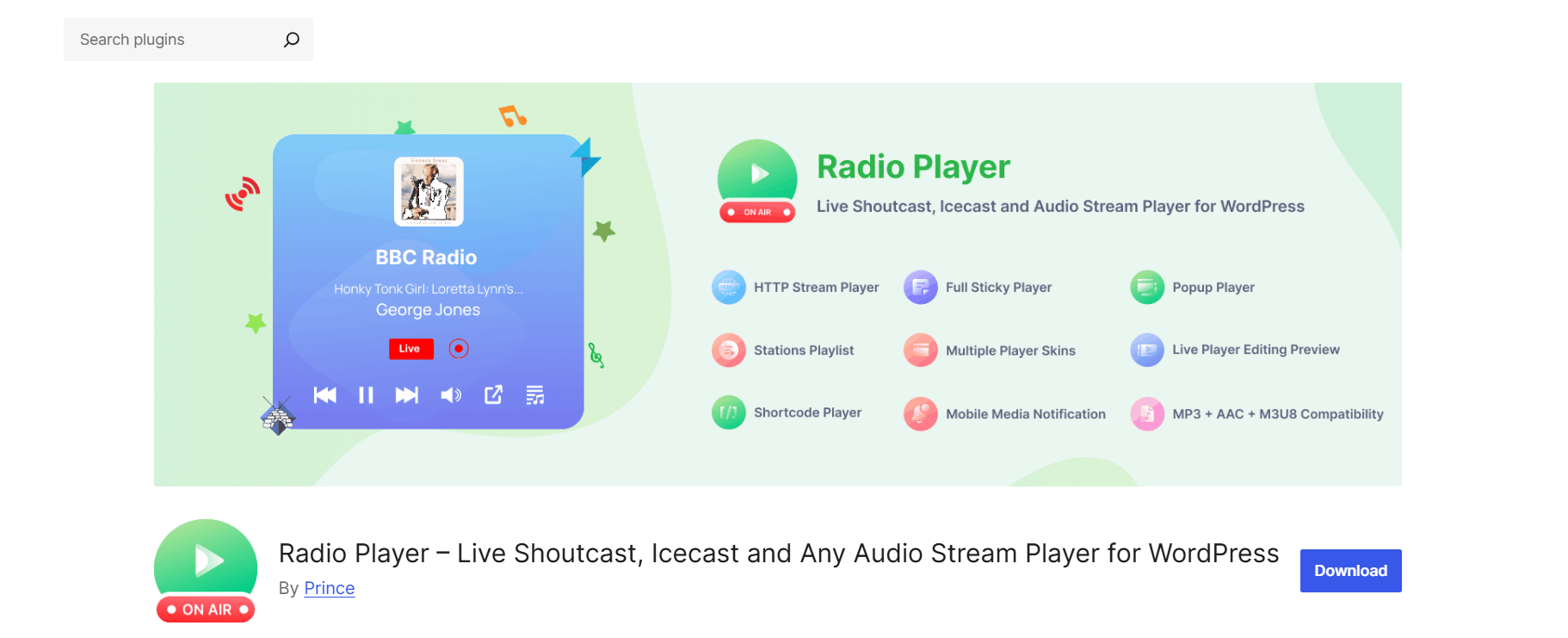
Radio Player is a flexible and user-friendly WordPress plugin built for live radio, podcasts, and other audio streams.
It works with popular services like Shoutcast, Icecast, Live365, Radionomy, and radio.co, and supports various formats including MP3, AAC, and M3U8. With full support for Gutenberg and Elementor, it’s easy to add and customize players directly on your pages or posts.
The plugin offers a clean design, real-time track info, and advanced options like sticky players, track history, and audio ads (via add-ons).
Key Features
- Streaming Support: Plays audio from Shoutcast, Icecast, Airtime, Live365, Radionomy, radio.co, and more. Compatible with MP3, AAC, and M3U8 streams.
- Custom Player Design: Choose from multiple skins, apply custom CSS, and see a live preview before publishing.
- Easy Integration: Add players using shortcodes, Gutenberg blocks, or Elementor widgets, no technical skills needed.
- Now Playing Details: Shows real-time song titles, artist names, and album artwork pulled from the stream.
- Multiple Players: Add up to 10 different players in the free version. Unlock unlimited players in Pro.
- Sticky Player: Keep the player visible as users scroll. You can even set it to appear only on specific pages.
- Track History & Playlists: Display recent tracks and full playlists to improve listener engagement.
- Ad Monetization (Add-on): Serve audio ads and promos using the optional Ads Add-on. Comes with analytics and reporting tools.
- Popup Player & Cloning: Open players in a popup window or duplicate your player settings to save time.
- Secure Streaming: Fully supports HTTPS streams. A proxy add-on is available for non-SSL (HTTP) streams.
Best For
Radio Player is perfect for broadcasters, podcast networks, and media sites that want more than just a basic audio player. Its deep customization, real-time playback features, and monetization options make it a great fit for professionals looking to deliver a polished streaming experience on WordPress.
3. Radio Station
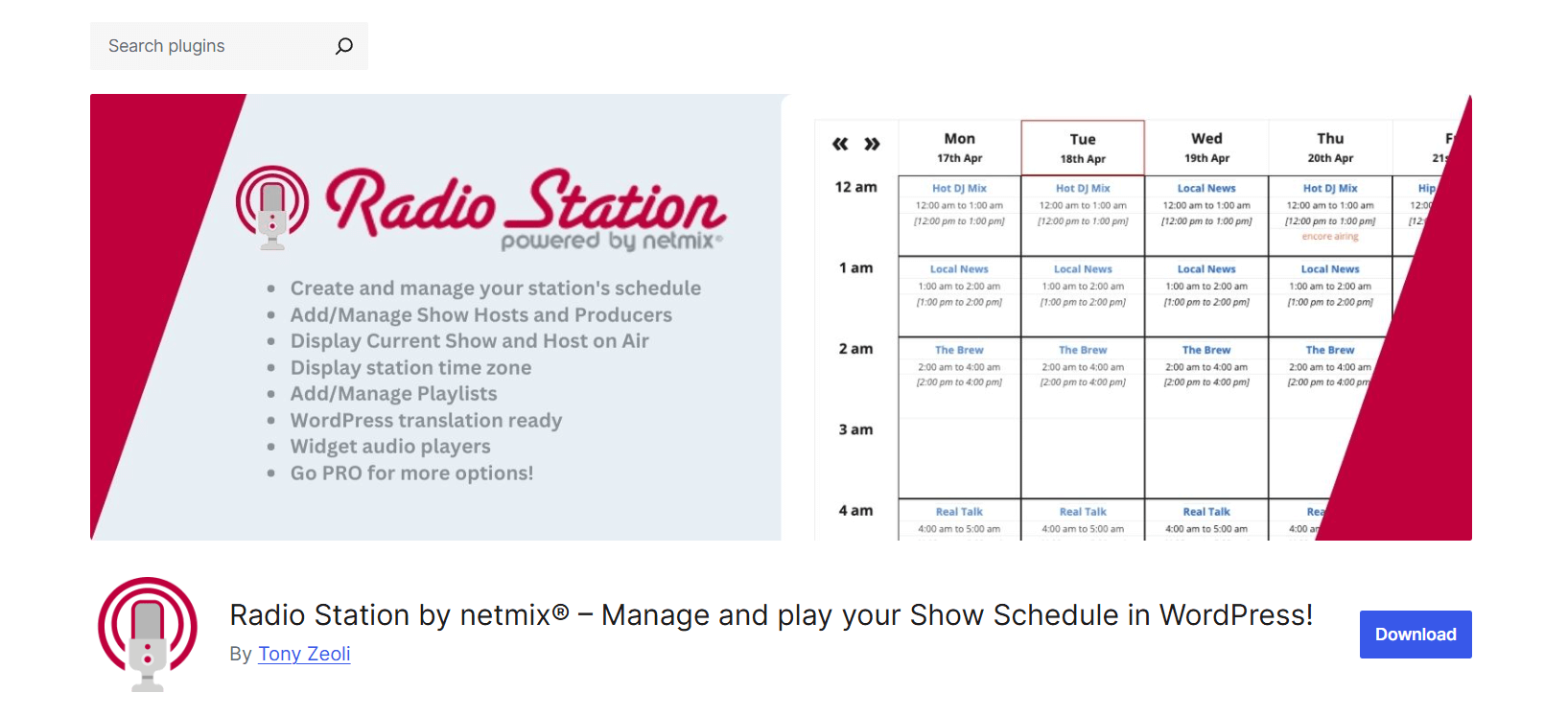
Radio Station is a powerful WordPress plugin built for broadcasters, podcasters, and content creators who want to manage live streams and show schedules from one place.
It adds a custom post type for shows, allowing you to organize broadcasts with detailed scheduling, metadata, and program information. It’s used by thousands of stations worldwide and supports both real-time streaming and content planning.
With built-in tools for scheduling, playlist integration, and user roles, Radio Station makes it easy to manage your entire broadcasting workflow directly from your WordPress dashboard.
Key Features
- Show Scheduling System: Create and manage shows with full descriptions, images, recurring shifts, and custom time overrides.
- Visual Schedule Display: Choose from table, tab, or list views to show your weekly or daily broadcast schedule.
- Playlist Attachments: Add playlists to shows and display current or upcoming tracks to your listeners.
- Host & Producer Roles: Assign hosts and producers with profile pages and editing access for better collaboration.
- Custom Taxonomies: Use Genre and Language tags to organize shows and link them with posts or audio files.
- Built-in Stream Player: Supports MP3, AAC, OGG, WebM, OPUS, and more. Includes multiple themes and player types like Howler and jPlayer.
- Blocks, Widgets, and Shortcodes: Easily add show listings, stream players, or schedules using Gutenberg blocks or classic widgets.
- Timezone & Localization Tools: Set a default station timezone and auto-convert it to the listener’s local time. The plugin can also highlight the current live show.
- SEO-Friendly Content Structure: Enhances visibility in search engines by creating structured show, host, and playlist pages with internal links.
- Broadcaster Directory Listing: Add your station to the Netmix Broadcasters Directory for extra exposure and a quality backlink.
Best For
Radio Station by netmix® is best for broadcasters who want full control over their content schedule and site structure. It’s great for traditional stations, online broadcasters, and podcasters who need advanced scheduling, playlist tools, and SEO optimization.
4. MP3 Audio Player by Sonaar
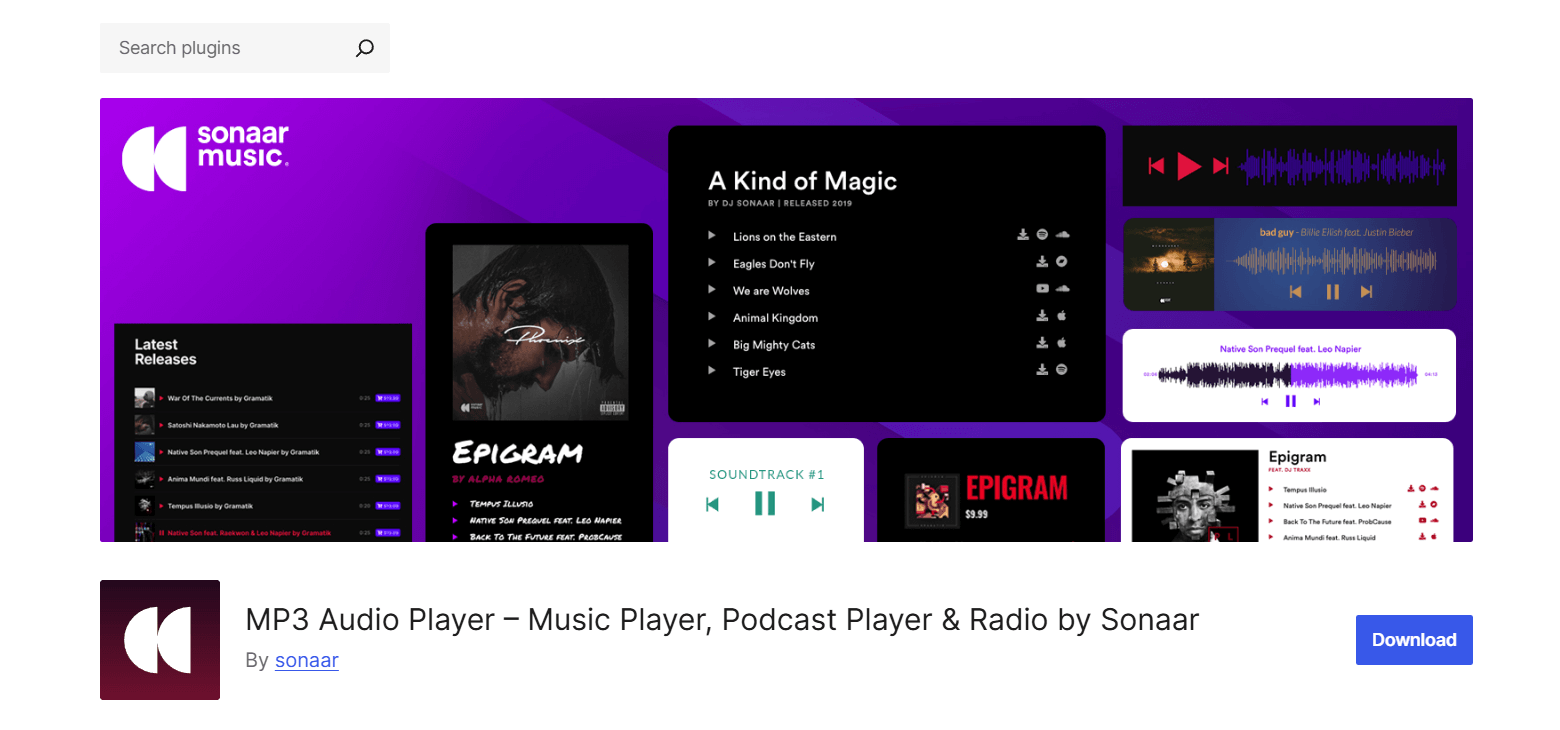
MP3 Audio Player by Sonaar is best known for powering music and podcast playback, but it also supports live radio streaming, making it a smart option if you want both on-demand and live audio on the same site.
With Icecast stream support, custom playlists, and a range of modern player skins, it delivers a sleek and flexible streaming experience.
You can embed the player using shortcodes or popular page builders, and the Pro version adds features like a sticky player, live metadata display, and advanced visual styles.
Key Features
- Icecast Stream Support: Stream live broadcasts with support for Icecast, including optional metadata like song titles and artwork.
- Modern Player Layouts: Choose from waveform visualizations, coverflow, or compact layouts to match your site’s look.
- Sticky Player: Keep your radio stream playing while users browse other pages.
- Flexible Embedding Options: Add players via shortcode, Gutenberg block, or Elementor widget for seamless integration.
- Playlist Support: Create playlists to manage channels or use fallback audio when the stream is offline.
- Call-to-Action Links: Add custom buttons for listener engagement, such as show promos, donations, or social links.
- Live Metadata: Display current track info and artist artwork, when available from the stream source.
Best For
MP3 Audio Player by Sonaar is ideal for stations that want a polished, modern audio player with Icecast support. It works well for blending live streams with music, podcasts, or playlists, making it a great choice for content-rich sites that combine live and on-demand audio.
5. AudioIgniter
AudioIgniter is a flexible audio player plugin designed for musicians and podcasters, but it also includes full support for radio streaming.
With compatibility for Shoutcast, Icecast, Radiojar, and other platforms, it makes it easy to stream your live show through WordPress with little setup required.
While it’s not built specifically for radio, AudioIgniter supports playlists, track controls, and WooCommerce integration, making it ideal for content creators who want more than just a basic stream.
Key Features
- Radio Stream Support: Supports live streaming from services like Shoutcast, Icecast, and Radiojar.
- Unlimited Tracks & Playlists: Create custom playlists and combine archived shows, music sets, or live streams.
- Shortcodes & Widgets: Embed players anywhere on your site, including posts, pages, and sidebars.
- Builder Compatibility: Works seamlessly with Elementor, Gutenberg, and Visual Composer.
- Custom Display Options: Toggle elements like cover art, track listings, and artist names to control the player layout.
- Responsive & Mobile-Friendly: Fully optimized for mobile playback with lock screen controls.
- Streaming Service Integration: Supports a wide range of streaming and podcast services, from Podbean to Acast.
Best For
AudioIgniter is a solid option for anyone looking to stream live radio alongside other audio content. It’s perfect for hybrid sites that offer both radio and on-demand audio or sell digital tracks.
How to Choose the Right Radio Player Plugin for Your Needs

Choosing the right radio player plugin for your WordPress site depends on your goals, the type of content you stream, and the experience you want to deliver to your audience.
Here are the key factors to consider before making your choice:
Streaming Format Support
Start by checking if the plugin supports your audio stream format. Many plugins are designed to work with Shoutcast and Icecast, which are commonly used for live broadcasts. Others may support HLS (HTTP Live Streaming) or simple MP3 streams.
Always confirm that your plugin is compatible with your stream URL and server type to ensure smooth playback.
Sticky or Floating Player
If you want the stream to keep playing while visitors browse your site, look for a plugin that supports sticky or floating players.
These players stay visible and active as users scroll or move between pages, offering a seamless listening experience. Some plugins also provide popup players that stay open in a separate window.
Customization Options
Your radio player should match the look and feel of your website. A good plugin will offer customization options such as color settings, button styles, light or dark themes, and logo uploads. Some advanced plugins allow full control over layout and design, so the player blends in with your site perfectly.
Show Schedule and Timetables
For stations that run multiple shows or segments, a scheduling feature is very useful. Some plugins allow you to create full timetables, highlight upcoming shows, and display detailed show pages.
This helps your audience know what’s playing and when, while giving your site a more organized and professional look.
Compatibility with Themes and Page Builders
Make sure the plugin works well with your current theme and tools. Many plugins support Gutenberg and Elementor, which are the most common WordPress page builders.
Shortcode support is also important if you’re using older layouts or want more flexibility in placing the player.
Monetization Options
If you want to generate revenue, look for plugins that include monetization tools. Some allow you to insert banner or audio ads, while others integrate with WooCommerce to help sell merchandise or memberships.
Donation buttons or promotional links can also be added to some players for listener support.
Mobile-Friendly and Responsive Design
A growing number of users stream content from mobile devices, so your radio player must be fully responsive.
It should adjust smoothly on phones and tablets and include easy-to-use controls. A mobile-optimized player ensures your stream is accessible from anywhere.
Pricing and Licensing
Most plugins come with a free version that works well for basic needs. However, premium versions usually unlock advanced features like sticky playback, show schedules, and customization options.
Be sure to check if the plugin uses a one-time payment or a yearly subscription, and confirm how many sites you can install it on.
FAQs About WordPress Radio Player Plugins
What is the best free radio player plugin for WordPress?
It depends on what you need. StreamCast is a great option if you want a clean, accessible design with lots of skins and easy setup. Radio Player offers more advanced features in its free version, like support for multiple streams and various formats. Both are solid choices for most users.
Can I stream Shoutcast or Icecast stations on WordPress?
Yes, many plugins like StreamCast, Radio Player, and AudioIgniter support both Shoutcast and Icecast. Just make sure your stream link uses HTTPS if your site has SSL enabled. Otherwise, browsers may block the stream due to security restrictions.
Is there a radio plugin that supports show scheduling?
Yes. Radio Station includes a full show management system with timetables, show pages, and recurring schedules. The Pro version of Radio Player also lets you schedule when the player appears and what content it streams.
Can I use these plugins with Elementor or Gutenberg?
Yes, most modern radio plugins work well with both page builders. For example, StreamCast comes with Gutenberg blocks, so you can add players without coding.
Do these plugins support continuous (sticky) playback?
Some do. Radio Player Pro includes a sticky player option that keeps streaming while users move between pages. Just make sure your theme supports this kind of layout for the best results.
What’s the difference between an audio player and a radio player?
An audio player is used for static files like MP3s and podcasts. A radio player, on the other hand, is built for live streaming. It can show live track titles, stream metadata, and often works with streaming servers like Shoutcast or Icecast.
Can I monetize a radio player on WordPress with ads or products?
Yes, several plugins support monetization. Radio Player offers an Ads Add-on that lets you play audio ads and track performance. AudioIgniter allows you to add custom links to each track, which can be used for downloads or product sales.
Are these plugins compatible with mobile devices?
Yes. Top plugins like StreamCast, Radio Player, and AudioIgniter are mobile-friendly. They adjust to different screen sizes and often include media notifications, so users can control playback from their phone’s lock screen.
Final Thoughts: Which Radio Plugin Is Right for You?
Choosing the right WordPress radio player plugin depends on your goals. Whether you want to stream live broadcasts, manage multiple stations, create playlists, or earn from ads or product sales, there’s a plugin that fits.
In this post, we looked at five top options, each with its strengths. StreamCast is a solid pick for beginners or anyone who wants a simple, flexible, and reliable solution.
It’s easy to use and supports Shoutcast, Icecast, and other streaming formats. You can upgrade later if you need more features like custom styling, scheduling tools, or monetization options.

 Save 90%