
In 2025, building a WordPress website is easier than ever. You no longer need to write code to create a fast, flexible, and professional site. Page builders have made it simple for anyone, from beginners to developers, to design with confidence.
Two popular options lead the way: Gutenberg, the block editor built into WordPress, and Elementor, a powerful visual builder with a drag-and-drop interface.
Both offer different approaches to building websites and have grown to meet the latest needs in performance, accessibility, and customization.
That’s why it’s such a hot topic—Gutenberg vs Elementor really matters right now.
This guide will help you compare Gutenberg and Elementor based on what matters in 2025. We’ll look at speed, design control, SEO, pricing, ease of use, and how each fits into modern workflows.
Whether you’re launching a new site or improving an existing one, this comparison will help you find the best fit for your project.
Understanding WordPress Page Builders
What is a WordPress Page Builder?
A WordPress page builder is a tool, typically in the form of a plugin or an integrated editor, that allows users to create, edit, and customize page layouts using a visual interface.
Instead of writing code, users can drag and drop content blocks, adjust styles in real-time, and create complex layouts without touching HTML, CSS, or PHP.
Page builders help bridge the gap between design flexibility and user-friendliness, empowering non-technical users to build professional-looking websites and allowing developers to streamline their workflows.
Why They Matter for Beginners, Developers, and Businesses
Page builders have become essential to WordPress site creation for several reasons:
- For beginners and non-coders: They eliminate the steep learning curve of traditional web development. Users can design their pages visually, using pre-built elements and templates.
- For developers and freelancers: Page builders speed up prototyping and client work. With reusable components and theme builders, developers can focus on functionality rather than layout.
- For businesses and agencies: They allow faster time to market, reduce development costs, and support marketing teams with intuitive tools for landing pages, product pages, and lead generation.
Whether building a blog, a portfolio, or a full-scale eCommerce site, page builders offer a scalable solution that adapts to different skill levels and project scopes.
The Shift from Traditional Themes to Block-Based and Visual Building
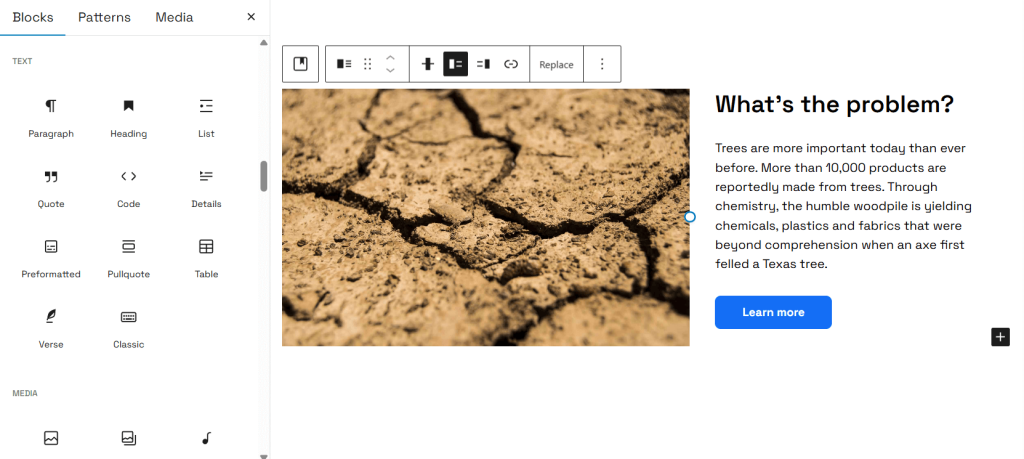
In the past, WordPress websites depended on pre-built themes with fixed layouts. Making changes often meant editing child themes, writing custom CSS, or hiring a developer.
That changed when page builders like Elementor and Beaver Builder came along. They made it easier to create custom designs without touching code. Then Gutenberg entered the scene. Now part of WordPress core, it brought a block-based editing experience to everyone.
By 2025, WordPress has fully embraced this block-based approach. Gutenberg supports full-site editing, reusable patterns, and modular layouts that follow modern design trends. It’s all about speed, flexibility, and clean code.
At the same time, visual builders like Elementor remain popular. They offer more design freedom, detailed layout control, and a simple drag-and-drop interface. Many users choose them for the creative flexibility they provide.
Today, site building in WordPress follows two main paths. One leans into performance and native tools with Gutenberg. The other focuses on creative control and rich UI with builders like Elementor. This is what drives the ongoing debate around which one is best.
Gutenberg: The Native WordPress Block Editor
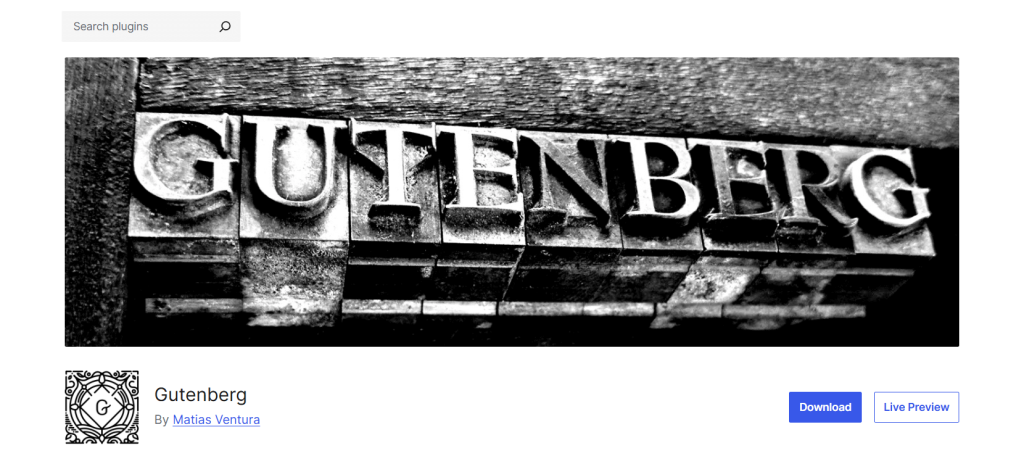
What is Gutenberg?
Gutenberg is the default block editor introduced in WordPress 5.0 and has since evolved into a full-site editing (FSE) system.
Rather than relying on a classic text-based editor or shortcodes, Gutenberg enables users to build content using blocks, modular elements like paragraphs, images, galleries, columns, buttons, and embeds.
As of 2025, Gutenberg powers not just posts and pages, but also headers, footers, templates, and theme-wide designs through its expanding full-site editing capabilities. It’s deeply integrated into the WordPress core and is central to WordPress’s long-term roadmap.
Key Features
- Block Library: Gutenberg comes with a growing library of core blocks for layout and content (text, images, embeds, media, buttons, etc.). It also supports third-party block plugins for enhanced functionality.
- Full-Site Editing (FSE): Users can design entire websites—header, footer, sidebar, templates—without relying on custom code or external builders.
- Template and Theme Integration: Block-based themes work natively with Gutenberg, enabling a unified experience where the editor mirrors the frontend output.
- Reusable Blocks and Patterns: Users can save and reuse design blocks or choose from pre-made patterns to speed up site creation.
Benefits
- Performance and Speed: Gutenberg generates clean, lightweight HTML with fewer external scripts compared to many visual builders, contributing to better Core Web Vitals and page speed.
- Native Support: As part of the WordPress core, Gutenberg receives consistent updates and doesn’t require a separate plugin (though block add-ons are available).
- Accessibility and Standards Compliance: The WordPress team actively works on making Gutenberg accessible, with ongoing improvements in keyboard navigation, ARIA roles, and screen reader support.
- Ecosystem Support: A wide range of third-party block libraries (like B Blocks, Kadence Blocks, GenerateBlocks, Spectra, etc.) extend Gutenberg’s capabilities. Many modern themes are fully compatible with and optimized for Gutenberg.
- Better Theme-Plugin Cohesion: Themes built for Gutenberg offer design consistency across blocks, templates, and patterns, ensuring fewer layout conflicts.
Limitations
- Design Flexibility: While powerful, Gutenberg lacks some of the drag-and-drop freedom and advanced animation tools available in visual builders like Elementor.
- Advanced Layouts Require Add-ons: For complex grids, carousels, sliders, or dynamic content filtering, users often need additional plugins or custom code.
- Learning Curve for Non-Technical Users: Although simpler than the classic editor for some, Gutenberg’s interface and terminology (e.g., “template parts” or “global styles”) can be confusing for beginners without prior WordPress experience.
Gutenberg has come a long way in recent years, but whether it’s the right tool depends on your priorities, performance, and scalability vs. design complexity and ease of use. The next section explores Elementor’s position in this comparison.
Elementor: A Powerful Visual Builder
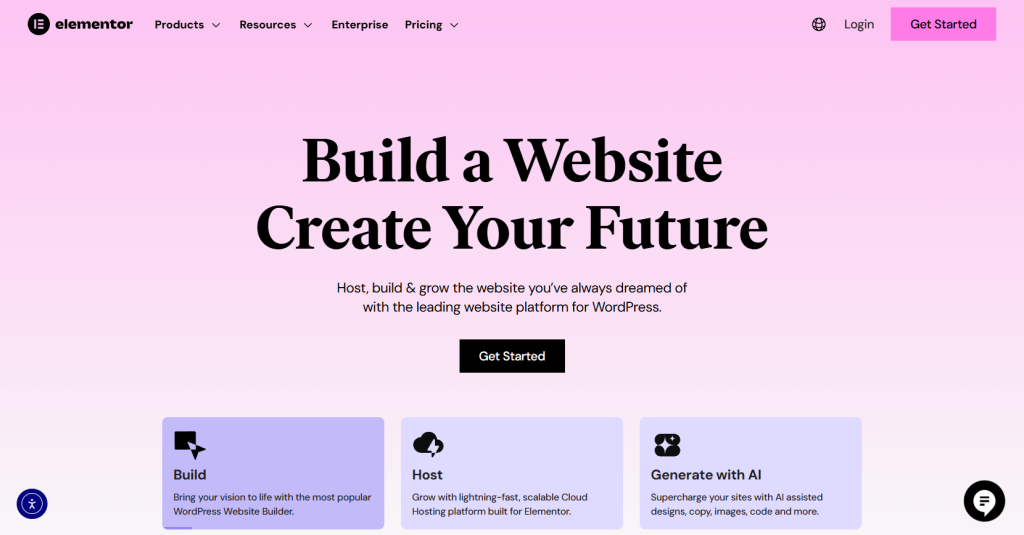
What is Elementor?
Elementor is one of the most popular drag-and-drop page builders for WordPress, known for its intuitive interface and design flexibility. Since its launch in 2016, Elementor has empowered millions of users to create visually rich, dynamic websites without writing code.
Available in both free and Pro versions, Elementor extends far beyond basic page editing. With the Pro version, users can design entire themes, build dynamic templates, and customize WooCommerce stores, all from a single interface.
As of 2025, it continues to be a go-to tool for designers, agencies, and non-technical users who want granular control over every visual element on their site.
Key Features
- Drag-and-Drop Interface: Elementor’s live visual editor allows users to build layouts by simply dragging widgets into place and adjusting styles in real time.
- Widgets Library: Offers a vast collection of widgets, including text, images, videos, forms, sliders, accordions, pricing tables, and more.
- Templates & Kits: Comes with hundreds of pre-designed page templates and full website kits to accelerate development.
- Theme Builder: Enables users to create and assign custom headers, footers, blog post templates, and archive layouts without touching theme files.
- Loop Builder: Introduced for building dynamic content loops (e.g., post grids, product listings) with visual control over query filters and styling.
- Responsive Design Tools: Allows pixel-perfect customization for desktop, tablet, and mobile views.
- AI Builder (Pro): The AI-powered features assist with layout suggestions, content generation, and design automation to streamline the creation process.
Benefits
- Unmatched Design Control: Elementor excels at giving users creative freedom. From advanced animations and transitions to fine-tuned spacing and positioning, designers can craft unique layouts without limitations.
- User-Friendly for Beginners: Its WYSIWYG (what you see is what you get) interface requires minimal technical knowledge, making it accessible even for first-time WordPress users.
- Ecosystem of Add-ons: A wide range of third-party Elementor add-ons (like Essential Addons, Crocoblock, PowerPack) extend functionality with new widgets, modules, and templates.
- Ready-Made Templates: Elementor’s design kits help users quickly launch websites for specific niches such as agencies, restaurants, portfolios, or landing pages.
- Active Community & Support: Backed by a large user base, dedicated documentation, tutorials, and a growing developer ecosystem.
Limitations
- Performance Overhead: Elementor tends to load more scripts and styles on the frontend, which can negatively impact performance scores, especially on mobile. Careful optimization is often required to pass Core Web Vitals.
- Cost for Advanced Features: While the free version covers basic needs, most of Elementor’s advanced tools—Theme Builder, WooCommerce Builder, Loop Builder, and AI features—are locked behind a paid Pro license.
- Dependency and Lock-In: Sites built heavily with Elementor can be difficult to migrate or redesign using another builder or the native editor, leading to long-term platform dependency.
- Compatibility Issues: Some WordPress themes and plugins may not always work seamlessly with Elementor, especially when using other builders or block-based tools on the same site.
Elementor offers a compelling package for users who value precision design and convenience. However, its advantages must be weighed against potential trade-offs in speed, cost, and technical overhead.
Gutenberg vs Elementor: Head-to-Head Comparison
Let’s take a closer look at how Gutenberg and Elementor compare across key areas like performance, design flexibility, SEO, ease of use, and cost. While both tools help you build a WordPress site without coding, they take very different approaches.
This side-by-side breakdown will help you understand their strengths, limitations, and which one fits your workflow best.
Performance & Speed
Gutenberg is part of the WordPress core, and as such, it outputs minimal, clean HTML and loads fewer external scripts.
This lightweight footprint contributes to faster page load times and better scores in tools like Google PageSpeed Insights and Core Web Vitals, especially on mobile.
Elementor, while offering a rich visual experience, introduces additional scripts, stylesheets, and DOM elements. This can increase page size and load time.
Although Elementor has improved performance in recent updates (e.g., asset loading controls, container-based design), optimizing Elementor-based sites still requires careful attention to caching, CDN, and script deferral.
Verdict: Gutenberg generally wins on raw performance, but Elementor can be optimized for acceptable speed with the right tools and hosting setup.
Design Flexibility
Elementor leads in design flexibility. It allows pixel-perfect layouts, advanced positioning, custom animations, shape dividers, motion effects, and detailed control across devices. Its visual interface offers an unmatched level of creative freedom—even for non-designers.
Gutenberg, while improving steadily, has more rigid layout constraints by default. It’s suitable for structured content but relies on third-party block libraries (e.g., Kadence, Stackable, Spectra) or custom CSS for more advanced design capabilities.
Verdict: Elementor offers greater design freedom, especially for landing pages, portfolios, or branded experiences.
SEO Implications
Gutenberg outputs cleaner code and fewer nested divs, resulting in better crawlability and semantic HTML structure. This makes it a good fit for technical SEO best practices.
Elementor introduces more layers of markup, which can dilute the content-to-code ratio. However, it is fully compatible with popular SEO plugins like Yoast, Rank Math, and All in One SEO, and includes settings to manage meta tags, schema, and on-page SEO elements.
Verdict: Gutenberg has a slight technical SEO edge, but both can rank well with proper configuration.
Ease of Use
Elementor is more beginner-friendly due to its visual, intuitive drag-and-drop editor. It’s easy to pick up even without prior WordPress experience.
Gutenberg may feel less approachable for new users, especially when managing global styles, template parts, or advanced blocks. However, for developers or those familiar with WordPress, it offers a more structured editing experience.
Verdict: Elementor is easier for non-technical users, while Gutenberg suits those familiar with WordPress’s block-based ecosystem.
Accessibility & Compliance
Gutenberg is built with accessibility in mind and aligns with WordPress’s ongoing commitment to WCAG standards. Many block-based themes also prioritize accessibility.
Elementor has improved its accessibility features over time, including ARIA labels and better keyboard navigation. However, it still requires manual testing to ensure fully accessible experiences, especially with custom designs.
Verdict: Gutenberg is more WCAG-ready by default, but Elementor can be made accessible with proper implementation.
Cost Comparison
Gutenberg is entirely free and included in WordPress core. Many advanced features can be unlocked with free or low-cost block libraries and themes.
Elementor’s free version has limited features. To access the Theme Builder, Form Builder, and Cloud Templates, users need to purchase Elementor Pro, which starts at $59/year for a single site (as of 2025).
Verdict: Gutenberg wins on affordability, especially for budget-conscious projects.
Maintenance & Scalability
Gutenberg benefits from being tightly integrated into WordPress core, ensuring smoother updates and long-term support. Its leaner footprint reduces plugin conflicts and lowers maintenance overhead.
Elementor, while well-maintained, introduces an additional layer of complexity and dependency. It can be harder to scale or migrate in the long term, especially if heavily reliant on third-party widgets.
Verdict: Gutenberg offers better long-term scalability and lower maintenance risk.
Integration with Modern Workflows
Gutenberg works well with modern development workflows, including Git version control, CI/CD, and headless WordPress setups. It integrates smoothly with ACF, custom post types, and block-based theming.
Elementor is more suited for no-code and low-code environments, but can feel limited in developer-centric workflows. Some features, like global styles or template export, require workarounds or are tied to the Elementor ecosystem.
Verdict: Gutenberg is better suited for developer-centric and headless workflows, while Elementor favors a design-first, UI-driven approach.
When to Use Gutenberg and Elementor
Choosing between Gutenberg and Elementor depends on your website’s goals, performance requirements, and who is building or managing it. Below are clear scenarios and role-based guidance to help you decide.
Use Cases for Gutenberg
Gutenberg shines in use cases that demand speed, stability, and tight WordPress core integration. It’s particularly well-suited for:
- Bloggers & Content Creators: The block editor is optimized for writing-first workflows with built-in support for media, embeds, quotes, and reusable blocks.
- Minimalist Portfolios: When visual simplicity and performance matter more than complex design effects, Gutenberg paired with a block-ready theme is ideal.
- Fast-Loading News & Publishing Sites: Gutenberg’s clean code and fast render times help high-traffic news and editorial websites maintain excellent Core Web Vitals scores.
- Custom-Built Projects: Developers building custom themes or headless WordPress frontends often prefer Gutenberg’s flexibility and compatibility with modern workflows.
Choose Gutenberg when performance, lean architecture, and native WordPress compatibility are top priorities.
Use Cases for Elementor
Elementor is a strong choice when visual presentation and creative control are more important than minimalism or raw performance. It’s best for:
- Agencies & Designers: Rapidly prototype and launch highly customized designs without writing code, ideal for client projects.
- Marketing Teams: Build and deploy high-converting landing pages with dynamic content, A/B testing integrations, popups, and forms.
- Service Providers & Local Businesses: Create modern, attractive websites quickly with industry-specific templates and design kits.
- Portfolios & Creative Sites: Showcase visual work, animations, and brand stories in an immersive format.
Choose Elementor when visual storytelling, brand control, and rapid deployment are key.
Role-Based Recommendations
| Role | Recommended Tool | Why |
| Freelancers | Elementor | Quicker turnaround for client projects; minimal coding required. |
| Developers | Gutenberg | Better integration with code workflows, Git, and block-based theme development. |
| Marketers | Elementor | Easy landing page creation, lead gen tools, and dynamic content blocks. |
| Small Business Owners | Depends | Elementor for control over design; Gutenberg for long-term scalability and performance. |
| Content Teams | Gutenberg | Structured, consistent editing experience for multi-author sites. |
Ultimately, your choice isn’t about which tool is better overall—it’s about which fits your specific needs. For some, Gutenberg provides the best balance of performance and integration. For others, Elementor’s visual power saves time and delivers wow-factor results.
Future Trends in WordPress Page Building (2025 and Beyond)
As WordPress continues evolving in 2025, the landscape of page building is being reshaped by new technologies, shifting priorities, and internal dynamics, especially in the Gutenberg vs Elementor debate. Below are the key trends shaping the future:
Gutenberg Phase 3 and 4 Updates
Gutenberg’s long-term roadmap continues to unfold, with Phase 3 focusing on collaborative editing, similar to Google Docs-style multi-user editing, and Phase 4 slated to bring multilingual capabilities natively to WordPress core.
However, development has slowed in recent months. Internal debates around contributor management, project direction, and long-term governance have caused some delays in feature rollouts and weakened community morale.
For Gutenberg to remain competitive, a renewed focus on development momentum and transparency will be essential.
While promising, Gutenberg’s future depends heavily on revitalizing its development community and delivering on its roadmap milestones.
The Rise of AI-Powered Design Assistance
Both Gutenberg and Elementor are tapping into AI to reduce friction in the design process:
- Elementor AI can generate text, code snippets, and custom CSS with prompts.
- Third-party tools and block libraries are adding AI features to Gutenberg as well—especially for content generation, layout suggestions, and pattern generation.
Expect more context-aware design automation, from layout presets based on content type to intelligent accessibility recommendations, particularly as AI becomes embedded into the editing experience.
Page builders are becoming more intelligent, reducing time to launch and lowering the skill barrier.
Movement Toward Headless and Composable WordPress
As performance becomes a top priority and web architecture trends shift, many developers are moving toward headless and composable WordPress setups:
- Gutenberg offers a better starting point for this shift, thanks to its structured content and native REST API integration.
- Elementor, while primarily monolithic, is slowly exploring dynamic data integrations, but isn’t inherently suited to headless environments.
Future-proof sites will likely be built with block-based structures (Gutenberg) feeding into frontend frameworks like React, Next.js, or Astro.
Performance-First Design Philosophy
With Google’s continued emphasis on Core Web Vitals, performance is no longer optional—it’s foundational. Gutenberg’s native, lean markup makes it a better fit for this philosophy out of the box, but Elementor is adapting by:
- Introducing container-based layouts (to replace older section/column models).
- Offering selective asset loading and optimization tools.
Even so, minimalism and speed remain harder to achieve with visual builders like Elementor without third-party performance tuning tools.
Expect a stronger divide between “builder-first” visual sites and “performance-first” minimal builds, with Gutenberg leading the latter.
Summary:
- Gutenberg’s potential is still strong, but its future hinges on regaining development velocity and delivering the promised core features.
- Elementor will likely focus on AI, templates, and design experience, continuing to dominate the visual builder space.
- The overall trend in WordPress is moving toward structured, fast, and modular builds, where block-based tools like Gutenberg may become the default for most serious projects.
Common FAQs: Gutenberg vs Elementor
Can I switch from Elementor to Gutenberg without losing content?
Yes, but it requires manual effort. Elementor content is shortcode-based or widget-driven, so when deactivated, layouts and styling may break.
You’ll need to recreate pages using Gutenberg blocks or use migration plugins. For best results, plan the transition gradually and start with less critical pages.
Which is better for SEO: Gutenberg or Elementor?
Gutenberg has a slight edge in SEO by default due to its cleaner HTML output and reduced script bloat. However, both support popular SEO plugins like Yoast and Rank Math.
With careful optimization, Elementor sites can also rank well, but they may require more performance tuning.
Do Gutenberg and Elementor work with all themes?
Most modern themes support both, but compatibility varies:
- Gutenberg works best with block-based or FSE-compatible themes.
- Elementor works best with themes built for visual builders, like Hello Theme or Astra.
Always check the theme documentation before choosing your builder.
Is Elementor slower than Gutenberg?
Generally, yes. Elementor adds extra scripts and styles to enable its drag-and-drop capabilities, which can slow down page loads if not optimized.
Gutenberg, being part of WordPress core, produces lighter pages by default. However, performance in Elementor can be improved with selective asset loading and caching.
Can I use both Gutenberg and Elementor on the same website?
Yes, you can. WordPress lets you use Gutenberg for regular posts and Elementor for landing pages or specific layouts. This hybrid approach offers flexibility but may require extra attention to styling consistency and asset loading.
Is Gutenberg enough for building complex websites in 2025?
Yes, for many use cases. With Full Site Editing (FSE), reusable blocks, block patterns, and third-party plugins like Kadence Blocks or Stackable, Gutenberg can now handle advanced layouts and dynamic content, especially when paired with custom development or ACF.
Does using Elementor hurt Core Web Vitals or site speed?
It can, if not optimized. Older Elementor setups often suffer from layout shifts, large DOM sizes, and excessive scripts.
However, recent updates (like Flexbox Containers and performance tweaks) have improved Core Web Vitals scores significantly when used properly.
Which editor is better for WooCommerce?
- Gutenberg works well with WooCommerce core and block-based product layouts. It’s stable and lean.
- Elementor Pro offers deep WooCommerce integration with advanced product templates and dynamic content—ideal for custom stores and marketing-focused layouts.
Choose based on whether you prioritize performance or flexibility.
Is Elementor worth the cost in 2025?
If you’re regularly building client sites, marketing pages, or complex designs, then yes, Elementor Pro’s time-saving tools can justify the investment. But for simpler sites or developers comfortable with code, Gutenberg and a block theme might be all you need, completely free.
What are the best alternatives to Elementor and Gutenberg?
Some top alternatives include:
- Bricks Builder – A lightweight, developer-friendly visual builder known for performance and clean code. Ideal for custom-built themes and advanced dynamic sites.
- Beaver Builder – A reliable, easy-to-use builder with a long-standing reputation for stability and clean output. Great for agencies and beginners alike.
- Spectra (by Astra) – A Gutenberg enhancement plugin that extends the block editor with advanced design controls and pre-built patterns—perfect for users wanting more power without leaving Gutenberg.
- Divi Builder (by Elegant Themes) – A feature-rich visual builder with a large ecosystem of templates, modules, and layout packs. Known for its design capabilities and lifetime pricing model, but requires optimization for performance.
- Oxygen Builder – A powerful builder designed for developers, offering full control over HTML, CSS, and dynamic data—ideal for complex or performance-critical projects.
- Breakdance Builder – A newer visual builder from the creators of Oxygen, with a user-friendly UI similar to Elementor but with faster output and simplified workflows.
Conclusion
Gutenberg and Elementor are not rivals. They’re different tools built for different needs.
If your focus is speed, clean code, and a setup that works well with WordPress core, Gutenberg is a solid choice. With support from block plugins and patterns, it gives you a fast and scalable way to build.
If you want more design control, a visual editor, and tools that help you move quickly, especially on client projects, Elementor might be a better fit. Its interface and features are easy to use and flexible.
As WordPress continues to grow, staying flexible is more important than ever. Pick the builder that matches your skills, your project goals, and how you like to work. You can even use both on the same site if that’s what works best.
Whatever you choose, focus on performance, usability, and a clean design. That’s what will help your site succeed in 2025 and beyond.

 Save 90%