
Audio content is now a core part of the modern digital experience. From podcasts to music tracks, it adds a personal touch, and many users prefer content they can enjoy while multitasking or on the go.
Audio boosts engagement by creating a richer, more interactive experience. Visitors stay longer when your site includes background music, spoken articles, or podcast episodes. It also improves accessibility for users with visual impairments or reading difficulties.
Search engines like Google favor diverse media. Audio increases time-on-page and signals valuable content, giving your site an SEO edge. It also helps with audience retention—people are more likely to return or keep listening when they connect with your voice.
It’s also ideal for repurposing content. Turn blog posts into narrated versions or pair interviews with written articles to extend your content’s reach and lifespan.
In this article, we’ll explore the top WordPress audio player plugins, highlighting their features, strengths, and best use cases.
Let’s dive in.
Best Audio Player Plugins for WordPress: Reviews & Use Cases
Choosing the right audio player plugin depends on your goals. Are you a podcaster, musician, educator, or developer? Each use case has different needs.
Below is a quick comparison of the top WordPress audio player plugins. It highlights key features, strengths, and ideal use cases to help find the best fit for your website.
| Plugin | Best For | Key Features | Free Version | WordPress Org Rating |
|---|---|---|---|---|
| HTML5 Audio Player | Podcasters, educators, and digital sellers | Responsive design, Gutenberg block, shortcode support, advanced playback in Pro, playlist & sticky player options | Yes | 4.7 out of 5 stars. |
| Compact WP Audio Player | Bloggers, minimalist audio previews | Lightweight, MP3/OGG support, shortcode-based, basic playback | Yes | 4.1 out of 5 stars. |
| MP3 Audio Player by Sonaar | Music producers, podcast networks, and WooCommerce stores | Elementor & Gutenberg integration, waveform visualizer, RSS & radio stream support, analytics, sticky player | Yes | 4.8 out of 5 stars. |
| AudioIgniter | Musicians, radio streamers, and beginners | Unlimited playlists, WooCommerce-ready, ID3 support, streaming via Icecast/Shoutcast | Yes | 4.6 out of 5 stars. |
| Audio Album | Musicians, developers, Genesis theme users | Album-style grouping, lyric popups, native WordPress media player, lightweight, and customizable | Yes | 5 out of 5 stars. |
| CP Media Player | Developers, educators, and media libraries | Supports audio & video, playlist from folder, WebSRT subtitle support, PayPal integration, FFmpeg watermarking | Yes | 4.3 out of 5 stars. |
1. HTML5 Audio Player
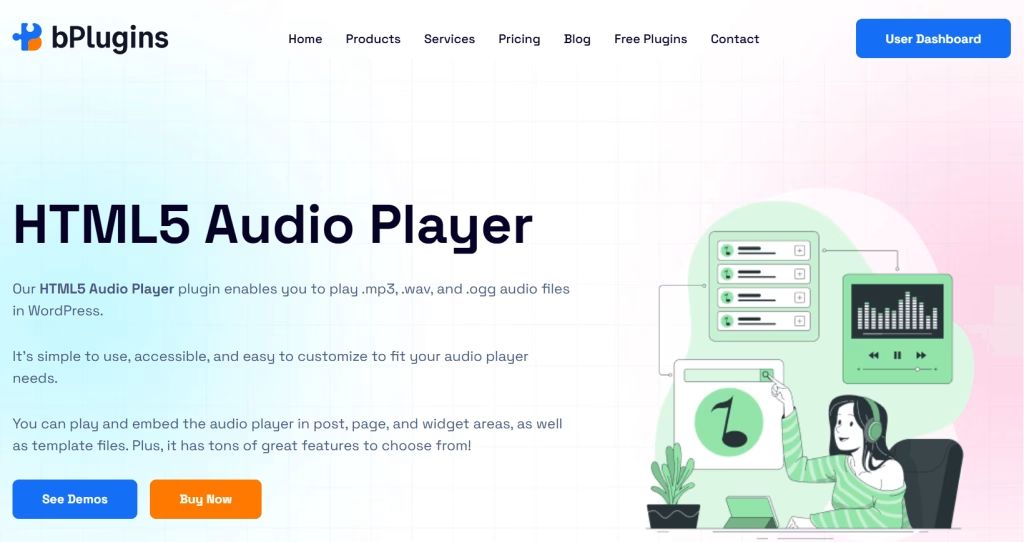
HTML5 Audio Player is a lightweight yet powerful plugin that makes adding audio to your WordPress site easy.
It’s ideal for podcasters, musicians, educators, and anyone who wants to embed audio in posts, pages, or sidebars. The plugin supports MP3 and OGG formats and works across all modern browsers.
You can customize the player using shortcodes or Gutenberg blocks. It’s responsive, easy to use, and features a clean interface that won’t slow down your site.
Pros
- Easy-to-use shortcode system and Gutenberg block support
- Lightweight and mobile responsive for fast performance
- Compatible with all major browsers and older versions of Internet Explorer
- Customizable player design with skins and color options
- Advanced playback controls in the Pro version (loop, mute, seek, speed, volume, etc.)
- Playlist, sticky player, and single-button player are available in Pro
- Supports audio previews, making it great for selling digital audio products
- SEO-friendly with schema and clean HTML5 code
Cons
- Some premium design and control features (like restart, sticky player, or seek buttons) are only available in the Pro version
- Does not include built-in analytics tracking (requires third-party solution)
Verdict
HTML5 Audio Player is an excellent option for content creators and developers. It offers a responsive and customizable audio solution.
Setting it up is simple. It works well with shortcodes and the block editor, giving you flexible embed options.
The Pro version includes advanced playback controls and design features. It’s great for podcasts, audio previews, and online courses.
2. Compact WP Audio Player
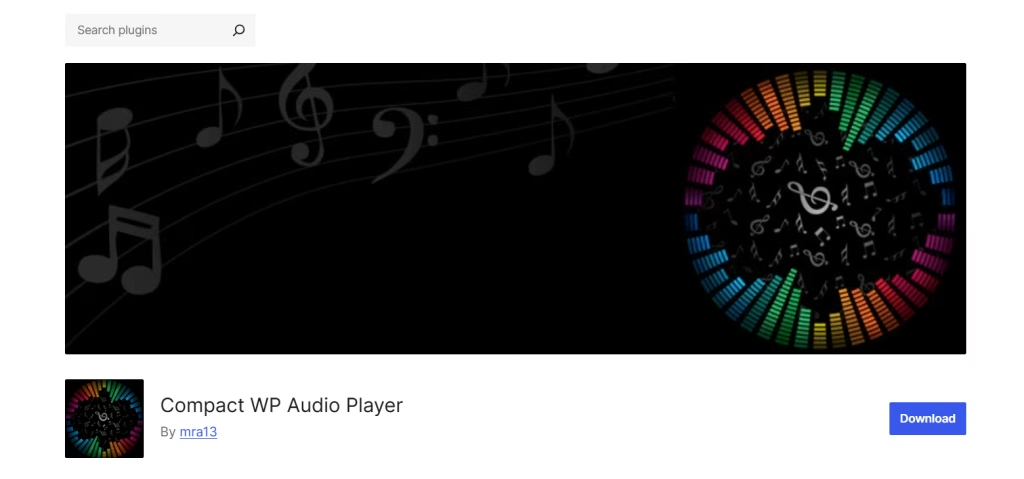
Compact WP Audio Player is a lightweight audio player plugin. You can embed MP3 and OGG files using a simple shortcode.
It’s built using a hybrid of HTML5 and Flash (as a fallback for older browsers) and delivers a minimalistic audio player that works across all major browsers and mobile devices.
Its size and simplicity make it a handy tool for anyone who wants to add basic audio playback to WordPress posts or pages without bloating their site.
Pros
- Very lightweight and compact—ideal for minimal layouts
- Works across all modern browsers and older versions like IE7–IE9
- Supports autoplay and responsive playback
- Compatible with both MP3 and OGG formats
- Embeds audio using a simple, straightforward shortcode
- Great for audio previews or podcast snippets
Cons
- Limited styling and customization options
- No playlist support or advanced player types
- Flash fallback is outdated and generally unnecessary for modern sites
- No Gutenberg block integration—shortcode only
Verdict
Compact WP Audio Player is best suited for users who need a simple audio player.
It’s a solid choice for bloggers, podcasters, or musicians looking to add single-track audio previews without diving into configuration or visual customization
But if you need modern styling, playlist features, or deeper integration with the block editor, you may want to explore more feature-rich alternatives.
3. MP3 Audio Player by Sonaar
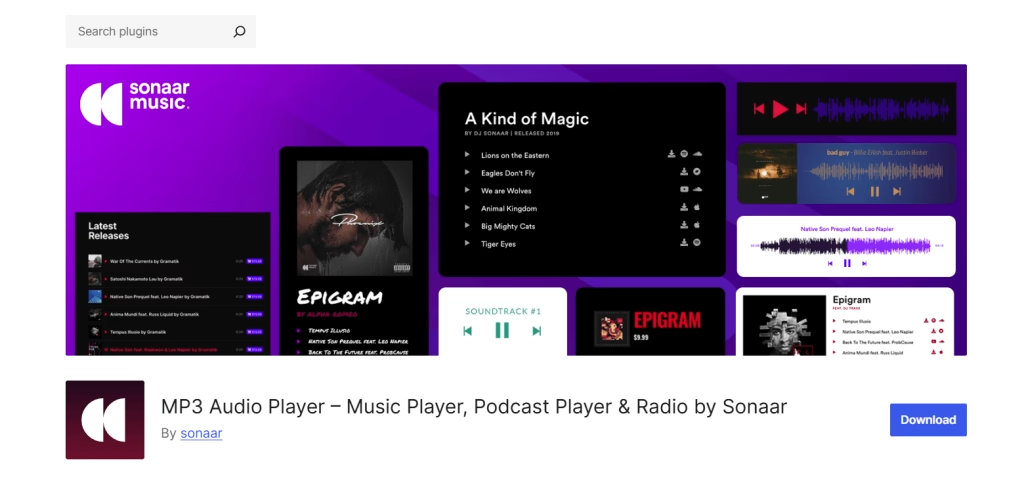
Sonaar’s MP3 Audio Player is a powerful solution built for music producers, podcasters, and digital audio sellers.
It supports Elementor, Gutenberg, shortcodes, a JavaScript API, and even bulk-import tools. You can create sleek audio players with waveform visualizations, floating sticky bars, and full WooCommerce integration.
Whether you’re hosting a podcast, selling beats, or streaming live radio, this plugin is designed to scale with your needs and deliver a polished user experience.
Pros
- Deep integration with Elementor, Gutenberg, and WooCommerce
- Supports playlists, podcasts, beat stores, and radio streams
- Built-in waveform visualizer and sticky player (Pro)
- Flexible layout options: sliders, coverflow, boxed, and more
- Excellent for SEO and metadata auto-fetch
- Advanced user engagement features: share, download, track stats, favorites, and more
- Extensive support for podcast RSS feeds and Icecast streams
Cons
- The UI and feature set can be overwhelming for beginners
- Most of the standout features (waveforms, sticky player, analytics) need Pro
- No direct streaming from Spotify or YouTube
- Occasional performance overhead due to its rich feature set
Verdict
MP3 Audio Player by Sonaar is a great choice for serious creators and digital sellers who want advanced design, control, and monetization features.
It includes a JavaScript API and dynamic playlist options, making it ideal for developers who need custom functionality.
You can build a full-featured music site, podcast directory, or WooCommerce-powered audio store. It stands out as one of the developer and marketer-friendly audio player WordPress plugins.
4. AudioIgniter Music Player
AudioIgniter offers a clean, no-nonsense solution for embedding audio playlists and streaming content directly within WordPress.
Built by CSSIgniter, it supports radio streams, podcasts, music libraries, and integrates easily with WooCommerce for track sales.
It is compatible with all major page builders, including Elementor and Gutenberg, and it works seamlessly with WordPress’ default media uploader.
Pros
- Lightweight, fast, and beginner-friendly setup
- Compatible with Elementor, Gutenberg, and Visual Composer
- Unlimited playlists and tracks (even in the free version)
- Automatic ID3 tag extraction and flexible playlist display options
- WooCommerce integration for selling tracks
- Supports streaming from Icecast, Shoutcast, and podcast platforms
- Pro version includes per-track analytics, shuffle mode, lyrics, and more
Cons
- Lacks waveform visualizations or sticky player options
- Limited layout/design options compared to more robust players
- Some essential features like shuffle, skip time, or persistent playback are locked behind the Pro version
- Continuous playback depends on theme compatibility
Verdict
AudioIgniter is perfect for musicians, podcasters, and radio streamers looking for a reliable, straightforward player.
Its strong Gutenberg and Elementor integration makes it easy to embed anywhere, and WooCommerce support is a bonus for monetization.
It doesn’t include advanced visual effects or developer APIs like other plugins. But its simplicity, solid core features, and optional Pro upgrades make it a strong choice for users who prioritize ease of use over extra flair.
5. Audio Album
Audio Album is a lightweight plugin built on WordPress’ native audio shortcode and mediaelement.js player.
Originally developed for legendary bodybuilder and musician Dave Draper’s site, it lets you group multiple audio tracks into a stylized, album-like block.
With support for track metadata and pop-up lyrics windows, it offers a clean, no-frills way to publish full music collections or spoken-word series.
Pros
- Leverages WordPress’ native mediaelement.js audio player for broad compatibility
- Shortcode-based, allowing precise control and customization
- Group tracks into albums using [audioalbum] and [audiotrack]
- Add lyrics or additional info in customizable popup windows
- Customizable colors via the WordPress Customizer
- Works well with Genesis themes (popup gets a minimal layout automatically)
- No bloat or extra styling—easy to adapt for developers
Cons
- No visual playlist interface or waveform previews
- Requires manual shortcode usage—less beginner-friendly
- Lacks built-in media library integration or drag-and-drop playlist creation
- No sticky player or continuous playback across pages
- Doesn’t support advanced analytics or monetization options
Verdict
Audio Album is ideal for musicians and spoken-word creators who want to present full albums with custom details, lyrics popups, and minimal styling.
It’s especially well-suited for developers or advanced users comfortable with shortcodes and those using Genesis child themes.
While it lacks additional features, its simplicity and reliance on native WordPress tools make it a dependable option for streamlined audio presentation, particularly when fine control over structure and metadata is important.
6. CP Media Player
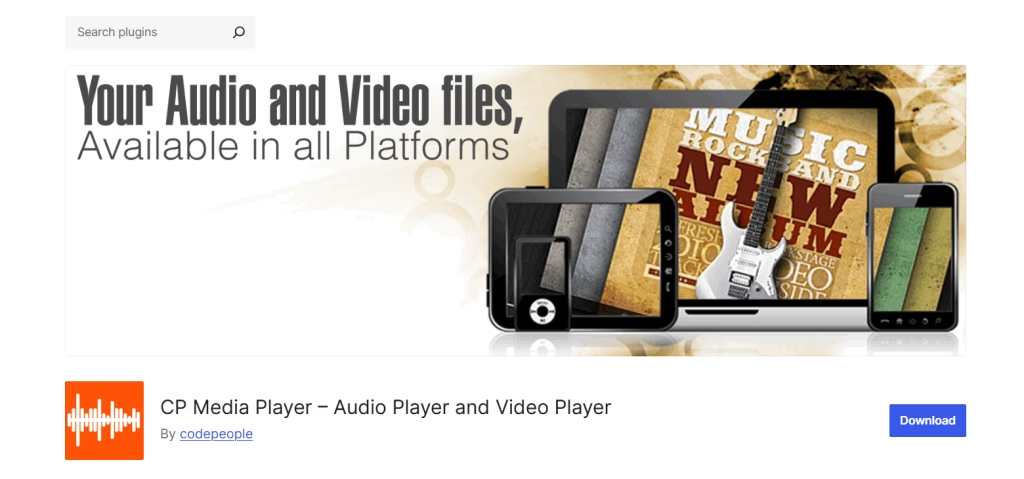
CP Media Player is a flexible HTML5 solution that supports audio and video. It includes playlist functionality, a responsive layout, and broad file format compatibility.
Built on the reliable MediaElement.js framework, it lets you place players anywhere using shortcodes—even with dynamic playlists that load from a media directory.
The premium version adds powerful monetization tools, including PayPal integration, watermarking, and detailed sales reports.
Pros
- Supports both audio and video formats (MP3, MP4, WebM, WAV, M4A, etc.)
- Playlist-ready via shortcode or auto-loaded from folders
- WebSRT subtitle support for accessibility
- Multiple responsive player skins included
- Works across major browsers and mobile platforms
- Gutenberg, Classic Editor, and Elementor compatible
- Premium version allows direct media sales via PayPal, watermarking with FFmpeg, and sales analytics
Cons
- The interface and setup feel dated compared to modern UX standards
- Shortcode-heavy configuration needs manual setup
- Lacks a visual customizer or drag-and-drop playlist creation
- Watermarking and audio protection depend on server-side FFmpeg
- No waveform or advanced playback enhancements (e.g., speed control, bookmarks)
Verdict
CP Media Player is great for power users and creators who need a flexible audio and video player. It offers strong control with shortcodes and folder-based playlists—perfect for managing large media libraries.
The Pro version adds features like media sales and reporting, making it ideal for developers and educators.
It may not have the sleekest design, but it’s a dependable, feature-rich tool for complex needs.
How to Choose the Right Audio Plugin: 7 Key Factors
With so many WordPress audio plugins available, choosing the right one can feel overwhelming. Whether you’re a podcaster, musician, blogger, or course creator, your audio player should match your workflow and meet your audience’s needs.
To help you decide, here are seven essential criteria to consider:
1. Browser & Device Compatibility
Your audience may be listening on a smartphone, tablet, or desktop, and they may use different browsers. A reliable audio player must work seamlessly across Chrome, Firefox, Safari, Edge, and mobile browsers, like in-app views.
Responsive design ensures the player adjusts smoothly on all screen sizes without breaking layout or functionality.
2. Custom Styling & Branding
A mismatched audio player can feel jarring on a professionally designed website. Choose a plugin that allows color customization, font selection, button styling, or even the option to hide controls if needed.
This helps you maintain visual consistency with your site’s theme and create a polished, branded experience.
3. Playlist or Album Support
Sharing just one audio clip? Simple is fine. But if you’re publishing multiple tracks, like a podcast series, a music album, or a collection of lessons, you’ll want a player that supports playlist functionality.
It allows users to navigate between tracks, enhancing usability and engagement.
4. Download or Purchase Options
Do you want users to download your audio for offline listening or buy tracks directly from your website?
Some plugins include built-in download buttons or even integrate with WooCommerce to let you sell music, spoken word, or audio courses.
5. Speed and Performance
Media-heavy sites can get sluggish fast. The last thing you want is for your audio player to slow down page load times or conflict with caching plugins.
Opt for a plugin known for its lightweight footprint and clean code. Bonus points for lazy loading or deferred playback features.
6. Gutenberg/Block Editor Support
If you’re using the WordPress block editor (Gutenberg), a plugin that provides its own dedicated audio block can simplify your workflow.
This means you can drag, drop, and configure audio visually, without shortcodes or manual settings.
7. Shortcode or Widget Integration
While blocks are great, shortcodes are still incredibly useful—especially when you want to embed an audio player in custom areas, widgetized footers, sidebars, or inside third-party page builders like Elementor or Beaver Builder.
The flexible shortcode support gives you more control over where your player appears.
Bonus: Pro Tips for Managing Audio Content in WordPress
Once you’ve chosen the perfect audio player plugin, the next step is making sure your audio content is optimized for performance, accessibility, SEO, and user experience.
These expert tips will help you streamline your workflow and make your audio assets work harder for you:
Use Audio Compression for Faster Load Times
High-quality audio sounds great, but large files can slow down your site. To keep things fast, compress your audio before uploading.
For general use, 128 kbps MP3 offers a good balance between quality and size. For music, consider 192 kbps if needed. Smaller files load faster and improve your site’s SEO.
📁 Tip: Tools like Audacity, Adobe Audition, or online converters can help you compress files easily.
Include Titles and Descriptions for Every Audio File
Don’t just upload “track1.mp3.” Always add a clear title, description, and optional cover image to your audio content.
This helps users understand what they’re about to hear and makes your content more searchable, both on-site and via search engines.
🔍 Tip: Treat each audio file like a blog post, with metadata that adds context.
Use Schema Markup to Help Google Recognize Embedded Audio
If you want your audio content to appear in rich search results or enhance your SEO footprint, add structured data using schema.org markup.
Some audio plugins or SEO tools (like Rank Math or Yoast) offer this feature. It helps search engines understand and index your audio properly.
📈 Bonus: This can improve your visibility in Google Podcasts or audio carousels.
Offer Downloadable Versions for Offline Listening
Not all users have time to listen on the spot. Give them the option to download audio files, especially for long-form content like podcasts, sermons, or tutorials. This improves user experience and increases content lifespan.
🎙️ Ideal for podcasters, educators, and mobile-first audiences.
Maintain a Consistent Audio Brand
Just like your visuals, your audio should reflect your brand identity. Use a consistent intro/outro, background music, and tone of voice across all audio tracks.
A recognizable audio brand builds trust, enhances professionalism, and helps users instantly associate the content with your brand.
🎧 Consider investing in a simple jingle or voiceover to open and close every track.
Add Transcripts for SEO and Accessibility
Adding a text transcript for your audio files benefits everyone. Not only does it make your content accessible to users with hearing impairments, but it also boosts SEO by giving search engines indexable content.
Transcripts can also be repurposed into blog posts, social snippets, or quotes.
♿ Inclusive, SEO-friendly, and perfect for content repurposing.
Special Note: The HTML5 Audio Player plugin was built with all of these best practices in mind. From optimized file handling to SEO-friendly markup and responsive design, it helps you implement these pro tips with minimal setup, making it a smart, forward-thinking choice for audio-rich websites.
Audio Player Plugin FAQs: Your Questions Answered
Whether you’re just starting with audio on your WordPress site or looking to level up your audio strategy, these frequently asked questions cover common concerns and technical details. Let’s dive in:
Can I play audio automatically when I load the page?
Yes, most audio player plugins support autoplay, but it’s not recommended by default. Modern browsers (especially Chrome and Safari) restrict autoplay unless the audio is muted or user-initiated. Autoplay can also hurt user experience, especially on mobile.
Will audio players slow down my site?
Not if you choose a lightweight, well-optimized plugin and properly compress your audio files. However, bulky players or large uncompressed MP3s can impact performance.
Be sure to test your site speed after adding audio and use tools like PageSpeed Insights or GTmetrix to spot bottlenecks.
Can I use these plugins with page builders like Elementor or Gutenberg?
Yes! Most modern audio plugins are compatible with Elementor, Gutenberg, WPBakery, and other page builders. Some even include dedicated blocks or widgets, making it easy to drag and drop your audio content without writing code.
How do I track audio engagement (e.g., plays or listens)?
Basic players don’t include built-in analytics, but some advanced plugins (like MP3 Audio Player by Sonaar) offer this feature.
You can also track engagement using Google Tag Manager or a plugin like ExactMetrics if your audio player supports JavaScript events.
What’s the best format to upload audio for web playback?
The most widely supported and recommended format is MP3, due to its balance of quality and file size. Most browsers natively support MP3 playback. For advanced users, OGG can be used as a fallback in specific situations, but MP3 is the safest choice.
Can I embed audio in blog posts, not just pages?
Yes, all of the plugins covered in this article allow embedding audio into posts, pages, custom post types, and even sidebars or widgets. You can use shortcodes, blocks, or widgets depending on the plugin.
Can I create playlists or albums with these plugins?
Some plugins, like MP3 Audio Player by Sonaar and AudioIgniter, offer full playlist support. This is useful for musicians, podcasters, or anyone publishing multiple related tracks.
Can visitors download the audio tracks?
Only if the plugin provides that feature, some players include a download button, while others need third-party tools or shortcode tweaks. This is ideal for podcasts, lectures, or audio guides meant for offline use.
Conclusion
Audio content is a powerful way to enhance digital experiences. With WordPress, adding audio to your site is simple. You can share music, narrate blog posts, publish podcasts, or offer downloadable learning materials.
In this guide, we’ve highlighted top audio player plugins. Some focus on simplicity, while others offer advanced features like playlists, download support, or WooCommerce integration.
You might focus on visual customization and block editor support. Or you may be more focused on analytics, monetization, or performance.
If you’re looking for a reliable and easy solution, HTML5 Audio Player is a great choice.

 Save 90%